

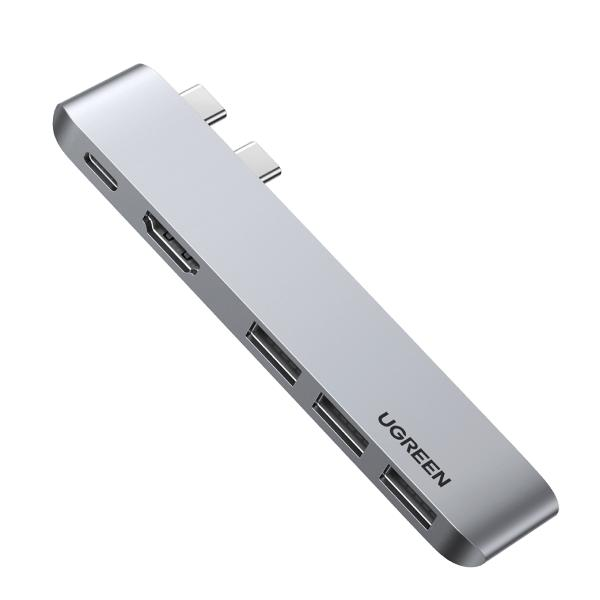
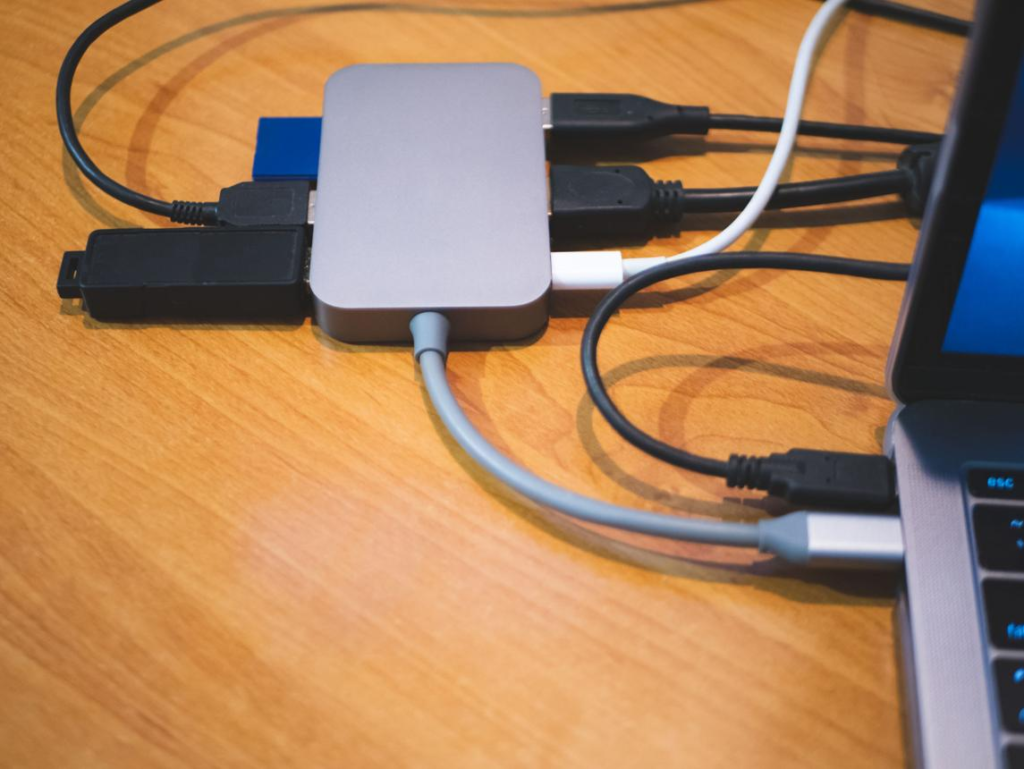
As laptops become thinner and more compact, the number of available ports has significantly decreased. Many modern devices, especially ultrabooks and tablets, now rely heavily on USB-C connections. While this design makes devices more portable, it also creates a new challenge: limited connectivity. If you’ve ever tried to connect a mouse, keyboard, external storage, and monitor at the same time, you already know how frustrating this can be.
A USB-C hub is a simple yet powerful solution to this problem. It expands a single USB-C port into multiple connections, allowing you to connect various devices simultaneously. Whether you’re working from home, studying, editing content, or simply managing multiple accessories, a USB-C hub can dramatically improve your workflow.
Another major advantage of USB-C hubs is versatility. Many models include HDMI ports for external displays, USB-A ports for traditional devices, SD card readers for photographers, and even power delivery (PD) charging support. This makes them an essential tool for modern users who rely on multiple devices.
In this guide, we will explore the best USB-C hubs under $30 in 2026. We’ll focus on real-world usability, port selection, build quality, and overall value to help you find the right hub for your needs.
1. Anker 5-in-1 USB-C Hub


Product Description
The Anker 5-in-1 USB-C Hub is one of the most reliable options in the budget category. Known for its quality and durability, Anker delivers a well-balanced hub that covers most everyday needs. It typically includes multiple USB-A ports, an HDMI output, and a USB-C port for power delivery.
One of the biggest strengths of this hub is its simplicity. It provides essential ports without overwhelming the user, making it perfect for those who want a straightforward solution. The HDMI port allows you to connect your laptop to an external monitor, which is especially useful for productivity tasks such as multitasking, editing, or presentations.
The build quality is another highlight. The aluminum finish not only looks premium but also helps with heat dissipation during extended use. This ensures stable performance even when multiple devices are connected.
Pros
- Reliable performance
- High-quality build
- Essential ports included
- Easy to use
Cons
- Limited advanced features
Best For
- Everyday productivity
- Office and study setups
- Users who need a simple hub
2. UGREEN USB-C Hub 6-in-1


Product Description
The UGREEN 6-in-1 USB-C Hub is a versatile option for users who need more functionality. In addition to standard USB and HDMI ports, it often includes SD and microSD card readers, making it particularly useful for photographers, content creators, and students who work with media files.
One of the key advantages of this hub is its flexibility. You can connect multiple devices while also transferring files from memory cards without needing separate adapters. This saves time and simplifies your workflow.
The design is compact and portable, making it easy to carry in a laptop bag. Despite its small size, it delivers stable performance, allowing you to use multiple ports simultaneously without major issues.
Pros
- More ports and features
- SD card support
- Compact and portable
- Great for media users
Cons
- Can get warm during heavy use
Best For
- Content creators
- Students
- Multi-device users
3. Hiearcool USB-C Hub


Product Description
The Hiearcool USB-C Hub is designed for users who value durability and portability. It features a compact design that is easy to carry, making it ideal for travel and mobile work setups.
One of its standout features is its robust build quality. Some models are designed with water-resistant materials, providing extra protection in different environments. This makes it a great option for users who frequently move between locations or work in less controlled environments.
In terms of functionality, it offers a balanced selection of ports, including USB-A, HDMI, and USB-C. While it may not have as many features as higher-end hubs, it covers the essentials effectively.
Pros
- Durable design
- Travel-friendly
- Reliable performance
- Compact size
Cons
- Fewer ports than advanced hubs
Best For
- Travel and mobility
- Remote workers
- Simple setups
Buying Guide


Choosing the right USB-C hub depends on how you use your laptop and what devices you need to connect.
First, consider the number of ports. If you only need to connect a few devices, a basic hub will be sufficient. However, if you use external storage, monitors, and accessories, a hub with more ports will be more practical.
HDMI support is important if you plan to connect an external display. This is especially useful for productivity, as it allows you to extend your screen and work more efficiently.
Power delivery (PD) is another key feature. It allows you to charge your laptop while using the hub, which is essential for long work sessions.
Portability is also worth considering. A compact and lightweight hub is easier to carry, especially if you travel frequently.
Comparison and Tips
When comparing these three USB-C hubs, the Anker model is the best choice for reliability and simplicity. It provides essential features with consistent performance, making it ideal for everyday use.
The UGREEN hub stands out for its versatility. If you need more ports and additional features like SD card readers, this is the best option.
The Hiearcool hub is the most durable and travel-friendly. It’s perfect for users who need a reliable hub on the go.
A useful tip is to think about your workflow. If you often connect multiple devices, choose a hub with more ports. If you prioritize portability, go for a compact model.
Final Verdict
USB-C hubs have become essential accessories for modern laptops. They solve the problem of limited ports and allow users to connect multiple devices with ease. Whether you are working, studying, or traveling, a good USB-C hub can significantly improve your efficiency and convenience.
Affordable options like the Anker 5-in-1, UGREEN 6-in-1, and Hiearcool USB-C Hub show that you don’t need to spend a lot to get a high-quality product. Each model offers unique advantages, and the best choice depends on your specific needs.
If you want to maximize your laptop’s functionality and create a more efficient workspace, investing in a USB-C hub is a smart and practical decision.
답글 남기기