When people think about improving their performance in FPS games, the focus is almost always on the mouse. While aiming is undeniably important, movement is just as critical in competitive gameplay. In games like Valorant, Counter-Strike 2, and Apex Legends, your ability to move quickly, strafe efficiently, and position yourself correctly often determines whether you win or lose a fight. This is where your keyboard becomes an essential part of your setup.
A gaming keyboard is not just about typing or basic input. In FPS games, it directly affects how fast and accurately you can move. Every strafe, jump, crouch, and counter-movement depends on how responsive your keyboard is. Even a slight delay or inconsistency can impact your timing, making your movements less precise.
Another important factor is consistency. Just like aim relies on muscle memory, movement also depends on repetition. If your keyboard does not provide consistent feedback, it becomes difficult to build reliable habits. This is especially important for advanced techniques such as counter-strafing, where precise timing is required to stop movement instantly and shoot accurately.
Comfort also plays a major role. FPS players often spend long hours practicing and competing. A keyboard that feels uncomfortable can lead to fatigue, which reduces both speed and accuracy over time. The layout, key spacing, and key feel all contribute to how comfortable your keyboard is during extended sessions.
In 2026, there are many excellent gaming keyboards available that support fast and precise movement for FPS players. You do not need the most expensive option to perform well. What matters is choosing a keyboard that matches your playstyle and allows you to move consistently and comfortably.
This guide will break down what makes a keyboard suitable for FPS gaming, how it affects your performance, and how to choose the right one for your setup.
Top Picks (Types of Keyboards for FPS)


Linear Switch Keyboards (Best for Speed)
Linear switches are the most popular choice for FPS gaming. They provide smooth key presses without tactile bumps, allowing for faster actuation and quicker repeated inputs.
For FPS players, this means:
- Faster strafing
- Smoother movement transitions
- Better control during rapid inputs
Linear switches are especially useful for players who rely on quick reactions and fluid movement.
Tactile Switch Keyboards (Balanced Option)
Tactile switches provide a small bump when the key is pressed, giving feedback that the input has been registered.
This can help with:
- Controlled movement
- Reduced accidental inputs
- More precise timing
However, they are slightly slower than linear switches, which may not be ideal for highly competitive play.
Compact Keyboards (More Space for Mouse Movement)
Many FPS players prefer smaller keyboards, such as tenkeyless (TKL) or 60% layouts. These keyboards remove unnecessary keys, creating more space for mouse movement.
This is particularly important for low sensitivity players who need large arm movements.
Why It Matters for FPS


Movement in FPS games is not just about pressing keys—it is about timing, precision, and control.
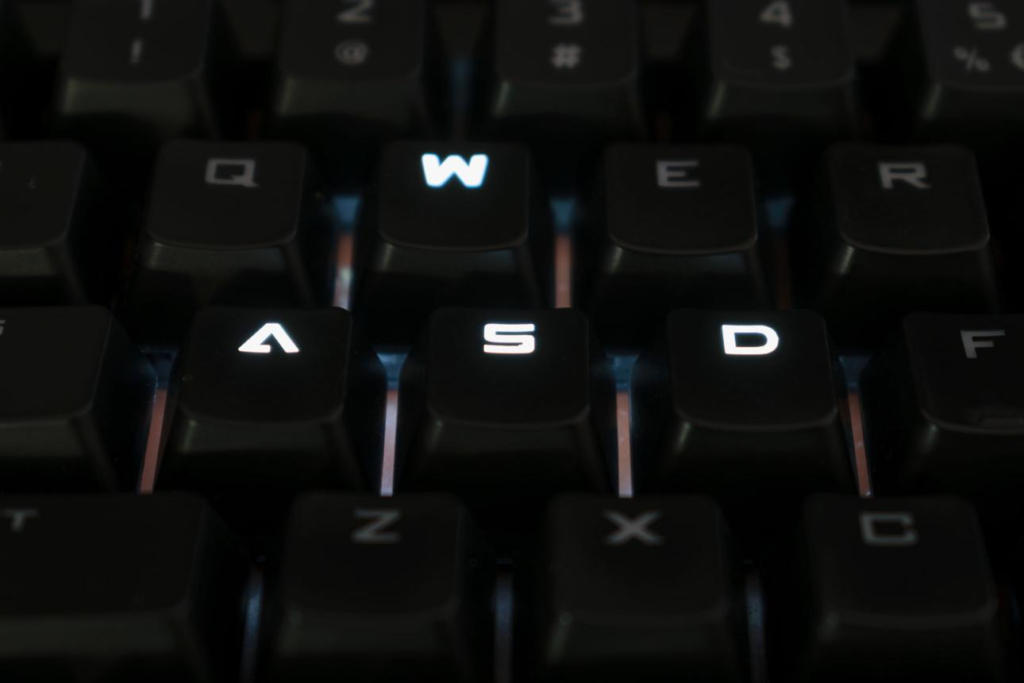
First, strafing is essential. Moving left and right quickly makes you harder to hit. A responsive keyboard allows you to change direction instantly, improving your survivability.
Second, counter-strafing is critical in tactical shooters. This technique requires you to stop your movement at the exact right moment to shoot accurately. A keyboard with fast response time makes this much easier.
Third, reaction time matters. In fast-paced situations, even a small delay can affect the outcome. A good keyboard ensures that your inputs are registered instantly.
Fourth, consistency is key. Using the same keyboard with reliable feedback helps you build muscle memory over time.
Pros and Cons
Pros
- Faster and more precise movement
- Improved reaction time
- Better consistency in gameplay
- More comfortable long sessions
Cons
- Requires adjustment if switching types
- Compact layouts may take time to get used to
- Personal preference plays a big role
Buying Guide


When choosing a keyboard for FPS gaming, focus on these key factors:
1. Switch Type
Linear switches are best for speed and smooth movement.
2. Keyboard Size
Smaller keyboards provide more space for mouse movement.
3. Build Quality
A solid keyboard ensures consistent performance over time.
4. Comfort
Choose a layout that feels natural for your hand position.
Connection to Full FPS Setup
A keyboard is just one part of a complete FPS setup.
Your mouse controls aim.
Your mousepad controls glide and consistency.
Your keyboard controls movement.
Your headset provides awareness.
Your desk setup supports everything.
When all these elements work together, your performance becomes more consistent and reliable.
Conclusion
A good FPS gaming keyboard is not about flashy features or aesthetics. It is about speed, consistency, and comfort. The right keyboard allows you to move more precisely, react faster, and perform more consistently in competitive situations.
While the mouse often gets the most attention, your keyboard plays an equally important role in your overall performance. By choosing the right type of switches, layout, and design, you can significantly improve your movement and gameplay.
In the end, the best keyboard is the one that feels natural in your hands and supports your playstyle. Combined with a well-optimized setup, it becomes a powerful tool for improving your performance in any FPS game.
답글 남기기