Introduction
A good gaming mouse can improve both comfort and performance, but many people assume that gaming gear must be expensive. In reality, there are plenty of affordable gaming mice that offer great features for everyday gaming.
Budget gaming mice today often include adjustable DPI settings, ergonomic shapes, and RGB lighting. These features help gamers maintain control and precision without spending a lot of money.
If you are building a gaming setup on a budget, choosing the right mouse is one of the easiest upgrades you can make.
1. Logitech G203 Lightsync
Key Features
- Adjustable DPI up to 8000
- RGB lighting customization
- Lightweight design
- Reliable Logitech gaming sensor
The Logitech G203 Lightsync is one of the most popular budget gaming mice. It offers responsive tracking and a comfortable design that works well for both casual and competitive gamers.
Because of its lightweight design, the mouse feels smooth and easy to control during long gaming sessions.
Pros
- Reliable gaming performance
- Lightweight and comfortable
- Good RGB lighting options
- Trusted gaming brand
Cons
- Limited programmable buttons
- Wired connection only
2. Razer Basilisk Essential

Key Features
- 6400 DPI optical sensor
- Ergonomic right-handed design
- Multi-function paddle button
- Razer Chroma lighting
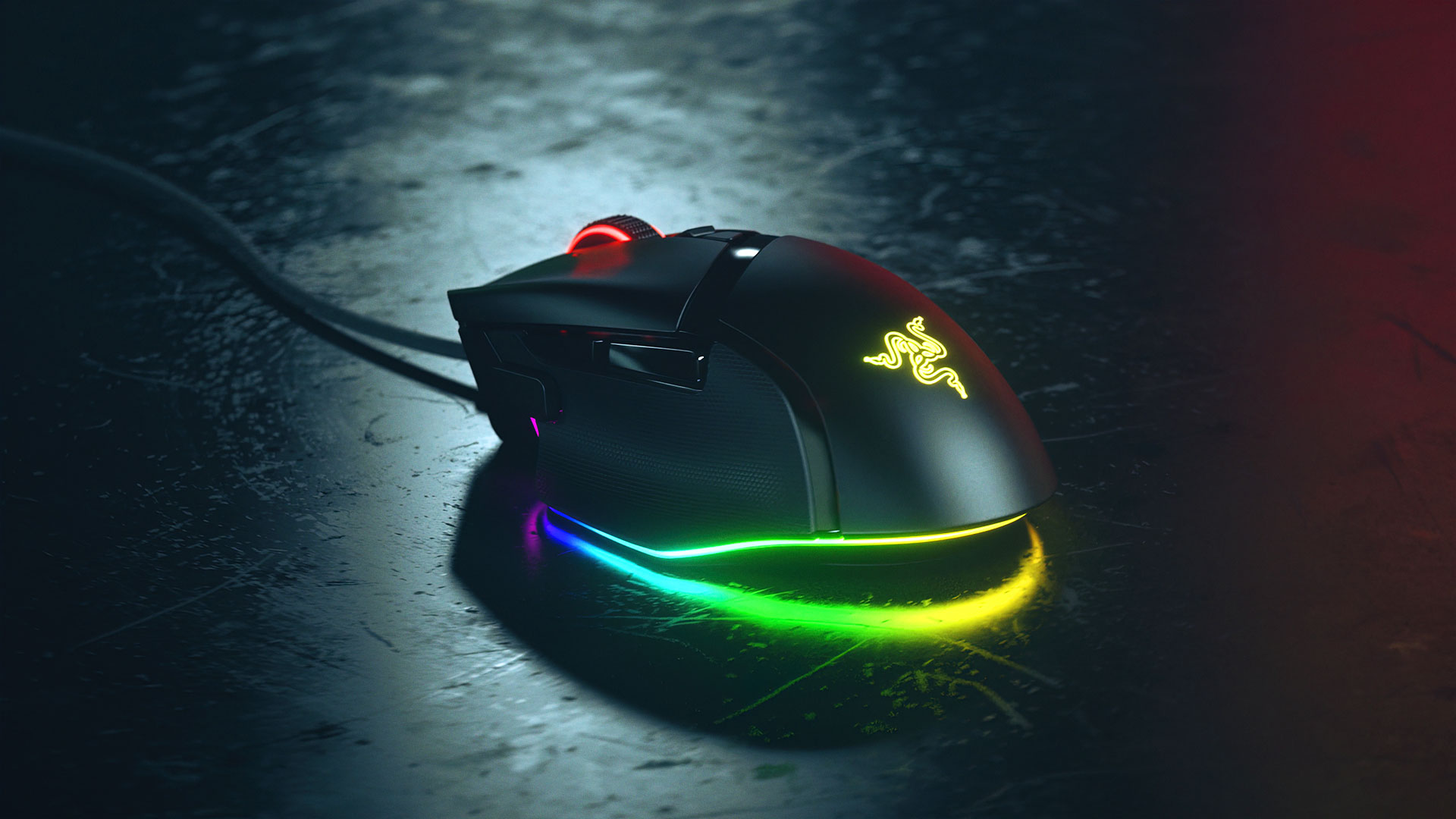
The Razer Basilisk Essential is a good choice for gamers who want more control options. Its ergonomic design makes it comfortable to hold, and the extra side paddle allows quick in-game actions.
This mouse works especially well for FPS and action games where quick reactions are important.
Pros
- Comfortable ergonomic shape
- Customizable controls
- Good tracking accuracy
Cons
- Slightly heavier than some budget mice
- Wired connection
3. SteelSeries Rival 3


Key Features
- TrueMove Core optical sensor
- Durable switches rated for millions of clicks
- Lightweight design
- RGB lighting effects
The SteelSeries Rival 3 focuses on precision and durability. It is designed for players who want accurate tracking without paying premium prices.
Its lightweight construction makes it suitable for long gaming sessions and fast mouse movements.
Pros
- Accurate sensor performance
- Durable build quality
- Comfortable lightweight design
Cons
- RGB customization is basic
- Not ideal for very large hands
Buying Guide: How to Choose a Budget Gaming Mouse
Choosing a gaming mouse depends on several factors.
Sensor Accuracy
A good gaming mouse should have an accurate sensor to track movements smoothly.
DPI Settings
Higher DPI allows faster cursor movement, but adjustable DPI settings are more useful for different games.
Comfort
An ergonomic shape is important for long gaming sessions.
Buttons
Extra buttons can help with gaming shortcuts, especially for MMO or strategy games.
Build Quality
Even budget gaming mice should feel durable and responsive.
Conclusion
A budget gaming mouse can still deliver excellent performance for everyday gaming. Many affordable models now include features that were once limited to premium gaming gear.
Whether you prefer the reliable Logitech G203, the ergonomic Razer Basilisk Essential, or the precise SteelSeries Rival 3, there are plenty of good options for gamers who want quality without spending too much.
Image keywords (Unsplash / Pexels)
- gaming mouse rgb desk
- gaming mouse pc setup
- gaming mouse close up
Meta description
Looking for an affordable gaming mouse? Discover the best budget gaming mice in 2026 with great performance, ergonomic design, and customizable features.
Internal link ideas
- Best Budget Mechanical Keyboards
- Best Desk Setup Accessories
- Best Budget Gaming Headsets
답글 남기기