
[작성자:] gimj34490@gmail.com

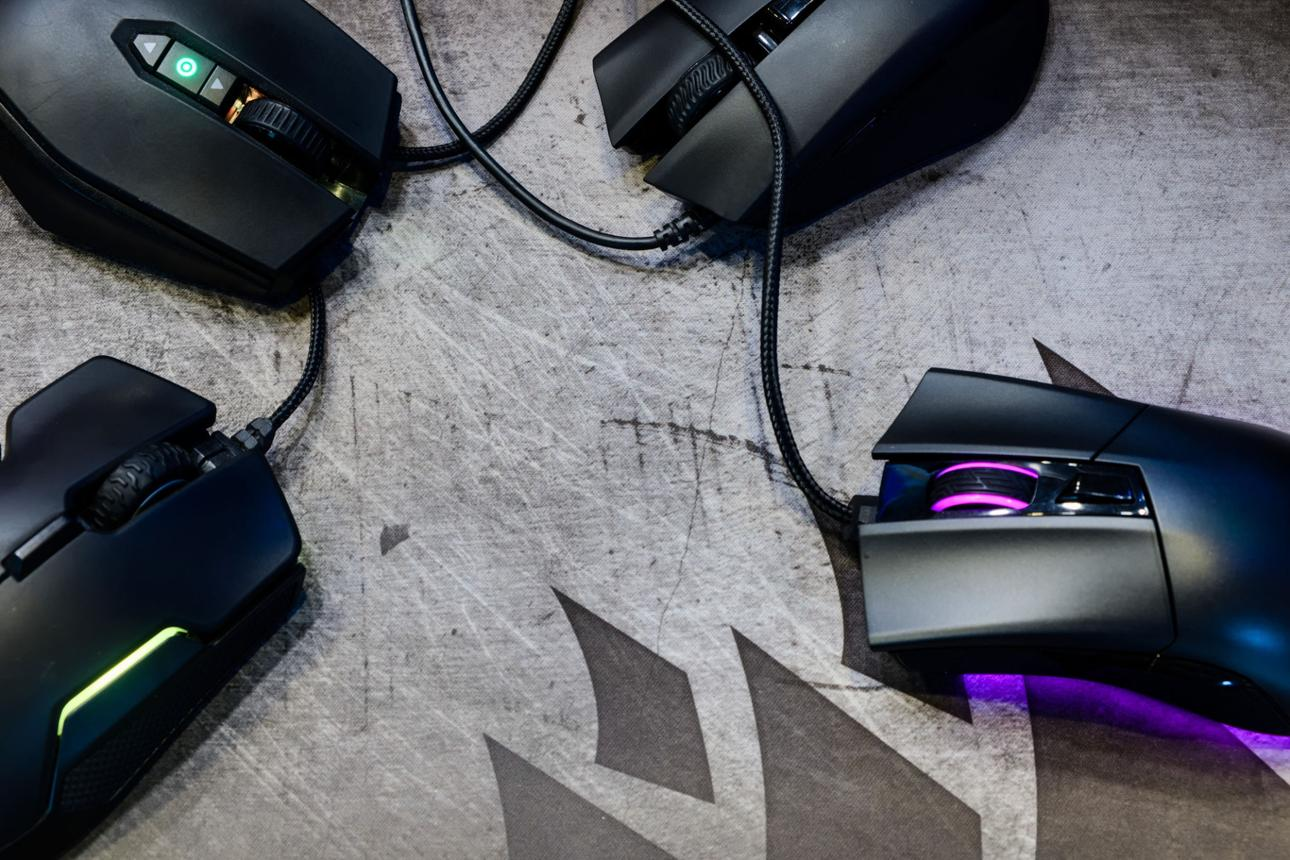
  • Best Gaming Mouse Under $30 (2026 Guide)

    Best Gaming Mouse Under $30 (2026 Guide)

    Choosing the right gaming mouse can completely change how you play. Many gamers focus on expensive gear, thinking they need high-end equipment to perform well, but the truth is that even budget gaming mice under $30 can deliver excellent performance if you choose the right one. Over the past few years, budget gaming mice have improved significantly, offering high DPI sensors, lightweight designs, and reliable tracking that were once only available in premium models.

    A gaming mouse is not just about clicking—it directly affects your aim, reaction time, and comfort. Whether you play FPS games like Call of Duty or Valorant, MOBA games like League of Legends, or even casual games, your mouse plays a crucial role in how accurately and quickly you can respond. A poor-quality mouse can lead to missed shots, delayed reactions, and overall frustration.

    Another important factor is comfort. Gaming sessions often last for hours, and using a mouse that does not fit your hand properly can lead to fatigue or even wrist pain. This is why choosing the right shape, weight, and grip style is just as important as performance.

    In this guide, we will explore the best gaming mice under $30 in 2026, focusing on real-world gaming performance, comfort, durability, and value. These are not just cheap options—they are proven performers that can compete far above their price range.


    1. Logitech G305 LIGHTSPEED (Best Overall)

    Product Description

    The Logitech G305 LIGHTSPEED is widely considered one of the best budget gaming mice ever made. Even in 2026, it continues to outperform many newer models in its price range. What makes this mouse special is its wireless performance, which feels just as responsive as a wired connection.

    It features Logitech’s HERO sensor, capable of up to 12,000 DPI with extremely accurate tracking. This means you can rely on it for competitive gaming without worrying about lag or inconsistency. In fact, many reviews still consider it one of the top-performing budget wireless mice available today.

    Battery life is another major advantage. The G305 can last up to 250 hours on a single AA battery, which is impressive for a wireless gaming mouse. This makes it highly practical for long-term use without constant charging.

    Pros

    • Wireless performance with low latency
    • Extremely accurate HERO sensor
    • Long battery life
    • Lightweight and responsive

    Cons

    • Uses AA battery instead of rechargeable
    • Shape may feel small for large hands

    Best For

    • FPS gamers
    • Competitive players
    • Users who want wireless performance on a budget

    2. Razer Viper Mini (Best for FPS Precision)

    Product Description

    The Razer Viper Mini is one of the best choices for FPS gamers who prioritize speed and precision. It is extremely lightweight, making it ideal for quick flick shots and fast movements. If you play games that require high accuracy, such as Valorant or CS:GO, this mouse gives you a noticeable advantage.

    The sensor is highly accurate and does not introduce unwanted acceleration, which is crucial for consistent aiming. Many gamers prefer this mouse because it feels very responsive and precise, even during intense gameplay.

    Another benefit is its shape. The Viper Mini is designed for claw and fingertip grip styles, which are commonly used in competitive gaming. This allows for better control and faster reaction times.

    Community feedback also consistently highlights this mouse as one of the best budget options, especially for competitive FPS gaming.

    Pros

    • Extremely lightweight
    • Excellent for FPS games
    • Accurate and responsive sensor
    • Comfortable for smaller hands

    Cons

    • Wired only
    • Not ideal for palm grip users

    Best For

    • FPS players
    • Competitive gaming
    • Fast-paced gameplay

    3. Redragon M908 Impact (Best for MMO/MOBA)

    Product Description

    The Redragon M908 Impact is designed for players who need more than just basic controls. It features multiple programmable side buttons, making it perfect for MMO and MOBA games where quick access to abilities is essential.

    Unlike FPS-focused mice, this model prioritizes functionality and control. You can assign macros and commands to the side buttons, allowing you to perform complex actions with ease. This is especially useful in games like World of Warcraft or League of Legends.

    Despite its low price, the M908 offers solid build quality and reliable performance. It also includes adjustable DPI settings, allowing you to customize sensitivity based on your playstyle.

    Pros

    • Multiple programmable buttons
    • Great for MMO/MOBA
    • Good value for price
    • Comfortable ergonomic shape

    Cons

    • Heavier than FPS mice
    • Not ideal for fast flick movements

    Best For

    • MMO players
    • MOBA gamers
    • Users who need extra controls

    Buying Guide

    Choosing the right gaming mouse is not just about specs—it’s about how it fits your playstyle.

    First, consider the sensor quality. A good sensor ensures accurate tracking without jitter or delay. Even budget mice today offer sensors that are more than capable of handling competitive gaming.

    Weight is another important factor. Lightweight mice are better for fast-paced games, while heavier mice provide more control in slower games.

    Grip style also matters:

    • Palm grip → larger ergonomic mouse
    • Claw grip → medium size, flexible shape
    • Fingertip grip → small, lightweight mouse

    DPI is often misunderstood. Higher DPI does not always mean better performance. Most players use moderate DPI settings for better control.


    Comparison and Tips

    Each of these mice serves a different type of gamer.

    • Logitech G305 → best overall balance (performance + wireless)
    • Razer Viper Mini → best for FPS precision
    • Redragon M908 → best for MMO/MOBA

    A key tip is to choose based on your main game type, not just specs. Many beginners make the mistake of choosing based on high DPI or RGB lighting instead of actual usability.

    Also, comfort is extremely important. A mouse that fits your hand properly will always perform better than one with better specs but poor ergonomics.


    Final Verdict

    Gaming mice under $30 have reached a point where they can deliver real performance without breaking the budget. Whether you are a beginner or an experienced player, you can find a reliable mouse that fits your needs.

    The Logitech G305 stands out as the best overall choice, offering wireless performance and excellent tracking. The Razer Viper Mini is perfect for FPS players who need speed and precision, while the Redragon M908 is ideal for MMO and MOBA gamers who require extra controls.

    At the end of the day, the best gaming mouse is the one that feels right in your hand and supports your playstyle. With the options available today, you no longer need to spend a lot to get a high-quality gaming experience.
  • Best USB-C Hubs Under $30 (2026 Guide)

    Best USB-C Hubs Under $30 (2026 Guide)

    As laptops become thinner and more compact, the number of available ports has significantly decreased. Many modern devices, especially ultrabooks and tablets, now rely heavily on USB-C connections. While this design makes devices more portable, it also creates a new challenge: limited connectivity. If you’ve ever tried to connect a mouse, keyboard, external storage, and monitor at the same time, you already know how frustrating this can be.

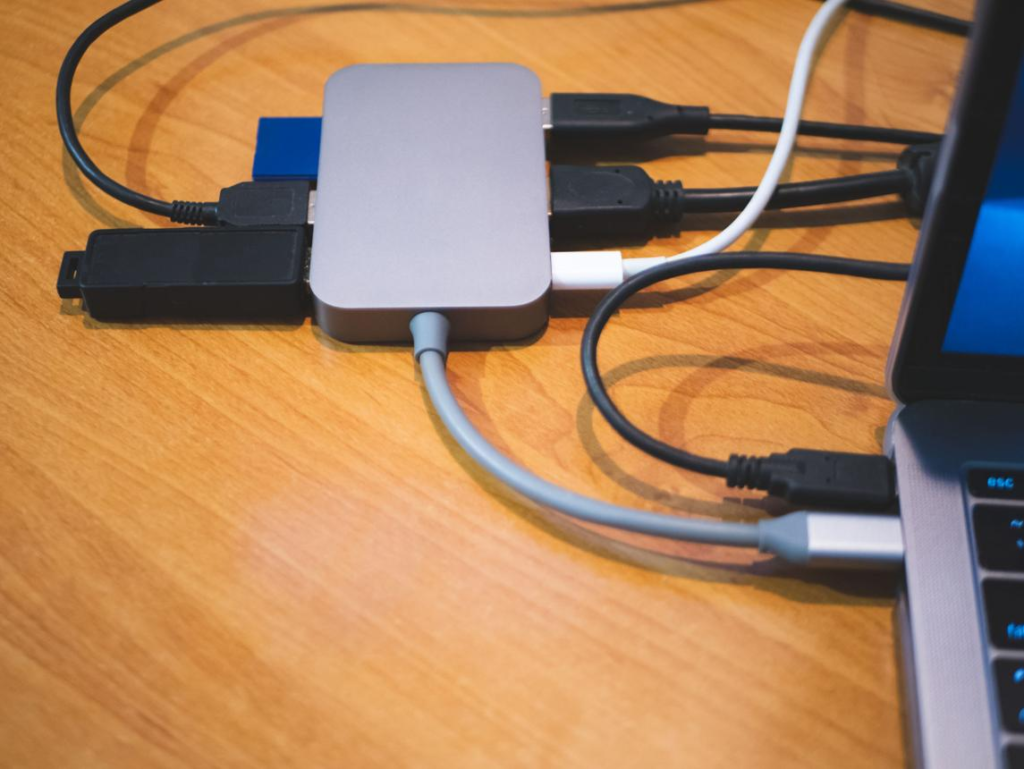
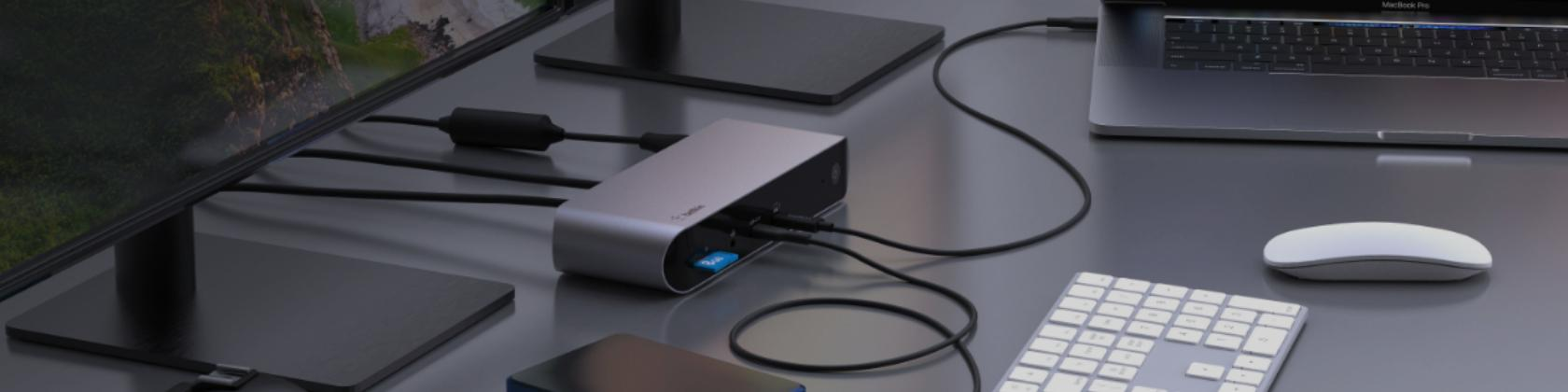
    A USB-C hub is a simple yet powerful solution to this problem. It expands a single USB-C port into multiple connections, allowing you to connect various devices simultaneously. Whether you’re working from home, studying, editing content, or simply managing multiple accessories, a USB-C hub can dramatically improve your workflow.

    Another major advantage of USB-C hubs is versatility. Many models include HDMI ports for external displays, USB-A ports for traditional devices, SD card readers for photographers, and even power delivery (PD) charging support. This makes them an essential tool for modern users who rely on multiple devices.

    In this guide, we will explore the best USB-C hubs under $30 in 2026. We’ll focus on real-world usability, port selection, build quality, and overall value to help you find the right hub for your needs.


    1. Anker 5-in-1 USB-C Hub

    Product Description

    The Anker 5-in-1 USB-C Hub is one of the most reliable options in the budget category. Known for its quality and durability, Anker delivers a well-balanced hub that covers most everyday needs. It typically includes multiple USB-A ports, an HDMI output, and a USB-C port for power delivery.

    One of the biggest strengths of this hub is its simplicity. It provides essential ports without overwhelming the user, making it perfect for those who want a straightforward solution. The HDMI port allows you to connect your laptop to an external monitor, which is especially useful for productivity tasks such as multitasking, editing, or presentations.

    The build quality is another highlight. The aluminum finish not only looks premium but also helps with heat dissipation during extended use. This ensures stable performance even when multiple devices are connected.

    Pros

    • Reliable performance
    • High-quality build
    • Essential ports included
    • Easy to use

    Cons

    • Limited advanced features

    Best For

    • Everyday productivity
    • Office and study setups
    • Users who need a simple hub

    2. UGREEN USB-C Hub 6-in-1

    Product Description

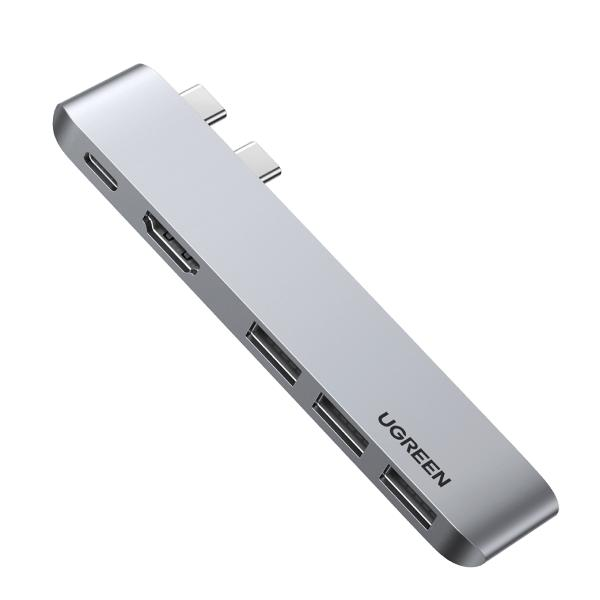
    The UGREEN 6-in-1 USB-C Hub is a versatile option for users who need more functionality. In addition to standard USB and HDMI ports, it often includes SD and microSD card readers, making it particularly useful for photographers, content creators, and students who work with media files.

    One of the key advantages of this hub is its flexibility. You can connect multiple devices while also transferring files from memory cards without needing separate adapters. This saves time and simplifies your workflow.

    The design is compact and portable, making it easy to carry in a laptop bag. Despite its small size, it delivers stable performance, allowing you to use multiple ports simultaneously without major issues.

    Pros

    • More ports and features
    • SD card support
    • Compact and portable
    • Great for media users

    Cons

    • Can get warm during heavy use

    Best For

    • Content creators
    • Students
    • Multi-device users

    3. Hiearcool USB-C Hub

    Product Description

    The Hiearcool USB-C Hub is designed for users who value durability and portability. It features a compact design that is easy to carry, making it ideal for travel and mobile work setups.

    One of its standout features is its robust build quality. Some models are designed with water-resistant materials, providing extra protection in different environments. This makes it a great option for users who frequently move between locations or work in less controlled environments.

    In terms of functionality, it offers a balanced selection of ports, including USB-A, HDMI, and USB-C. While it may not have as many features as higher-end hubs, it covers the essentials effectively.

    Pros

    • Durable design
    • Travel-friendly
    • Reliable performance
    • Compact size

    Cons

    • Fewer ports than advanced hubs

    Best For

    • Travel and mobility
    • Remote workers
    • Simple setups

    Buying Guide

    Choosing the right USB-C hub depends on how you use your laptop and what devices you need to connect.

    First, consider the number of ports. If you only need to connect a few devices, a basic hub will be sufficient. However, if you use external storage, monitors, and accessories, a hub with more ports will be more practical.

    HDMI support is important if you plan to connect an external display. This is especially useful for productivity, as it allows you to extend your screen and work more efficiently.

    Power delivery (PD) is another key feature. It allows you to charge your laptop while using the hub, which is essential for long work sessions.

    Portability is also worth considering. A compact and lightweight hub is easier to carry, especially if you travel frequently.


    Comparison and Tips

    When comparing these three USB-C hubs, the Anker model is the best choice for reliability and simplicity. It provides essential features with consistent performance, making it ideal for everyday use.

    The UGREEN hub stands out for its versatility. If you need more ports and additional features like SD card readers, this is the best option.

    The Hiearcool hub is the most durable and travel-friendly. It’s perfect for users who need a reliable hub on the go.

    A useful tip is to think about your workflow. If you often connect multiple devices, choose a hub with more ports. If you prioritize portability, go for a compact model.


    Final Verdict

    USB-C hubs have become essential accessories for modern laptops. They solve the problem of limited ports and allow users to connect multiple devices with ease. Whether you are working, studying, or traveling, a good USB-C hub can significantly improve your efficiency and convenience.

    Affordable options like the Anker 5-in-1, UGREEN 6-in-1, and Hiearcool USB-C Hub show that you don’t need to spend a lot to get a high-quality product. Each model offers unique advantages, and the best choice depends on your specific needs.

    If you want to maximize your laptop’s functionality and create a more efficient workspace, investing in a USB-C hub is a smart and practical decision.

  • Best Phone Stands for Desk Under $30 (2026 Guide)

    Best Phone Stands for Desk Under $30 (2026 Guide)

    In today’s digital lifestyle, smartphones have become essential tools for both work and personal use. Whether you are checking emails, attending video calls, watching content, or managing tasks, your phone is always within reach. However, constantly holding your phone or placing it flat on the desk can quickly become inconvenient and inefficient. This is where a phone stand becomes a surprisingly valuable accessory.

    A good phone stand allows you to position your device at a comfortable viewing angle, making it easier to use without straining your neck or hands. Instead of constantly picking up your phone, you can simply glance at it while working, which improves both productivity and convenience. This is especially useful for people who multitask, such as watching tutorials while working or following recipes while cooking.

    Another benefit is organization. A phone stand helps keep your desk clean and structured by giving your device a dedicated place. It also works well with charging cables, allowing you to charge your phone while keeping it upright and accessible.

    In this guide, we will explore the best phone stands for desks under $30 in 2026. We’ll focus on usability, stability, design, and real-life scenarios to help you choose the right option for your needs.


    1. Lamicall Adjustable Phone Stand

    Product Description

    The Lamicall Adjustable Phone Stand is one of the most popular and reliable options in the budget category. It features a solid aluminum build that provides both durability and stability, making it suitable for everyday desk use. Unlike cheaper plastic stands, this model feels sturdy and premium, which gives users confidence when placing their devices on it.

    One of its biggest advantages is adjustability. You can easily change the viewing angle to suit different situations, whether you’re watching videos, attending a video call, or simply checking notifications while working. This flexibility makes it a versatile accessory for both work and entertainment.

    Another useful feature is the charging-friendly design. The stand includes a gap for charging cables, allowing you to keep your phone powered without removing it from the stand. This small detail makes a big difference in daily convenience.

    Pros

    • Adjustable viewing angle
    • Strong and durable build
    • Stable base design
    • Works well with charging cables

    Cons

    • Not foldable for travel

    Best For

    • Desk setups
    • Office use
    • Long-term daily use

    2. Nulaxy Foldable Phone Stand

    Product Description

    The Nulaxy Foldable Phone Stand is designed for users who need portability without sacrificing functionality. Its foldable design allows it to collapse into a compact size, making it easy to carry in a bag or pocket. This makes it ideal for people who work in multiple locations or travel frequently.

    Despite its lightweight design, the stand remains stable enough for everyday use. It supports both vertical and horizontal viewing, which is useful for different types of content such as video calls, streaming, or browsing.

    The adjustable height and angle provide flexibility, allowing you to customize your setup based on your needs. Whether you’re sitting at a desk or working in a temporary environment, this stand adapts easily.

    Pros

    • Foldable and portable
    • Lightweight design
    • Adjustable height and angle
    • Easy to carry

    Cons

    • Slightly less stable than heavier models

    Best For

    • Travel and mobility
    • Students
    • Flexible work environments

    3. OMOTON Phone Stand

    Product Description

    The OMOTON Phone Stand is a simple and budget-friendly option that focuses on stability and ease of use. It may not have advanced features like adjustability or foldability, but it does its job reliably.

    This stand is perfect for users who want a straightforward solution without extra complexity. You can place your phone on it and use it immediately without needing to adjust anything. The fixed angle is designed to provide a comfortable viewing experience for most situations.

    Its lightweight plastic build makes it affordable while still being durable enough for daily use. It is especially suitable for users who want a permanent stand for their desk without needing portability.

    Pros

    • Simple and easy to use
    • Very affordable
    • Stable for everyday use
    • Minimal design

    Cons

    • No adjustability

    Best For

    • Basic desk setups
    • Budget users
    • Simple daily use

    Buying Guide

    When choosing a phone stand, it’s important to think about how you use your phone during the day. A stand that works well for one person may not be ideal for another, depending on usage habits.

    First, consider adjustability. Adjustable stands allow you to change the viewing angle and height, which can significantly improve comfort. This is especially important if you use your phone for video calls or extended viewing sessions.

    Portability is another factor. If you often move between different locations, a foldable and lightweight stand will be more convenient. On the other hand, if you primarily use your stand at a desk, a heavier and more stable model may be better.

    Stability is crucial, especially for larger smartphones. A good stand should hold your device securely without wobbling or tipping over. This becomes even more important if you frequently interact with your phone while it’s on the stand.

    Lastly, consider compatibility with charging. A well-designed stand should allow you to charge your phone while it is in use, which adds convenience to your daily routine.


    Comparison and Tips

    When comparing these three phone stands, each one offers a different advantage depending on your needs. The Lamicall Adjustable Stand is the best overall option for stability and flexibility. It’s ideal for users who want a reliable long-term solution for their desk.

    The Nulaxy Foldable Stand is perfect for portability. If you frequently travel or work in different locations, this model provides the convenience you need without taking up much space.

    The OMOTON Stand is the simplest option. It works well for users who just need a basic stand without additional features.

    A useful tip is to match the stand to your daily routine. If you often use your phone for video calls or watching content, an adjustable stand is worth the investment. If you only need a place to hold your phone occasionally, a simple stand will be enough.


    Final Verdict

    Phone stands are one of the most underrated desk accessories, yet they can significantly improve your daily workflow. By providing a comfortable viewing angle, reducing the need to hold your phone, and keeping your desk organized, they offer both convenience and efficiency.

    Affordable options like the Lamicall Adjustable Stand, Nulaxy Foldable Stand, and OMOTON Stand prove that you don’t need to spend a lot to get a high-quality product. Each model serves a different purpose, and the best choice depends on your specific needs.

    If you want to improve your productivity, reduce strain, and create a more organized workspace, investing in a phone stand is a simple but effective upgrade.

  • Best Budget Mechanical Keyboards Under $30 (2026 Guide)

    Best Budget Mechanical Keyboards Under $30 (2026 Guide)

    Mechanical keyboards have become increasingly popular over the past few years, not only among gamers but also among office workers, programmers, and everyday users who want a better typing experience. Unlike traditional membrane keyboards, mechanical keyboards use individual switches under each key, providing more tactile feedback, improved durability, and a more satisfying typing feel.

    For many people, the biggest concern when considering a mechanical keyboard is the price. High-end models can easily cost over $100, which may not be ideal for beginners or budget-conscious users. However, the good news is that there are now many affordable options under $30 that still deliver solid performance and a great user experience.

    A good budget mechanical keyboard can improve your productivity, reduce typing fatigue, and make everyday tasks more enjoyable. Whether you’re writing emails, coding, gaming, or working on projects, the right keyboard can make a noticeable difference in both speed and comfort.

    In this guide, we will explore the best budget mechanical keyboards under $30 in 2026. We’ll focus on real-world usability, typing comfort, build quality, and overall value to help you find the perfect option for your needs.


    1. Redragon K552 Kumara

    Product Description

    The Redragon K552 Kumara is one of the most well-known budget mechanical keyboards, and it continues to be a top choice for beginners and experienced users alike. It features a tenkeyless (TKL) design, which means it removes the number pad to save space while still keeping all essential keys.

    One of the standout features of this keyboard is its build quality. Unlike many budget keyboards that feel cheap or flimsy, the K552 comes with a metal top plate that adds durability and stability. This makes it feel more premium than its price suggests.

    The keyboard uses mechanical switches that provide a tactile and clicky typing experience. This is especially beneficial for users who type frequently, as it offers clear feedback with every keystroke. Gamers also appreciate the responsiveness, which can improve performance in fast-paced games.

    RGB lighting is another highlight. While it may not be as advanced as high-end keyboards, it still adds a visually appealing element to your desk setup.

    Pros

    • Solid metal build
    • Responsive mechanical switches
    • Compact and space-saving design
    • Great value for money

    Cons

    • Clicky switches can be loud

    Best For

    • Gamers
    • Typing enthusiasts
    • Users who want a durable budget keyboard

    2. MageGee MK-Box Mechanical Keyboard

    Product Description

    The MageGee MK-Box is a compact 60% mechanical keyboard designed for users who prioritize portability and minimalism. With its smaller footprint, it is ideal for tight desk spaces or for users who prefer a cleaner and more organized setup.

    Despite its compact size, the keyboard still delivers a satisfying mechanical typing experience. The switches provide decent tactile feedback, making it suitable for both work and casual gaming.

    One of the biggest advantages of this keyboard is portability. It is lightweight and easy to carry, making it a great choice for students, travelers, or anyone who works in different locations.

    The RGB lighting adds a modern touch, enhancing the overall aesthetic of your workspace without being overly distracting.

    Pros

    • Compact and lightweight
    • Clean and minimal design
    • Good typing experience
    • Affordable

    Cons

    • Missing dedicated function keys

    Best For

    • Minimal desk setups
    • Travel and portability
    • Casual users

    3. ZIYOU LANG T60 Mechanical Keyboard

    Product Description

    The ZIYOU LANG T60 is a stylish and affordable mechanical keyboard that focuses on visual appeal and user experience. It features vibrant RGB lighting and a compact layout, making it a great addition to modern desk setups.

    This keyboard is particularly popular among younger users and gamers who want an eye-catching design without spending too much. The lighting effects are customizable, allowing you to personalize your setup.

    In terms of performance, the keyboard provides a decent typing experience for its price range. While it may not match premium models, it still offers good responsiveness for everyday use.

    Pros

    • Attractive RGB lighting
    • Compact design
    • Budget-friendly
    • Easy to use

    Cons

    • Build quality is average

    Best For

    • Gaming setups
    • Aesthetic desk setups
    • Budget users

    Buying Guide

    Choosing the right mechanical keyboard depends on several factors, including your usage habits, workspace, and personal preferences.

    First, consider the type of switches. Clicky switches provide strong tactile feedback and audible clicks, which some users enjoy for typing. However, they can be noisy. Linear switches are quieter and smoother, making them better for shared environments.

    Keyboard size is another important factor. Full-size keyboards include all keys, including the number pad, while tenkeyless and 60% keyboards are more compact. Smaller keyboards save space and are easier to carry, but they may require some adjustment.

    Build quality also matters. A sturdy keyboard will last longer and provide a more stable typing experience. Look for models with solid frames and good keycaps.

    Finally, think about aesthetics. RGB lighting is not essential, but it can enhance your setup and make it more enjoyable to use.


    Comparison and Tips

    When comparing these keyboards, each one offers something different depending on your needs. The Redragon K552 is the best overall choice, providing durability, performance, and a satisfying typing experience. It’s ideal for users who want a reliable keyboard for both work and gaming.

    The MageGee MK-Box is perfect for users who value portability and minimalism. Its compact design makes it easy to carry and suitable for smaller workspaces.

    The ZIYOU LANG T60 stands out for its visual appeal. If you want a stylish keyboard with vibrant lighting, this is a great option.

    A helpful tip is to consider your environment. If you work in a shared space, a quieter keyboard may be more appropriate. If you focus on gaming, responsiveness and layout become more important.


    Final Verdict

    Budget mechanical keyboards have improved significantly, making them accessible to a wider audience. You no longer need to spend a large amount of money to enjoy the benefits of a mechanical keyboard. Whether you are a beginner or an experienced user, there are excellent options available under $30.

    The Redragon K552 is the best all-around choice, the MageGee MK-Box is ideal for portability, and the ZIYOU LANG T60 is perfect for those who want a visually appealing setup. Each of these keyboards offers strong value and can greatly enhance your typing experience.

    If you are looking to upgrade your workspace, improve productivity, or simply enjoy a better typing feel, investing in a budget mechanical keyboard is a smart decision.

  • Best Portable Bluetooth Speakers Under $30 (2026 Guide)

    Best Portable Bluetooth Speakers Under $30 (2026 Guide)

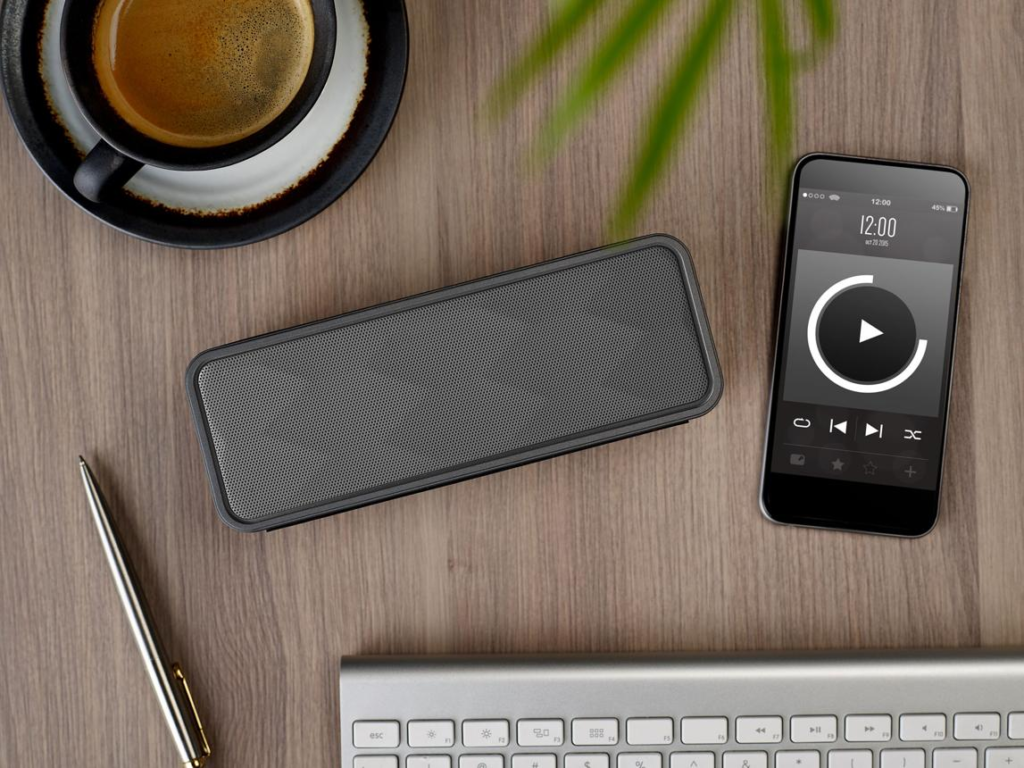
    Portable Bluetooth speakers have become an essential part of everyday life, especially for people who enjoy music on the go. Whether you’re relaxing at home, working at your desk, traveling, or spending time outdoors, having a reliable speaker can completely change your experience. While many smartphones offer built-in speakers, they often lack the depth, volume, and clarity needed for a truly enjoyable listening session.

    That’s where portable Bluetooth speakers come in. These compact devices are designed to deliver surprisingly powerful sound while remaining easy to carry and use anywhere. Over the past few years, technology has improved significantly, allowing even budget-friendly speakers under $30 to provide impressive audio quality, longer battery life, and durable designs.

    One of the biggest advantages of portable speakers is versatility. You can use them during outdoor activities like camping or picnics, bring them to small gatherings, or simply place them on your desk for better sound while working. Many models are also water-resistant, making them suitable for use near pools or at the beach.

    In this guide, we’ll take a detailed look at the best portable Bluetooth speakers under $30 in 2026. We’ll focus on real-world usability, sound performance, battery life, and overall value to help you find the best option for your needs.


    1. Anker Soundcore Mini

    Product Description

    The Anker Soundcore Mini is one of the most popular budget Bluetooth speakers, and it’s easy to see why. Despite its compact size, it delivers surprisingly strong and clear sound, making it a great choice for both indoor and outdoor use. The speaker is designed with a solid metal body that feels premium compared to many plastic alternatives in the same price range.

    What makes this speaker stand out is its balance between portability and performance. You can easily fit it into a small bag or even a jacket pocket, yet it still produces enough volume to fill a small room or outdoor space. This makes it ideal for casual listening, small gatherings, or travel situations where carrying large speakers isn’t practical.

    Battery life is another strong point. The Soundcore Mini can last for several hours on a single charge, allowing you to enjoy music without constantly worrying about recharging. It also supports multiple playback options, including Bluetooth, AUX, and even microSD cards, which adds extra convenience.

    Pros

    • Compact and highly portable
    • Strong sound for its size
    • Durable metal build
    • Multiple playback options

    Cons

    • Bass is limited compared to larger speakers

    Best For

    • Travel and daily use
    • Small rooms or personal listening
    • Users who want a reliable compact speaker

    2. JBL Go 3

    Product Description

    The JBL Go 3 is a rugged and stylish Bluetooth speaker designed for users who need durability along with good sound quality. Unlike many budget speakers, it features a waterproof and dustproof design, making it perfect for outdoor adventures such as hiking, camping, or beach trips.

    One of the key advantages of the JBL Go 3 is its portability. It comes with a built-in loop, allowing you to easily attach it to a backpack or carry it with minimal effort. This makes it especially useful for people who are constantly on the move.

    In terms of sound, the JBL Go 3 delivers a balanced audio experience with clear vocals and decent bass for its size. While it may not compete with larger speakers, it performs exceptionally well considering its compact design.

    Pros

    • Waterproof and durable
    • Stylish and modern design
    • Easy to carry
    • Reliable brand

    Cons

    • Smaller battery compared to bigger models

    Best For

    • Outdoor activities
    • Travel and adventure
    • Users who need durability

    3. OontZ Angle 3

    Product Description

    The OontZ Angle 3 is known for delivering loud and clear sound at an affordable price. It features a unique triangular design that helps project audio more effectively, making it a great option for both indoor and outdoor environments.

    One of its biggest strengths is volume. Compared to other speakers in this price range, the OontZ Angle 3 can get noticeably louder, which makes it suitable for small gatherings or larger spaces. Despite its strong output, it still maintains decent clarity, especially for vocals and mid-range sounds.

    The speaker also offers a long battery life, allowing you to use it for extended periods without interruption. This makes it a reliable choice for users who need consistent performance throughout the day.

    Pros

    • Loud and powerful sound
    • Long battery life
    • Good value for money
    • Lightweight design

    Cons

    • Design may not appeal to everyone

    Best For

    • Home use
    • Small parties
    • Users who prioritize volume

    Buying Guide

    Choosing the right portable Bluetooth speaker involves more than just looking at the price. While budget is important, understanding how you plan to use the speaker will help you make a better decision.

    First, consider sound quality. Smaller speakers are convenient, but they may lack deep bass and high volume. If you plan to use your speaker mainly indoors or for personal listening, a compact model will work well. However, for outdoor use or gatherings, you may want something louder with better bass performance.

    Battery life is another important factor. If you frequently travel or spend time outdoors, look for a speaker that can last at least several hours on a single charge. This ensures that your music won’t be interrupted during important moments.

    Durability also matters, especially if you plan to use the speaker outside. Waterproof or water-resistant models are ideal for environments like beaches, pools, or camping sites. They provide extra protection and peace of mind.

    Lastly, think about portability. A lightweight and compact design makes it easier to carry your speaker wherever you go. Some models even include straps or clips for added convenience.


    Comparison and Tips

    When comparing these three speakers, each one has its own strengths depending on your needs. The Anker Soundcore Mini is the best all-around option, offering a balance of sound quality, portability, and battery life. It’s ideal for everyday use and casual listening.

    The JBL Go 3 stands out for its durability. If you plan to use your speaker outdoors frequently, this is the safest choice. Its waterproof design and rugged build make it reliable in different environments.

    On the other hand, the OontZ Angle 3 is the best option for volume. If you want a speaker that can fill a room or support small gatherings, this model delivers the strongest sound output among the three.

    A useful tip is to think about where you will use the speaker most often. Many people make the mistake of choosing based only on specifications without considering real-life scenarios. A speaker that works perfectly at home may not perform well outdoors, and vice versa.


    Final Verdict

    Portable Bluetooth speakers under $30 have come a long way in recent years. What used to be considered entry-level products can now deliver impressive performance, durability, and convenience. Whether you are looking for a speaker for travel, outdoor activities, or daily use, there are excellent options available within this budget.

    The Anker Soundcore Mini is the best choice for balanced performance, the JBL Go 3 is ideal for durability and outdoor use, and the OontZ Angle 3 is perfect for those who want louder sound. Each of these speakers offers great value, and your final decision should depend on your specific needs and usage habits.

    If you want to improve your audio experience without spending too much, investing in a portable Bluetooth speaker is a smart and practical decision. It enhances your daily activities, makes gatherings more enjoyable, and gives you the freedom to enjoy music anywhere.

  • Best Laptop Cooling Pads Under $30 (2026 Guide)

    Best Laptop Cooling Pads Under $30 (2026 Guide)

    When using a laptop for extended periods, heat becomes one of the most common issues that users face. Whether you’re working, studying, gaming, or streaming content, your laptop generates heat continuously. Over time, this heat can slow down performance, reduce battery efficiency, and even shorten the lifespan of your device. Many users ignore this problem until it becomes noticeable, but preventing overheating early is one of the smartest ways to maintain your laptop’s performance.

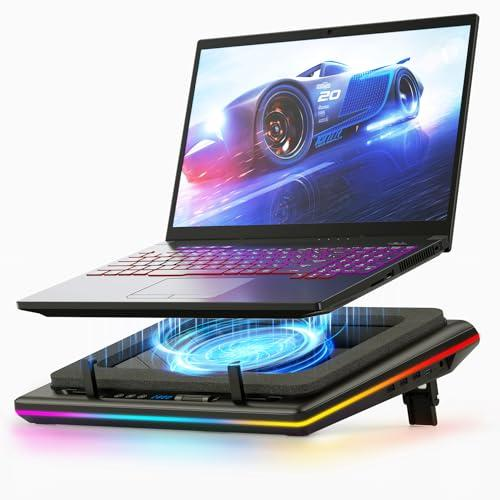
    A laptop cooling pad is designed to improve airflow and reduce heat buildup. By elevating your laptop and adding external fans, it allows heat to dissipate more efficiently. This results in smoother performance, less lag, and a more comfortable typing experience. It also helps prevent thermal throttling, which is when your laptop slows down automatically to avoid overheating.

    Another advantage of cooling pads is ergonomics. Many models double as adjustable stands, improving your posture by raising the screen to a more comfortable viewing angle. This reduces strain on your neck and shoulders, especially during long work sessions.

    In this guide, we will explore the best laptop cooling pads under $30 in 2026, focusing on cooling performance, design, comfort, and overall value.


    1. Havit HV-F2056 Laptop Cooling Pad

    Product Description

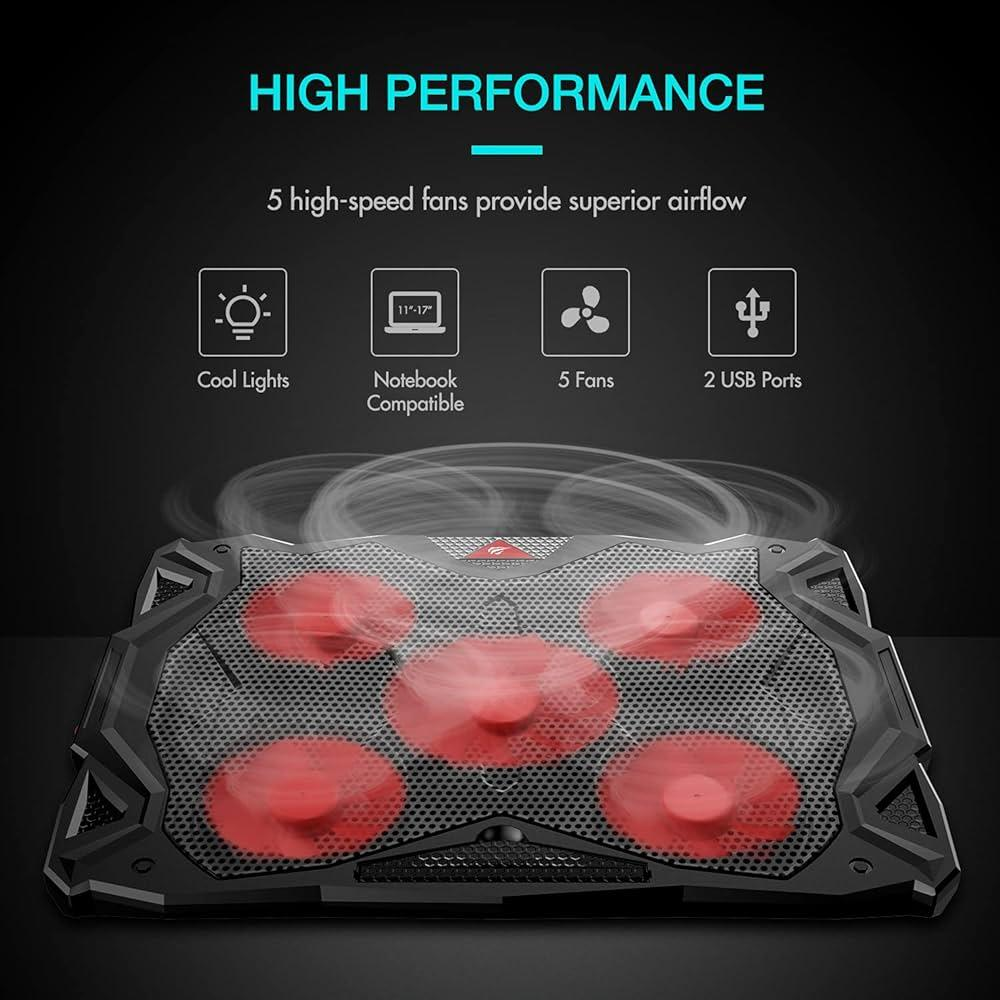
    The Havit HV-F2056 is one of the most popular cooling pads in the budget category, and for good reason. It features a slim and lightweight design, making it easy to carry whether you’re working at home, in a café, or traveling. Despite its compact build, it delivers solid cooling performance through its three built-in fans.

    The fans operate quietly, which is a major advantage for users who work in quiet environments such as offices or libraries. Even during long sessions, the noise level remains low, allowing you to stay focused without distractions.

    Another key benefit is its ergonomic design. The pad slightly elevates your laptop, improving airflow while also providing a more comfortable typing angle. This makes it ideal for users who spend many hours on their devices.

    Key Features

    • Triple fan cooling system
    • Slim and portable design
    • Quiet operation
    • USB powered

    Pros

    • Lightweight and easy to carry
    • Good cooling performance
    • Comfortable typing angle
    • Affordable

    Cons

    • Limited fan speed control

    Best For

    • Everyday use
    • Students and remote workers
    • Travel-friendly setups

    2. TopMate C5 Laptop Cooling Pad

    Product Description

    The TopMate C5 Laptop Cooling Pad is a more advanced option for users who want stronger cooling performance and additional features. It comes with multiple fans and adjustable fan speeds, allowing you to control how much cooling power you need depending on your usage.

    This model is especially popular among gamers and heavy users because it can handle higher heat output. Whether you’re gaming, editing videos, or running demanding programs, the cooling performance is noticeably stronger compared to basic models.

    Another standout feature is the adjustable height settings. You can customize the angle of your laptop for better comfort and posture, which is important for long sessions.

    Key Features

    • Multiple fans with speed control
    • Adjustable height levels
    • Strong cooling performance
    • LED display and lighting

    Pros

    • Powerful cooling
    • Customizable fan settings
    • Great for heavy usage
    • Ergonomic design

    Cons

    • Slightly bulkier than slim models

    Best For

    • Gaming laptops
    • Heavy workloads
    • Long usage sessions

    Buying Guide: How to Choose a Cooling Pad

    Choosing the right cooling pad depends on your usage habits and environment. Here are the key factors you should consider:

    Cooling Performance
    Look for models with multiple fans or larger fans if your laptop tends to overheat quickly.

    Noise Level
    Quiet operation is important, especially if you work or study in calm environments.

    Ergonomics
    Adjustable height can improve posture and reduce physical strain.

    Portability
    If you travel often, a slim and lightweight model is more practical.


    Conclusion

    Laptop cooling pads are one of the most practical and affordable accessories you can buy. They help reduce heat, improve performance, and make long usage sessions more comfortable. Whether you are a student, office worker, or gamer, maintaining proper cooling can significantly enhance your overall experience.
    Budget options like the Havit HV-F2056 and TopMate C5 prove that you don’t need to spend a lot to protect your laptop and improve performance. With better airflow, reduced overheating, and improved ergonomics, a cooling pad is a smart investment for any laptop user.

    If you want to extend the life of your laptop while also improving comfort and efficiency, adding a cooling pad to your setup is a simple but powerful upgrade.

  • Best Wireless Mouse Under $30 (2026 Guide)

    Best Wireless Mouse Under $30 (2026 Guide)

    A wireless mouse is one of the most essential accessories for anyone using a laptop or desktop computer. While many people rely on trackpads or basic wired mice, upgrading to a high-quality wireless mouse can significantly improve both comfort and productivity. Whether you are working long hours, studying, gaming, or simply browsing the internet, the right mouse can make your experience smoother and more efficient.

    One of the biggest advantages of a wireless mouse is freedom of movement. Without cables getting in the way, your desk feels cleaner and more organized. This is especially important for modern desk setups where minimalism and efficiency are key.

    Comfort is another major factor. Using a poorly designed mouse for extended periods can lead to wrist pain and fatigue. Ergonomic wireless mice are designed to fit naturally in your hand, reducing strain and allowing you to work longer without discomfort.

    In this guide, we will explore the best wireless mice under $30 in 2026, focusing on performance, comfort, battery life, and overall value.


    1. Logitech M510 Wireless Mouse

    Product Description

    The Logitech M510 Wireless Mouse is one of the most reliable and comfortable options in the budget category. Designed for everyday use, it provides a balanced combination of performance, ergonomics, and battery efficiency.

    One of its strongest features is comfort. The contoured shape fits naturally in your hand, making it ideal for long working sessions. The soft rubber grips also improve control and reduce fatigue during extended use.

    This mouse includes additional side buttons that can be used for navigation, such as going forward and backward in web browsers. This small feature can significantly improve productivity, especially for users who spend a lot of time online.

    Battery life is another major advantage. The M510 can last for months without needing replacement, making it a low-maintenance option for daily use.

    Key Features

    • Ergonomic design
    • Long battery life
    • Side navigation buttons
    • Reliable wireless connection

    Pros

    • Very comfortable for long use
    • Strong battery performance
    • Easy to set up
    • Trusted brand

    Cons

    • Slightly larger than compact models

    Best For

    • Office work
    • Long study sessions
    • Everyday productivity

    2. Jelly Comb Slim Wireless Mouse

    Product Description

    The Jelly Comb Slim Wireless Mouse is a perfect choice for users who prioritize portability and design. Its ultra-thin profile makes it easy to carry, fitting effortlessly into laptop bags and small pouches.

    This mouse is especially popular among students and travelers who need a lightweight and compact solution. Despite its slim design, it still delivers reliable performance for everyday tasks such as browsing, document editing, and light work.

    Another advantage is its silent click feature. This makes it ideal for quiet environments like libraries, offices, or shared spaces where noise can be distracting.

    Key Features

    • Ultra-slim design
    • Lightweight and portable
    • Silent clicking
    • Simple wireless setup

    Pros

    • Easy to carry
    • Quiet operation
    • Clean modern look
    • Affordable

    Cons

    • Less ergonomic for long use

    Best For

    • Travel use
    • Students
    • Minimal desk setups

    Buying Guide: How to Choose a Wireless Mouse

    Choosing the right wireless mouse depends on how you use your computer daily. Here are the most important factors to consider:

    Ergonomics
    If you work long hours, choose a mouse that fits comfortably in your hand to reduce strain.

    Portability
    For travel or mobile use, a slim and lightweight mouse is more convenient.

    Battery Life
    Long battery life reduces the need for frequent replacements or charging.

    Performance (DPI)
    Higher DPI allows faster and more precise cursor movement, which is useful for both work and gaming.


    Conclusion

    A wireless mouse is a simple upgrade that can greatly improve your daily computing experience. It enhances comfort, reduces clutter, and provides better control compared to trackpads or basic wired mice.
    Affordable options like the Logitech M510 and Jelly Comb Slim Mouse prove that you don’t need a large budget to get reliable performance. Whether you prioritize comfort, portability, or design, there is a great wireless mouse available under $30.

    If you want to improve your productivity and create a cleaner desk setup, investing in a quality wireless mouse is a smart and effective choice.

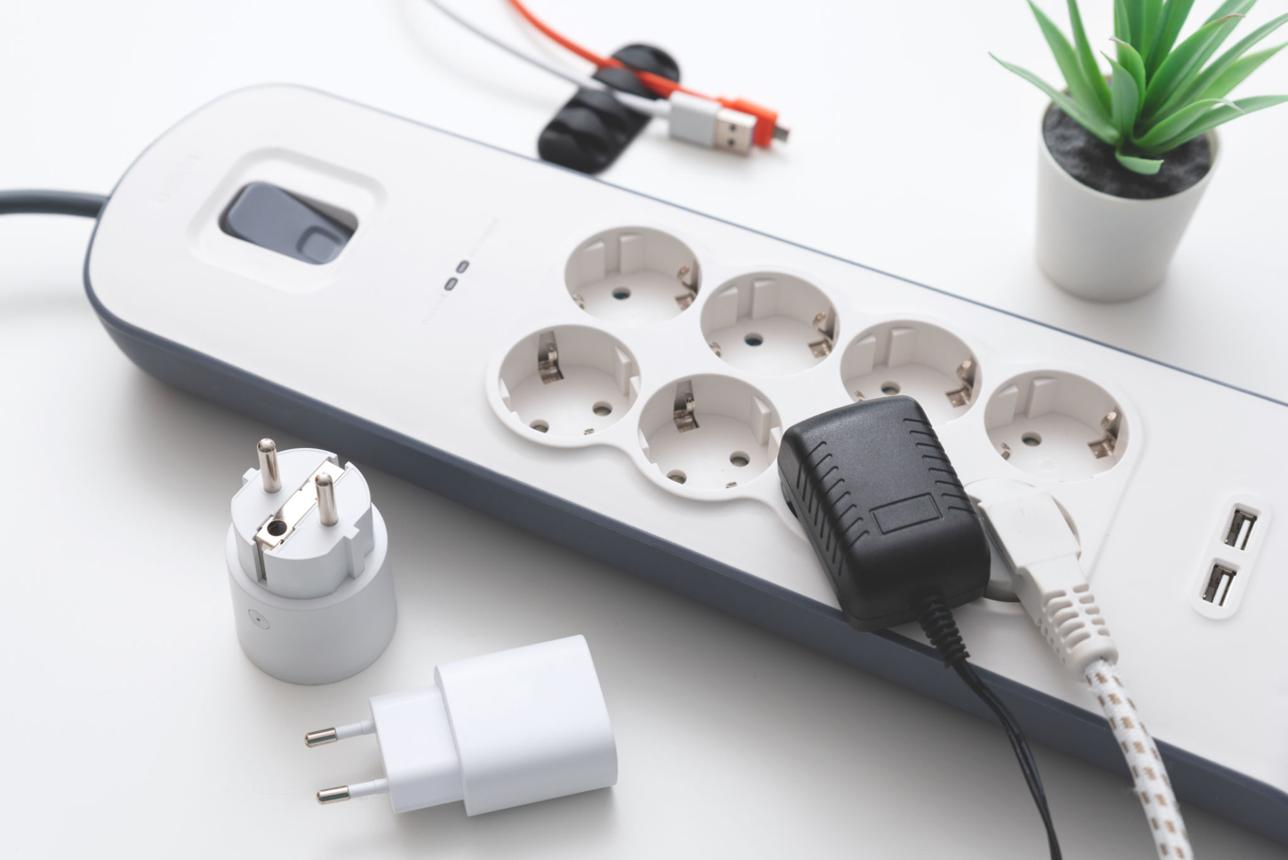
  • Best Power Strip Surge Protectors Under $30 (2026 Guide)

    Best Power Strip Surge Protectors Under $30 (2026 Guide)

    In today’s digital lifestyle, most people rely on multiple electronic devices every day. From laptops and smartphones to monitors, speakers, and chargers, the number of devices on a typical desk continues to grow. However, without a proper power solution, managing all these devices can quickly become messy and even unsafe.

    A power strip surge protector is more than just a way to add extra outlets. It protects your valuable electronics from voltage spikes, power surges, and unexpected electrical issues that can damage your devices. This is especially important in home offices, gaming setups, and workspaces where expensive equipment is constantly in use.

    Another key advantage is organization. A well-designed power strip helps keep cables under control, reducing clutter and making your workspace cleaner and more efficient. Many modern power strips also include USB ports, allowing you to charge devices directly without needing extra adapters.

    In this guide, we will explore the best power strip surge protectors under $30 in 2026, focusing on safety, convenience, design, and overall value.


    1. Belkin Power Strip Surge Protector

    Product Description

    The Belkin Power Strip Surge Protector is one of the most trusted options in the market. Known for its reliability and safety features, this power strip is designed to protect your devices while providing enough outlets for everyday use.

    It typically includes multiple AC outlets, allowing you to connect several devices at once. This makes it ideal for desk setups where laptops, monitors, and accessories all need power simultaneously.

    The build quality is solid, and the surge protection system helps prevent damage caused by sudden voltage spikes. This is especially important if you are using expensive electronics that need consistent protection.

    Key Features

    • Multiple AC outlets
    • Reliable surge protection
    • Durable design
    • Trusted brand

    Pros

    • Strong safety features
    • Stable performance
    • Ideal for office use
    • Long-lasting build

    Cons

    • No USB ports on some models

    Best For

    • Home offices
    • Workstations
    • Multi-device setups

    2. Anker Power Strip with USB Ports

    Product Description

    The Anker Power Strip with USB Ports is a modern solution designed for users who want both power outlets and USB charging in one device. This eliminates the need for multiple chargers and helps keep your desk clean and organized.

    One of its biggest advantages is convenience. You can charge smartphones, tablets, and other USB devices directly from the power strip, saving space and reducing cable clutter.

    The compact design makes it suitable for both desk setups and travel use. Despite its size, it offers reliable surge protection and consistent performance.

    Key Features

    • Built-in USB ports
    • Compact and modern design
    • Surge protection system
    • Multi-device charging

    Pros

    • Reduces need for adapters
    • Clean cable management
    • Portable and efficient
    • High-quality build

    Cons

    • Limited number of AC outlets compared to larger models

    Best For

    • Desk setups
    • Charging stations
    • Minimal workspaces

    Buying Guide: How to Choose a Power Strip

    Choosing the right power strip is important for both safety and convenience. Here are the key factors to consider:

    Surge Protection
    Always choose a model with built-in surge protection to keep your devices safe from electrical damage.

    Number of Outlets
    Make sure the power strip has enough outlets for all your devices without overcrowding.

    USB Ports
    If you charge multiple devices, built-in USB ports can simplify your setup.

    Build Quality
    A well-built power strip lasts longer and provides more reliable performance.


    Conclusion

    A power strip surge protector is an essential tool for any modern workspace. It not only provides additional outlets but also protects your devices and helps maintain a clean and organized environment.

    Affordable options like the Belkin Surge Protector and Anker Power Strip show that you don’t need to spend a lot to get reliable performance and safety. Whether you need a simple extension or a full charging station, there are excellent choices available under $30.

    If you want to protect your devices, reduce clutter, and improve your desk setup, investing in a quality power strip is a smart and necessary upgrade.

  • Best Desk Accessories for Productivity Under $30 (2026 Guide)

    Best Desk Accessories for Productivity Under $30 (2026 Guide)

    Creating a productive workspace is not just about having a desk and a chair. The small details—often overlooked—are what truly define how efficient and comfortable your daily workflow becomes. Desk accessories play a major role in organizing your environment, reducing distractions, and helping you stay focused for longer periods of time.

    Many people struggle with cluttered desks, tangled cables, and uncomfortable setups that slowly reduce their productivity. Over time, this leads to frustration, wasted time, and even physical discomfort. Investing in the right desk accessories can completely change this experience by creating a clean, organized, and ergonomic environment.

    Another important factor is mental clarity. A well-organized desk reduces visual noise, allowing your brain to focus on tasks without unnecessary distractions. This is especially important for people who work long hours, study, or manage multiple tasks at once.

    In this guide, we will explore the best desk accessories under $30 in 2026 that can significantly improve your productivity, comfort, and overall workspace experience.


    1. Simple Cable Management Box

    Product Description

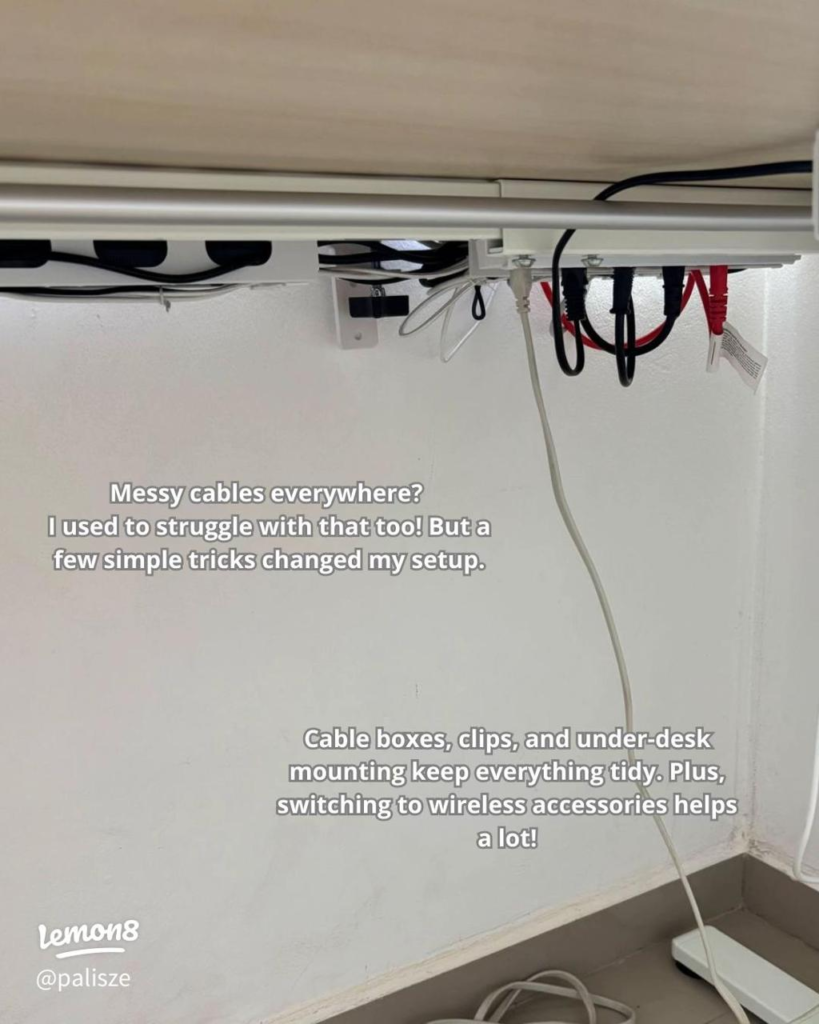
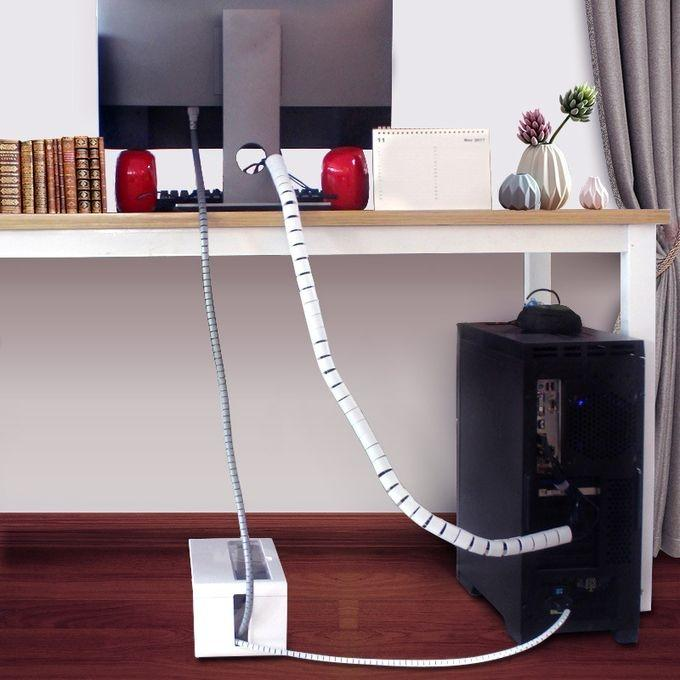
    A cable management box is one of the simplest yet most effective upgrades you can make to your desk setup. It helps hide messy cables, power strips, and adapters, instantly transforming your workspace into a clean and organized environment.

    Instead of dealing with tangled wires every day, you can keep everything neatly stored in one place. This not only improves aesthetics but also makes it easier to manage your devices.

    Most cable boxes are designed with safety in mind, protecting cables from dust and accidental contact. This is especially useful if you have pets or frequently move around your workspace.

    Key Features

    • Hides cables and power strips
    • Improves desk organization
    • Simple and effective design
    • Safe and durable

    Pros

    • Instantly cleaner desk
    • Easy to use
    • Affordable solution
    • Reduces clutter

    Cons

    • Requires space under or behind desk

    Best For

    • Clean desk setups
    • Home offices
    • Multi-device users

    2. Adjustable Laptop Stand

    Product Description

    An adjustable laptop stand is one of the most important accessories for improving both comfort and productivity. By raising your laptop to eye level, it helps maintain proper posture and reduces strain on your neck and shoulders.

    This is especially important for people who spend long hours working on their laptops. Without proper positioning, it’s easy to develop discomfort and fatigue over time.

    Most adjustable stands also improve airflow, preventing overheating during extended use. This helps maintain your laptop’s performance while also extending its lifespan.

    Key Features

    • Adjustable height and angle
    • Improves posture
    • Better airflow and cooling
    • Portable design

    Pros

    • Reduces physical strain
    • Enhances comfort
    • Improves productivity
    • Easy to use

    Cons

    • May require external keyboard for best use

    Best For

    • Long working hours
    • Remote workers
    • Students

    3. LED Desk Lamp (USB Powered)

    Product Description

    Lighting is one of the most critical elements of any productive workspace. A good LED desk lamp provides proper illumination, reducing eye strain and helping you stay focused for longer periods.

    USB-powered lamps are especially convenient because they can be used anywhere without requiring a traditional power outlet. This makes them perfect for modern desk setups.

    Many models also offer adjustable brightness and color temperature, allowing you to switch between warm and cool lighting depending on your needs.

    Key Features

    • Adjustable brightness
    • USB powered convenience
    • Energy-efficient LED
    • Compact design

    Pros

    • Reduces eye strain
    • Improves focus
    • Easy to use
    • Space-saving

    Cons

    • Limited coverage for large desks

    Best For

    • Night work
    • Study sessions
    • Desk setups

    Buying Guide: How to Choose Desk Accessories

    When choosing desk accessories, focus on what actually improves your workflow rather than just aesthetics.

    Functionality
    Choose items that solve real problems, such as clutter, poor posture, or bad lighting.

    Ergonomics
    Comfort directly impacts productivity. Accessories that improve posture and reduce strain are worth investing in.

    Organization
    A clean desk helps reduce distractions and improves focus.

    Simplicity
    Avoid overloading your desk. Minimal setups are often the most effective.


    Conclusion

    Desk accessories may seem like small additions, but they have a huge impact on your daily productivity and comfort. From organizing cables to improving posture and lighting, the right tools can transform your workspace into a highly efficient environment.

    Affordable options like cable management boxes, laptop stands, and LED desk lamps prove that you don’t need a large budget to create a professional and productive setup.

    If you are serious about improving your workflow and building better habits, upgrading your desk with the right accessories is a smart and practical step.

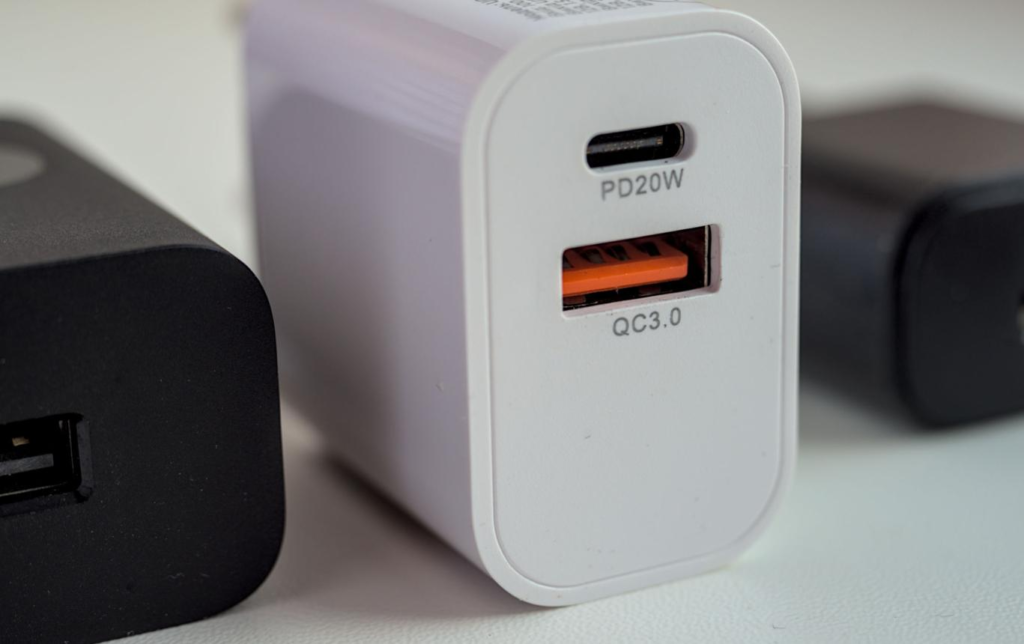
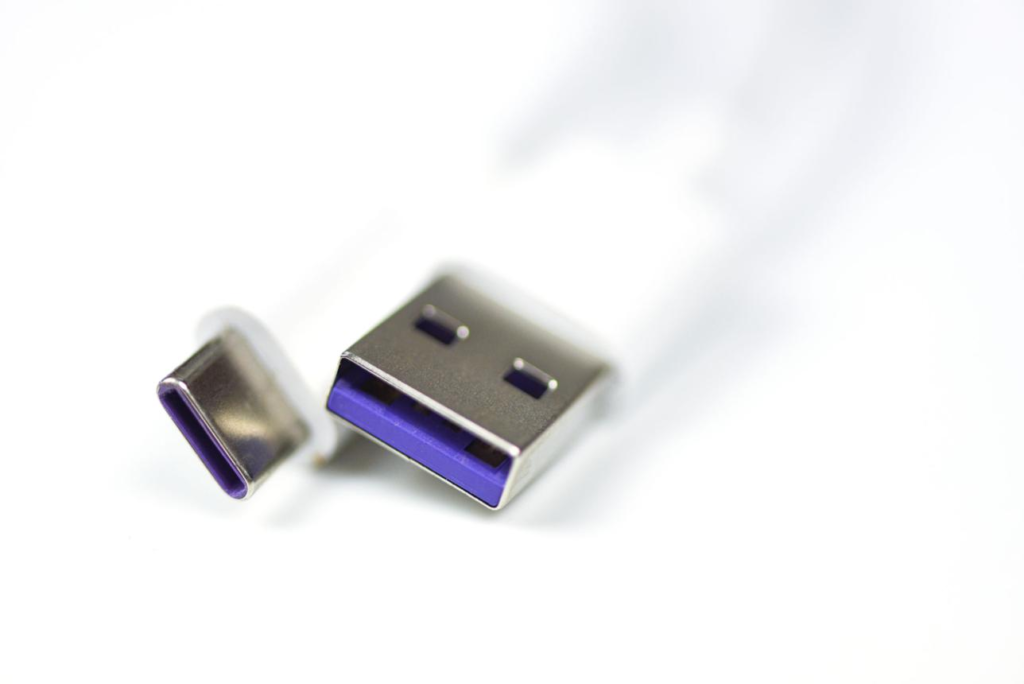
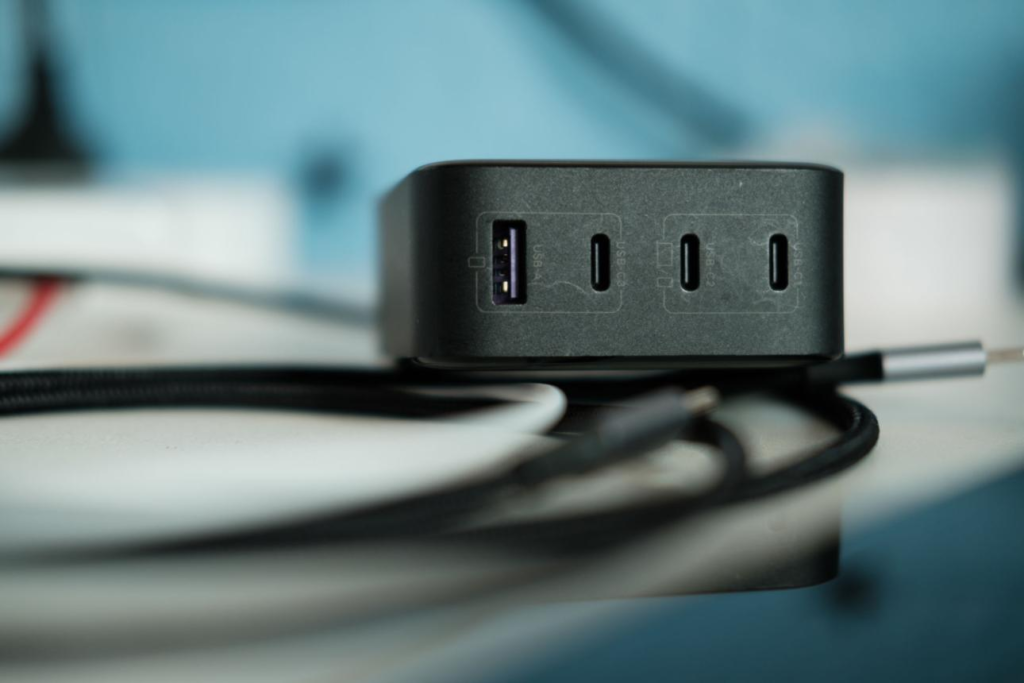
  • Best Fast Charging USB Chargers Under $30 (2026 Guide)

    Best Fast Charging USB Chargers Under $30 (2026 Guide)

    In today’s fast-paced world, having a reliable fast charging USB charger is no longer a luxury—it’s a necessity. With smartphones, tablets, wireless earbuds, and even laptops requiring frequent charging, slow chargers can quickly become frustrating and inefficient. Waiting hours for your device to fully charge is simply not practical anymore.

    Fast charging technology has significantly improved over the years, allowing users to power up their devices in a fraction of the time. Whether you are at home, in the office, or traveling, a high-quality USB charger ensures that your devices are always ready when you need them.

    Another important factor is convenience. Modern chargers now come with multiple ports, allowing you to charge several devices simultaneously. This is especially useful for people who manage multiple gadgets daily or share charging stations with family members.

    In this guide, we will explore the best fast charging USB chargers under $30 in 2026, focusing on speed, safety, compatibility, and overall value.


    1. Anker PowerPort III Nano

    Product Description

    The Anker PowerPort III Nano is one of the best compact fast chargers available in the budget category. Despite its small size, it delivers powerful charging performance, making it ideal for users who want both speed and portability.

    This charger supports fast charging for a wide range of devices, including smartphones and tablets. Its compact design makes it perfect for travel, fitting easily into pockets or small bags without taking up space.

    Anker is also known for its safety features. The charger includes protection against overheating, overcharging, and short circuits, ensuring safe and reliable usage over time.

    Key Features

    • Compact and lightweight
    • Fast USB-C charging
    • Advanced safety protection
    • Travel-friendly design

    Pros

    • Very portable
    • Reliable performance
    • High build quality
    • Trusted brand

    Cons

    • Single port only

    Best For

    • Travel use
    • Minimal setups
    • Fast charging on the go

    2. UGREEN 30W USB-C Charger

    Product Description

    The UGREEN 30W USB-C Charger is an excellent choice for users who need more flexibility. Unlike single-port chargers, this model allows you to charge multiple devices at the same time without sacrificing speed.

    It supports Power Delivery (PD), which ensures fast and efficient charging for compatible devices. Whether you are charging a smartphone, tablet, or even a lightweight laptop, this charger handles it smoothly.

    The design is compact and modern, making it suitable for both home and office use. It’s especially useful for desk setups where multiple devices need to stay powered throughout the day.

    Key Features

    • Dual port charging
    • 30W fast charging output
    • Compact design
    • Wide compatibility

    Pros

    • Charges multiple devices
    • Fast and efficient
    • Great for desk setups
    • Good value

    Cons

    • Slightly larger than nano chargers

    Best For

    • Multi-device users
    • Desk setups
    • Everyday charging

    Buying Guide: How to Choose a Fast Charger

    Choosing the right charger depends on your usage habits and device requirements.

    Wattage (Power Output)
    Higher wattage means faster charging. For smartphones, 20W–30W is usually sufficient.

    Number of Ports
    If you use multiple devices, a multi-port charger is more convenient.

    Compatibility
    Make sure the charger supports your device’s fast charging standard.

    Portability
    Smaller chargers are better for travel, while larger ones are better for home setups.


    Conclusion

    Fast charging USB chargers are essential for modern lifestyles. They save time, improve efficiency, and ensure that your devices are always ready when you need them.

    Affordable options like the Anker PowerPort III Nano and UGREEN 30W Charger offer excellent performance without breaking the budget. Whether you prioritize portability or multi-device charging, there is a great option available under $30.

    If you want a faster and more efficient charging experience, upgrading to a quality fast charger is one of the smartest investments you can make.