블로그

  • Best FPS Gaming Mouse for Flick Shots and Fast Aim (2026 Guide)

    Best FPS Gaming Mouse for Flick Shots and Fast Aim (2026 Guide)

    In competitive FPS gaming, the ability to perform fast and accurate flick shots is one of the most valuable skills a player can develop. Whether you are playing Valorant, Counter-Strike 2, or Call of Duty, there are countless situations where you need to quickly snap your aim onto a target and land a precise shot within a fraction of a second. This type of movement, often referred to as a “flick shot,” requires not only practice but also the right equipment—especially the right gaming mouse.

    A flick shot is not just about speed. It is about controlled speed. You need to move your mouse quickly, stop at the exact right moment, and fire with accuracy. This means your mouse must offer both low resistance and high precision. If your mouse is too heavy, it becomes difficult to move quickly. If the sensor is inconsistent, your aim will feel unpredictable. This is why choosing the right FPS gaming mouse is critical for players who want to improve their flick shots.

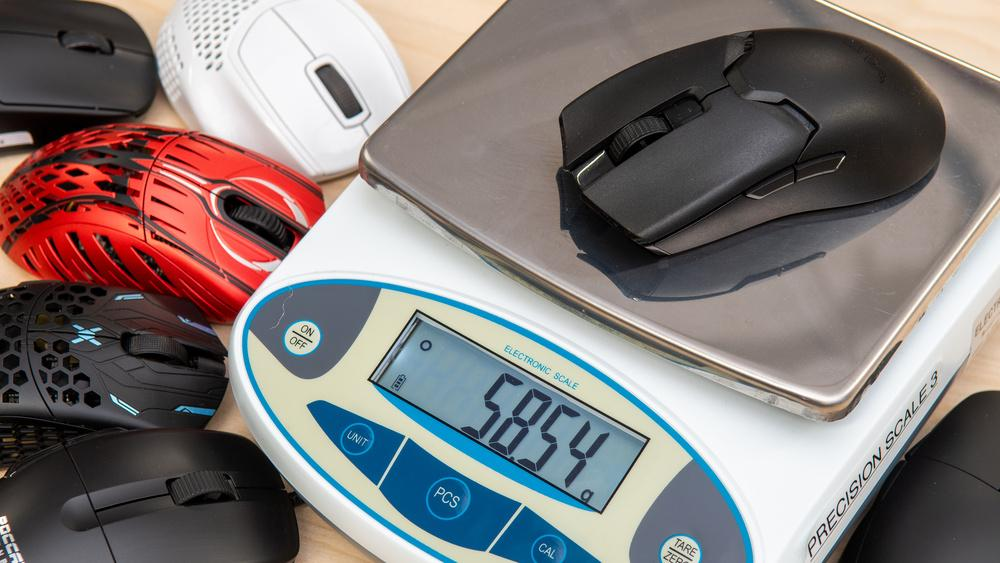
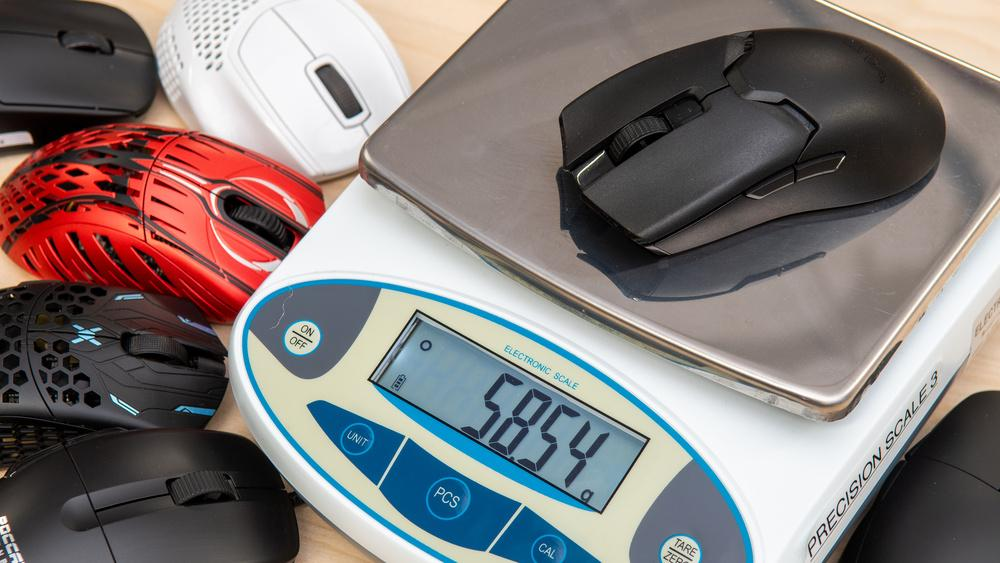
    Another important factor is weight. Lightweight mice have become increasingly popular among FPS players because they allow for faster and more effortless movement. When performing flick shots, every gram matters. A lighter mouse reduces inertia, making it easier to start and stop movement precisely.

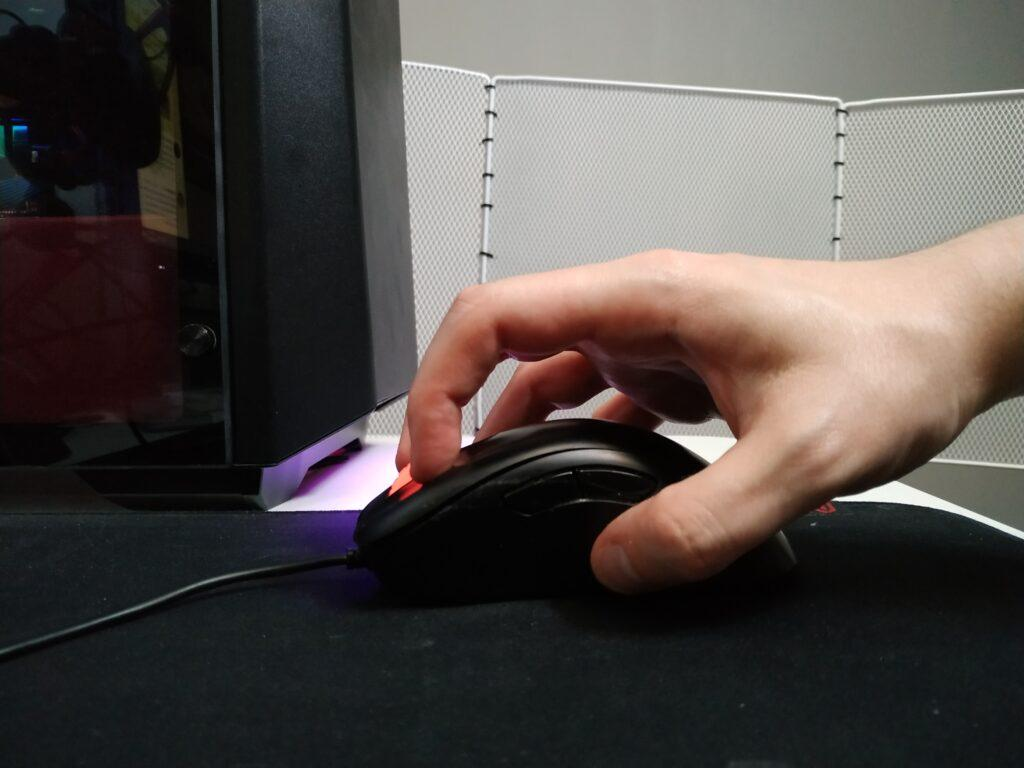
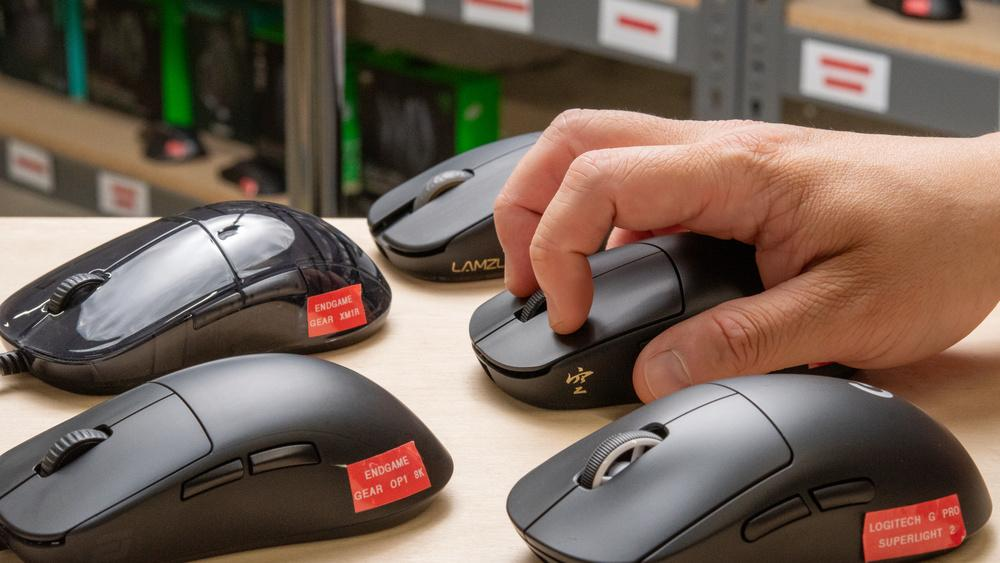
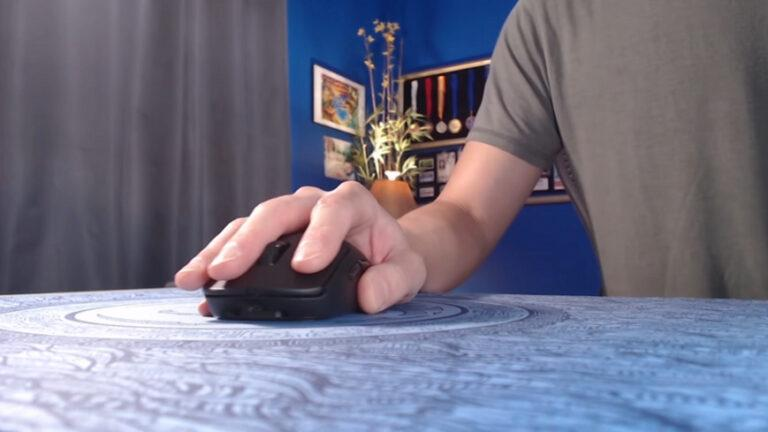
    Grip style also plays a role. Players who rely on flick shots often use claw or fingertip grip because it allows for faster and more dynamic movements. A mouse that supports these grip styles will help you maximize your performance.

    Comfort cannot be ignored either. Flick shot training often involves repetitive movements over long periods. A mouse that feels uncomfortable can lead to fatigue, which negatively affects both speed and accuracy. A well-designed mouse will allow you to maintain consistency even during extended sessions.

    In this guide, we will explore the best FPS gaming mice for flick shots and fast aim in 2026. Each mouse is selected based on real-world performance, comfort, and value. Whether you are a beginner looking to improve your aim or an experienced player trying to refine your skills, this guide will help you find the right tool for your playstyle.


    1. Glorious Model O — Price: ~$45

    Product Description

    The Glorious Model O is widely considered one of the best mice for flick shots and fast aim. Its ultralight design makes it incredibly easy to move, allowing players to perform quick and precise flicks with minimal effort.

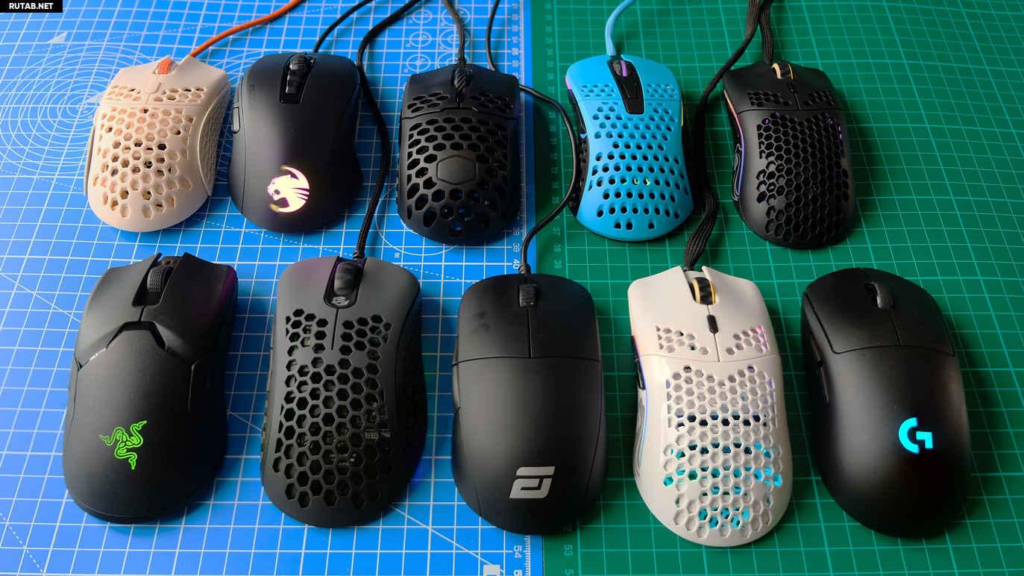
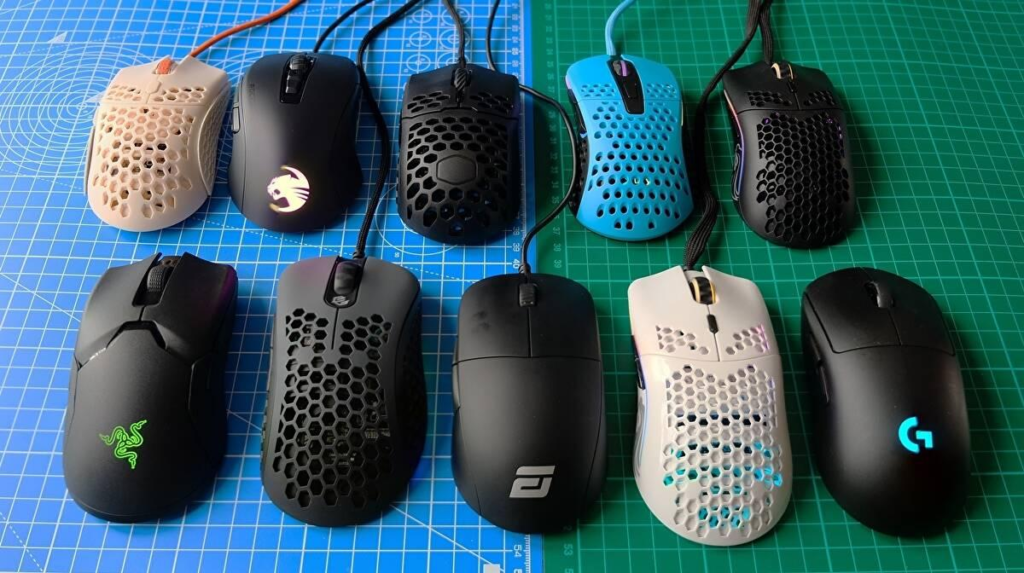
    The honeycomb shell design reduces weight significantly while maintaining structural integrity. This makes the mouse feel almost effortless to move across the mousepad. For flick shots, this is a major advantage because it allows you to accelerate quickly and stop precisely.

    Another important factor is glide. The Model O moves smoothly across most surfaces, giving you a consistent and predictable feel. This helps improve accuracy, especially when performing repeated flick shots during practice.

    In real gameplay, the mouse feels fast and responsive. It allows you to react instantly to enemy movements and make precise adjustments.

    Pros

    • Extremely lightweight
    • Excellent for flick shots
    • Smooth glide
    • High performance

    Cons

    • Open design may collect dust
    • Not ideal for players who prefer heavier mice

    Best For

    • FPS players
    • Flick shot training
    • Fast aim gameplay

    2. Razer Viper Mini — Price: ~$25

    Product Description

    The Razer Viper Mini is one of the best budget options for players who want to improve their flick shots. Its compact and lightweight design makes it easy to control, which is essential for fast aiming.

    One of the biggest advantages of this mouse is its balance between speed and precision. While it is lightweight enough for quick movements, it still offers enough control to stop accurately on target.

    The shape is ideal for claw and fingertip grip styles, which are commonly used for flick shots. This allows players to make rapid adjustments without losing control.

    In gameplay, the Viper Mini feels responsive and consistent. It is a great choice for players who want to practice flick shots without spending too much money.

    Pros

    • Lightweight and compact
    • Great for flick shots
    • Affordable
    • Precise control

    Cons

    • Wired only
    • Small size

    Best For

    • Budget players
    • FPS beginners
    • Flick shot practice

    3. Logitech G305 LIGHTSPEED — Price: ~$35

    Product Description

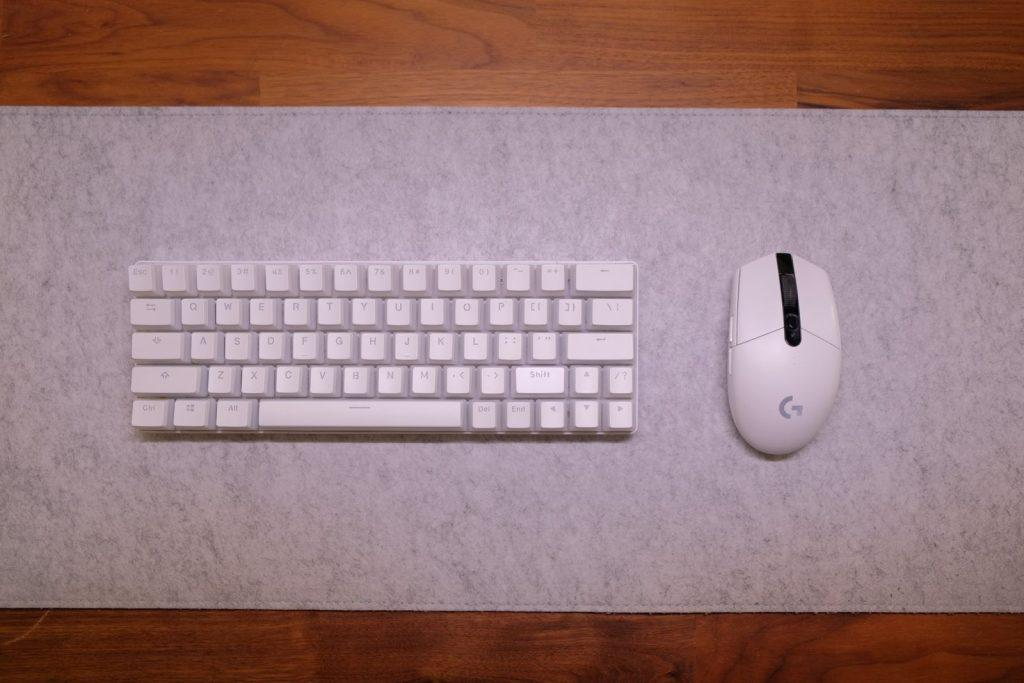
    The Logitech G305 LIGHTSPEED is one of the best wireless options for flick shots. It combines low latency performance with reliable tracking, making it suitable for competitive FPS gaming.

    The HERO sensor ensures accurate tracking, which is essential for flick shots. Even small inaccuracies can affect your aim, so having a consistent sensor is critical.

    Wireless performance is another advantage. Without a cable, your movements feel more natural and unrestricted. This can improve both speed and accuracy.

    In real gameplay, the G305 feels smooth and responsive. It allows for quick flicks and precise adjustments.

    Pros

    • Wireless freedom
    • Accurate sensor
    • Reliable performance
    • Good value

    Cons

    • Slightly heavier
    • Uses battery

    Best For

    • Wireless FPS gaming
    • Flick shot players
    • Clean setups

    Buying Guide (Very Important)

    If your goal is to improve flick shots, your mouse choice should focus on these factors:

    1. Weight
    Lighter mice allow faster movement and quicker reactions.

    2. Sensor Accuracy
    You need consistent tracking to land precise shots.

    3. Shape and Grip
    Claw and fingertip grips are best for flick shots.

    4. Glide and Control
    Smooth movement helps with accuracy.


    Comparison and Tips

    • Model O → best speed
    • Viper Mini → best budget precision
    • G305 → best wireless option

    👉 Tip:
    Practice flick shots with consistent sensitivity.


    Final Verdict

    Flick shots require both speed and precision, and the right mouse can make a huge difference. Lightweight designs, accurate sensors, and comfortable shapes are all essential for improving your aim.

    The Glorious Model O is the best choice for speed, the Razer Viper Mini offers great value, and the Logitech G305 provides wireless flexibility.

    If you want to improve your flick shots and overall FPS performance, investing in the right mouse is one of the most effective steps you can take.

  • Best FPS Gaming Mouse for Claw Grip (2026 Guide)

    Best FPS Gaming Mouse for Claw Grip (2026 Guide)

    In FPS gaming, your grip style plays a huge role in how you control your mouse and aim. Among the three main grip styles—palm, claw, and fingertip—the claw grip is one of the most popular choices for competitive players. It offers a balance between control and speed, making it ideal for fast-paced shooters like Valorant, Counter-Strike 2, and Apex Legends. However, to fully benefit from this grip style, you need a mouse that is specifically suited for it.

    The claw grip is characterized by a slightly arched hand position, where your palm does not fully rest on the mouse. Instead, your fingertips and the base of your palm control most of the movement. This allows for quicker reactions and more precise micro-adjustments, which are essential for tracking enemies and landing accurate shots. Because of this, the shape, weight, and size of your mouse become extremely important.

    Using the wrong mouse for claw grip can lead to discomfort and reduced performance. A mouse that is too large can make it difficult to maintain proper grip, while one that is too heavy can slow down your movements. On the other hand, a well-designed mouse can feel like an extension of your hand, allowing you to aim naturally and consistently.

    Another important factor is fatigue. Claw grip players often rely on quick finger movements and frequent adjustments. A poorly designed mouse can strain your hand over time, especially during long gaming sessions. This is why lightweight designs and ergonomic shapes are often preferred by claw grip users.

    In 2026, there are many excellent gaming mice that are optimized for claw grip players, even in the budget category. You don’t need to spend a large amount of money to get a mouse that performs well in competitive FPS games. In this guide, we will explore the best FPS gaming mice for claw grip, focusing on performance, comfort, and real-world usability.


    1. Razer Viper Mini — Price: ~$25

    Product Description

    The Razer Viper Mini is one of the best gaming mice for claw grip players, especially in the budget category. Its compact size and lightweight design make it extremely easy to control, which is essential for fast-paced FPS gameplay.

    The shape of the mouse is ideal for claw grip. The slightly raised back allows your palm to rest comfortably while your fingers maintain control over the buttons. This creates a natural and stable grip that improves both precision and speed.

    In real gameplay, the Viper Mini feels responsive and accurate. The lightweight design allows for quick flick shots, while the consistent tracking ensures that your movements are translated accurately on screen.

    Another advantage is its simplicity. It does not include unnecessary features, allowing you to focus entirely on performance.

    Pros

    • Perfect for claw grip
    • Lightweight and fast
    • Excellent precision
    • Affordable

    Cons

    • Wired only
    • Small size may not suit everyone

    Best For

    • Claw grip players
    • FPS gaming
    • Budget users

    2. Logitech G Pro Hero — Price: ~$45

    Product Description

    The Logitech G Pro Hero is a well-balanced mouse that works extremely well for claw grip players who want more control and stability. It is slightly heavier than ultralight mice, but this added weight can actually improve precision for some players.

    The symmetrical design makes it suitable for claw grip, allowing you to maintain consistent control during both slow tracking and fast flick shots. The HERO sensor provides accurate tracking, ensuring that your movements are always reliable.

    In competitive gameplay, the G Pro Hero feels stable and predictable. This makes it a great choice for players who value consistency over extreme speed.

    Pros

    • Excellent sensor accuracy
    • Stable and controlled movement
    • Comfortable shape
    • Reliable performance

    Cons

    • Not ultralight
    • Wired connection

    Best For

    • Claw grip users
    • Competitive players
    • Precision aiming

    3. Glorious Model O Minus — Price: ~$45

    Product Description

    The Glorious Model O Minus is designed specifically for players who want an ultralight mouse that fits smaller hands and claw grip styles. It is one of the lightest mice available, making it ideal for fast movements and quick reactions.

    The smaller size makes it easier to control with a claw grip, allowing for precise adjustments and smooth tracking. This is particularly useful in FPS games where accuracy is critical.

    The honeycomb design reduces weight while maintaining durability. Although it may feel different at first, many players quickly adapt to it and enjoy the reduced resistance.

    Pros

    • Ultralight design
    • Great for claw grip
    • Fast movement
    • High performance

    Cons

    • Open design may collect dust
    • Not ideal for large hands

    Best For

    • Claw grip players
    • FPS gaming
    • Lightweight preference

    Buying Guide (Very Important)

    Choosing the right mouse for claw grip requires understanding how your hand interacts with the mouse.

    1. Shape is Critical
    A mouse with a raised back supports claw grip better.

    2. Weight Matters
    Lightweight mice improve speed, but slightly heavier ones improve control.

    3. Size Must Fit Your Hand
    Too large = less control
    Too small = less stability

    4. Sensor Quality
    Always choose a mouse with consistent tracking.


    Comparison and Tips

    • Viper Mini → best lightweight claw grip
    • G Pro Hero → best control
    • Model O Minus → best ultralight performance

    👉 Tip:
    Claw grip is about balance—speed + control.


    Final Verdict

    Claw grip is one of the best styles for FPS gaming, but it requires the right mouse to fully benefit from it. A well-designed mouse can improve your aim, reduce fatigue, and help you perform more consistently.

    The Razer Viper Mini is the best budget option, the Logitech G Pro Hero offers excellent control, and the Glorious Model O Minus delivers ultralight performance.

    If you want to improve your FPS gameplay, choosing the right mouse for your grip style is one of the most important steps you can take.

  • Best FPS Gaming Mouse for Low Sensitivity Players (2026 Guide)

    Best FPS Gaming Mouse for Low Sensitivity Players (2026 Guide)

    In the world of competitive FPS gaming, sensitivity settings play a critical role in how you aim and control your character. Among all playstyles, low sensitivity (often called “low sens”) is one of the most popular choices among professional players. Games like Valorant, Counter-Strike 2, and Apex Legends reward precision, and low sensitivity allows players to make more controlled and accurate movements. However, using low sensitivity also comes with specific hardware requirements—especially when it comes to choosing the right gaming mouse.

    Low sensitivity players rely heavily on large arm movements rather than small wrist adjustments. This means that the mouse needs to be comfortable, lightweight, and extremely consistent in tracking. If the mouse is too heavy, it becomes tiring to move across a large mousepad repeatedly. If the sensor is inconsistent, even small inaccuracies can ruin your aim. Because of this, choosing the right FPS mouse is even more important for low sensitivity players than for others.

    Another key factor is control. While high sensitivity players may prioritize speed, low sensitivity players need stability and predictability. Every movement should feel smooth and controlled, allowing you to track enemies precisely and line up accurate shots. This is especially important in tactical FPS games where a single headshot can decide the outcome of a round.

    Comfort also becomes more important with low sensitivity. Since you are making large arm movements, your mouse needs to fit your hand naturally and reduce strain during long sessions. A poorly designed mouse can lead to fatigue, which directly impacts performance over time.

    The good news is that in 2026, there are many excellent FPS gaming mice available at affordable prices that are perfect for low sensitivity players. You don’t need to spend a fortune to get high-level performance. In this guide, we will explore the best FPS gaming mice for low sensitivity players, focusing on real-world usage, comfort, tracking performance, and overall value.


    1. Logitech G Pro Hero — Price: ~$45

    Product Description

    The Logitech G Pro Hero is one of the most reliable gaming mice for low sensitivity players. It is widely used in competitive gaming because of its consistent performance and comfortable design. While it may not be the lightest mouse on the market, it offers an excellent balance between control and stability, which is exactly what low sensitivity players need.

    The HERO sensor is one of the most accurate sensors available, providing consistent tracking without acceleration or jitter. This is extremely important for low sensitivity players who rely on precise movements. When you move your mouse across a large mousepad, every inch of movement needs to be accurately translated into the game.

    Another advantage of the G Pro Hero is its shape. It has a simple and symmetrical design that works well for a wide range of grip styles. This makes it easy to control during both slow tracking and fast flick shots.

    In real gameplay, the mouse feels stable and predictable. It does not feel too light or too heavy, which helps maintain control during long sessions.

    Pros

    • Extremely accurate sensor
    • Balanced weight for control
    • Comfortable design
    • Trusted by competitive players

    Cons

    • Not ultralight
    • Wired connection

    Best For

    • Low sensitivity FPS players
    • Competitive gaming
    • Precision aiming

    2. Glorious Model O — Price: ~$45

    Product Description

    The Glorious Model O is one of the best ultralight mice for low sensitivity players who prefer faster movements and reduced fatigue. Its lightweight design makes it much easier to move across large mousepads, which is essential for low sens gameplay.

    One of the biggest challenges for low sensitivity players is fatigue. Since you are constantly moving your arm, a heavy mouse can quickly become exhausting. The Model O solves this problem by reducing weight while maintaining performance.

    The honeycomb design helps achieve this lightweight structure without sacrificing durability. While it may feel unusual at first, many players quickly adapt to it and appreciate the reduced resistance.

    In gameplay, the Model O feels extremely fast and smooth. It glides effortlessly, allowing you to track targets and perform flick shots with ease.

    Pros

    • Ultralight design
    • Smooth movement
    • Great for large mousepads
    • Reduces fatigue

    Cons

    • Open design may collect dust
    • Not ideal for players who prefer heavier mice

    Best For

    • Low sensitivity players
    • Long gaming sessions
    • Fast arm movements

    3. Razer DeathAdder Essential — Price: ~$30

    Product Description

    The Razer DeathAdder Essential is a great option for low sensitivity players who prioritize comfort. Its ergonomic shape is designed for palm grip, making it ideal for players who use larger hand movements.

    Unlike ultralight mice, the DeathAdder focuses more on stability and comfort. This makes it easier to control during slow tracking movements, which are common in tactical FPS games.

    The larger size also makes it easier to grip, especially for players with medium to large hands. This can improve consistency and reduce strain during long sessions.

    Pros

    • Comfortable ergonomic design
    • Good for palm grip
    • Affordable
    • Reliable performance

    Cons

    • Heavier than ultralight mice
    • Not ideal for fingertip grip

    Best For

    • Low sensitivity players
    • Palm grip users
    • Long sessions

    Buying Guide (Very Important)

    If you play with low sensitivity, your mouse choice becomes even more important.

    1. Weight Matters
    Lightweight mice reduce fatigue, but slightly heavier mice provide more control.

    2. Sensor Accuracy
    Low sensitivity requires consistent tracking across large movements.

    3. Shape and Comfort
    You will be moving your arm a lot, so comfort is critical.

    4. Mousepad Size
    Low sensitivity players should use large mousepads.


    Comparison and Tips

    • G Pro Hero → best control
    • Model O → best speed
    • DeathAdder → best comfort

    👉 Tip:
    Low sensitivity is about consistency, not speed.


    Final Verdict

    Low sensitivity FPS players need a mouse that offers precision, comfort, and reliability. The Logitech G Pro Hero provides excellent control, the Glorious Model O reduces fatigue, and the Razer DeathAdder offers maximum comfort.

    If you are serious about improving your aim, choosing the right mouse for your playstyle is essential.

  • Best Lightweight Gaming Mouse Under $50 for FPS (2026 Guide)

    Best Lightweight Gaming Mouse Under $50 for FPS (2026 Guide)

    In modern FPS gaming, performance is not only about skill—it is also about how efficiently you can translate your hand movements into accurate in-game actions. Whether you are playing competitive titles like Valorant, Counter-Strike 2, or Apex Legends, your mouse becomes the primary tool that connects your reflexes to your results. Because of this, choosing the right gaming mouse is one of the most important decisions you can make as a player.

    One of the biggest trends in recent years is the rise of lightweight gaming mice. Unlike traditional heavy mice, lightweight models are designed to reduce resistance and improve movement speed. This allows players to perform faster flick shots, track enemies more smoothly, and react more quickly during intense gameplay situations. For FPS games, where milliseconds matter, this can create a noticeable advantage.

    Another important benefit of lightweight mice is reduced fatigue. Many players spend hours practicing aim, playing ranked matches, or grinding competitive modes. A heavy mouse can cause strain over time, leading to slower reactions and inconsistent performance. A lightweight mouse, on the other hand, allows for more natural and effortless movement, helping you maintain consistency even during long sessions.

    The good news is that you no longer need to spend a large amount of money to get a high-quality lightweight mouse. In 2026, there are many excellent options under $50 that offer strong performance, reliable sensors, and comfortable designs. These budget-friendly mice are more than capable of supporting competitive gameplay.

    In this guide, we will explore the best lightweight gaming mice under $50 for FPS players. Each product is selected based on real-world performance, comfort, and value. We will also explain who each mouse is best for, how it performs in actual gameplay, and what you should consider before making a purchase.


    1. Razer Viper Mini — Price: ~$25

    Product Description

    The Razer Viper Mini is one of the most popular lightweight gaming mice in the budget category, and it remains a top choice for FPS players who prioritize precision and speed. Despite its low price, it delivers a level of performance that rivals many more expensive models.

    One of the key strengths of the Viper Mini is its weight. Being significantly lighter than traditional gaming mice, it allows for faster movements and more precise control. This is especially beneficial for FPS games where quick flick shots and small adjustments can determine the outcome of a fight.

    The shape of the mouse is also well-designed for claw and fingertip grip styles. This makes it ideal for players who rely on quick reactions and controlled aiming. In real gameplay, the mouse feels responsive and consistent, which is exactly what competitive players need.

    Another advantage is its simplicity. It does not overload you with unnecessary features, allowing you to focus entirely on your performance.

    Pros

    • Very lightweight
    • Excellent for FPS precision
    • Affordable price
    • Comfortable grip

    Cons

    • Wired connection
    • Smaller size may not suit everyone

    Best For

    • FPS players
    • Competitive gaming
    • Budget users

    2. Logitech G305 LIGHTSPEED — Price: ~$35

    Product Description

    The Logitech G305 LIGHTSPEED is one of the best wireless gaming mice available under $50. It offers excellent performance, making it a strong choice for FPS players who want freedom of movement without sacrificing responsiveness.

    The HERO sensor provides accurate tracking, ensuring that your movements are translated precisely into the game. This is crucial for FPS gaming, where even small inaccuracies can affect your aim.

    Wireless performance is another highlight. The G305 uses low-latency technology that makes it feel almost identical to a wired mouse. This allows you to play competitively without worrying about input lag.

    In addition, the battery life is impressive. You can use the mouse for long periods without needing frequent replacements, making it practical for daily use.

    Pros

    • Wireless freedom
    • Accurate sensor
    • Long battery life
    • Reliable performance

    Cons

    • Slightly heavier than ultralight mice
    • Uses AA battery

    Best For

    • Wireless FPS gaming
    • Clean desk setups
    • Competitive players

    3. Glorious Model O — Price: ~$45

    Product Description

    The Glorious Model O is one of the most well-known ultralight gaming mice, designed specifically for players who want maximum speed and minimal resistance. Its honeycomb design reduces weight significantly, making it one of the lightest options in its category.

    This design allows for extremely fast movements, which is ideal for flick shots and quick reactions. In FPS games, this can provide a clear advantage when engaging enemies.

    The mouse also glides smoothly across the mousepad, giving you a sense of control and fluidity that heavier mice cannot match.

    Pros

    • Ultralight design
    • Smooth and fast movement
    • Great for flick shots
    • High performance

    Cons

    • Open design may collect dust
    • Not for users who prefer heavier mice

    Best For

    • Competitive FPS players
    • Fast-paced gameplay
    • Lightweight enthusiasts

    Buying Guide

    Choosing the right lightweight mouse requires understanding a few key factors.

    First, weight plays a major role. Lighter mice allow faster movement and reduce fatigue, which is ideal for FPS games.

    Second, grip style matters. Claw and fingertip grips benefit the most from lightweight designs.

    Third, sensor quality is essential. A good sensor ensures accurate tracking and consistent performance.


    Comparison and Tips

    • Viper Mini → best for precision
    • G305 → best wireless option
    • Model O → best for speed

    👉 Tip:
    Consistency is more important than specs.


    Final Verdict

    Lightweight gaming mice under $50 offer excellent performance for FPS players. You do not need expensive gear to improve your aim.

    The Razer Viper Mini is perfect for precision, the Logitech G305 offers wireless convenience, and the Glorious Model O provides maximum speed.

    If you are serious about FPS gaming, upgrading to a lightweight mouse is one of the best decisions you can make.

  • Best FPS Gaming Mouse Under $30 for Beginners (2026 Guide)

    Best FPS Gaming Mouse Under $30 for Beginners (2026 Guide)

    If you are just getting started with FPS gaming, choosing the right mouse can feel confusing. There are hundreds of options available, and many of them claim to offer high performance, fast response times, and professional-level features. However, as a beginner, you don’t need an expensive or overly complex mouse to improve your gameplay. In fact, starting with a reliable and affordable FPS gaming mouse is often the best decision you can make.

    FPS games such as Valorant, CS2, and Call of Duty require precision, consistency, and comfort. While skill development comes from practice, the mouse you use plays a significant role in how quickly you improve. A poor-quality mouse can lead to inconsistent tracking, delayed reactions, and overall frustration. On the other hand, a well-designed budget mouse can help you build muscle memory and improve your aim more effectively.

    One of the biggest mistakes beginners make is focusing too much on specifications like extremely high DPI or flashy RGB lighting. While these features may look impressive, they do not necessarily improve performance. Instead, beginners should focus on comfort, reliability, and ease of use.

    Another important factor is learning consistency. As a new player, you will spend a lot of time practicing aim, adjusting sensitivity, and building habits. Using a mouse that feels natural in your hand will make this process much smoother. This is why choosing the right shape and weight is more important than chasing advanced features.

    In this guide, we will explore the best FPS gaming mice under $30 specifically for beginners in 2026. These options are affordable, reliable, and designed to help you improve your aim without unnecessary complexity.


    1. Logitech G203 Lightsync — Price: ~$20

    Product Description

    The Logitech G203 Lightsync is one of the best entry-level gaming mice available today. It is simple, reliable, and easy to use, making it perfect for beginners who are just getting into FPS gaming.

    One of the biggest advantages of this mouse is its consistency. The sensor provides stable and accurate tracking, which is essential for building good aim habits. As a beginner, you want a mouse that responds predictably, and the G203 delivers exactly that.

    The shape is also beginner-friendly. It is neither too large nor too small, making it suitable for a wide range of hand sizes. This allows new players to experiment with different grip styles and find what works best for them.

    In real gameplay, the G203 feels smooth and responsive. It does not have unnecessary features that can confuse beginners, which makes it a great starting point.

    Pros

    • Affordable and reliable
    • Beginner-friendly design
    • Consistent tracking
    • Comfortable shape

    Cons

    • Not ultralight
    • Basic features

    Best For

    • Beginners
    • Casual FPS players
    • First gaming mouse

    2. Razer Viper Mini — Price: ~$25

    Product Description

    The Razer Viper Mini is an excellent choice for beginners who want to focus on improving their aim. Its lightweight design makes it easy to move, which helps with flick shots and quick adjustments.

    For new players, this can make a big difference. A lighter mouse reduces strain and allows you to practice longer without fatigue. This is especially important when you are still learning the basics of FPS aiming.

    The shape is ideal for claw and fingertip grip styles, which are commonly used in FPS games. This helps beginners develop proper aiming techniques from the start.

    Pros

    • Lightweight and easy to control
    • Great for aim training
    • Affordable
    • Responsive performance

    Cons

    • Wired only
    • Smaller size

    Best For

    • FPS beginners
    • Aim improvement
    • Lightweight preference

    3. Redragon M711 Cobra — Price: ~$22

    Product Description

    The Redragon M711 Cobra is a great option for beginners who want a bit more customization without spending too much. It offers adjustable DPI settings and programmable buttons, allowing you to experiment with different setups.

    This can be useful for beginners who want to understand how sensitivity and controls affect gameplay. While it may not be as refined as premium mice, it still provides solid performance for its price.

    The shape is comfortable and suitable for longer sessions, which is important for practice and improvement.

    Pros

    • Affordable
    • Customizable settings
    • Comfortable design
    • Good value

    Cons

    • Slightly heavier
    • Build quality is average

    Best For

    • Beginners exploring settings
    • Budget users
    • Casual gaming

    Buying Guide (Very Important)

    If you are a beginner, choosing the right mouse is about simplicity and consistency.

    1. Don’t chase high DPI
    Most beginners think higher DPI is better, but this is not true. Lower sensitivity usually leads to better control.

    2. Focus on comfort
    A mouse that feels good in your hand will help you play longer and improve faster.

    3. Keep it simple
    Avoid overly complex mice with too many buttons.

    4. Build consistency
    Use the same mouse and settings consistently to improve muscle memory.


    Comparison and Tips

    • G203 → best beginner choice
    • Viper Mini → best for aim improvement
    • M711 → best for customization

    👉 Tip:
    Practice matters more than gear, but good gear makes practice easier.


    Final Verdict

    If you are starting FPS gaming, you do not need expensive equipment. A good budget mouse under $30 is more than enough to help you improve your aim and build strong fundamentals.

    The Logitech G203 is the safest choice for beginners, the Razer Viper Mini is perfect for improving aim, and the Redragon M711 offers flexibility for those who want to experiment.

    Choosing the right mouse is not about spending more—it’s about finding what works best for you and sticking with it.

  • Best Budget FPS Gaming Mouse Under $50 (2026 Guide)

    Best Budget FPS Gaming Mouse Under $50 (2026 Guide)

    When it comes to FPS gaming, your mouse is one of the most important tools you use every single day. Whether you’re playing competitive shooters like Valorant, CS2, Apex Legends, or Call of Duty, your aim, reaction speed, and overall performance depend heavily on the quality of your mouse. While many gamers assume they need to spend over $100 to get a good gaming mouse, that is no longer true in 2026.

    Budget gaming mice have improved dramatically over the years. Today, you can find high-performance FPS mice under $50 that offer accurate sensors, lightweight designs, and excellent build quality. These features used to be limited to premium models, but now they are accessible to almost everyone.

    The biggest advantage of budget FPS mice is value. You don’t need to spend a lot of money to get reliable performance. If you choose the right mouse, you can compete at a high level without feeling limited by your gear.

    Another important factor is comfort. In FPS games, you often play for hours at a time. A mouse that feels uncomfortable can lead to fatigue, poor aim, and inconsistent performance. That’s why choosing a mouse that fits your hand and grip style is just as important as its technical specifications.

    In this guide, we will explore the best budget FPS gaming mice under $50 in 2026. Each product is selected based on real-world performance, price, and overall value. We’ll also explain who each mouse is best for, how it performs in actual gameplay, and what you should consider before buying.


    1. Logitech G305 LIGHTSPEED — Price: ~$35

    Product Description

    The Logitech G305 LIGHTSPEED is one of the best budget wireless FPS mice you can buy. Even in 2026, it remains a top recommendation for competitive players who want reliable performance without spending too much.

    This mouse features Logitech’s HERO sensor, which delivers extremely accurate tracking with no noticeable delay. In real gameplay, this means your movements feel precise and consistent, which is essential for FPS games where aim matters the most.

    One of the biggest advantages of the G305 is its wireless performance. Unlike older wireless mice, this model offers low latency that feels almost identical to a wired connection. This allows you to move freely without worrying about cables affecting your aim.

    Battery life is another strong point. The mouse can last for hundreds of hours on a single AA battery, making it very practical for long-term use.

    Pros

    • Low latency wireless performance
    • Highly accurate sensor
    • Long battery life
    • Great value for money

    Cons

    • Slightly heavier than ultralight mice
    • Uses replaceable battery

    Best For

    • FPS players who want wireless freedom
    • Competitive gaming
    • Clean desk setups

    2. Razer Viper Mini — Price: ~$25

    Product Description

    The Razer Viper Mini is one of the best lightweight FPS mice available in the budget category. It is especially popular among players who focus on precision and fast aiming.

    Weighing significantly less than traditional mice, the Viper Mini allows for quick flick shots and smooth tracking. This is particularly useful in games like Valorant and CS2, where accuracy and reaction time are critical.

    The shape is designed for claw and fingertip grip styles, making it ideal for competitive players who rely on precise control. In real gameplay, the mouse feels extremely responsive, allowing you to make small adjustments quickly and accurately.

    Despite its low price, the build quality is solid, and the overall performance is comparable to more expensive models.

    Pros

    • Lightweight design
    • Excellent for FPS precision
    • Affordable price
    • Comfortable grip

    Cons

    • Wired only
    • Not ideal for large hands

    Best For

    • FPS players
    • Competitive aiming
    • Budget users

    3. SteelSeries Rival 3 — Price: ~$30

    Product Description

    The SteelSeries Rival 3 is a well-balanced gaming mouse that offers a mix of performance, comfort, and durability. It is a great option for players who want a reliable FPS mouse without focusing too much on extreme features.

    The sensor provides consistent tracking, making it suitable for FPS games. While it may not be as lightweight as other options, it offers good control, which can be beneficial for players who prefer stability.

    The shape is comfortable for a wide range of users, making it a safe choice for beginners and experienced players alike.

    Pros

    • Reliable performance
    • Comfortable design
    • Good value
    • Durable build

    Cons

    • Not ultralight
    • Basic features

    Best For

    • Casual FPS players
    • Balanced gameplay
    • Everyday use

    Buying Guide (Important)

    When choosing a budget FPS gaming mouse, you need to focus on what actually affects performance.

    1. Sensor Quality
    A good sensor ensures accurate tracking. Without it, your aim will feel inconsistent.

    2. Weight
    Lightweight mice allow faster movements, while heavier mice provide more control.

    3. Grip Style
    Choose a mouse that matches your grip:

    • Claw → medium size
    • Fingertip → small and light
    • Palm → larger and ergonomic

    4. Wired vs Wireless
    Wireless offers freedom, while wired ensures consistent connection.


    Comparison and Tips

    Each mouse offers something different:

    • G305 → best wireless performance
    • Viper Mini → best lightweight precision
    • Rival 3 → best comfort and balance

    👉 Tip:
    Don’t chase specs.
    Pick the mouse that feels comfortable in your hand.


    Final Verdict

    You do NOT need an expensive mouse to perform well in FPS games. Budget options under $50 can deliver excellent performance if you choose wisely.

    The Logitech G305 is the best overall option for wireless gaming, the Razer Viper Mini is perfect for precision and speed, and the SteelSeries Rival 3 offers a balanced experience.

    If you are serious about improving your aim, upgrading your mouse is one of the smartest decisions you can make.

  • Best Gaming Mouse for Small Hands FPS (2026 Guide)

    Best Gaming Mouse for Small Hands FPS (2026 Guide)

    Finding the right gaming mouse is already challenging, but it becomes even more difficult if you have small hands. Many gaming mice are designed with larger shapes that may feel comfortable for average or large hands, but can be awkward and difficult to control for smaller users. In FPS games like Valorant, CS2, and Apex Legends, where precision and reaction time are critical, using a mouse that doesn’t fit your hand properly can negatively affect your performance.

    For players with small hands, control is everything. A mouse that is too large can make it harder to reach buttons, adjust grip, or perform quick flick shots. This can lead to slower reactions, inconsistent aim, and unnecessary fatigue during long gaming sessions. On the other hand, a well-sized mouse can feel like an extension of your hand, allowing for smoother movements and better accuracy.

    Another important factor is grip style. Players with small hands often use claw or fingertip grip because it allows for more precise control. This makes lightweight and compact mice particularly beneficial, as they require less effort to move and adjust during gameplay.

    Comfort is also crucial. FPS games often involve long sessions, and using an uncomfortable mouse can lead to strain or even long-term wrist issues. A properly sized mouse reduces this risk and allows you to play more consistently.

    In this guide, we will explore the best gaming mice for small hands in FPS games in 2026. These options are selected based on real-world usability, comfort, and performance. Whether you are a beginner or a competitive player, choosing the right mouse can significantly improve your aim and overall gaming experience.


    1. Razer Viper Mini (Best Overall for Small Hands)

    Product Description

    The Razer Viper Mini is widely considered one of the best gaming mice for players with small hands, especially in FPS games. Its compact shape and lightweight design make it extremely easy to control, allowing for precise movements and fast reactions.

    One of the biggest advantages of the Viper Mini is how naturally it fits into smaller hands. Unlike larger mice that require stretching or awkward positioning, this mouse allows you to maintain a comfortable grip without effort. This improves both accuracy and consistency during gameplay.

    The lightweight design also plays a major role. Because it is easy to move, you can perform quick flick shots and micro-adjustments with minimal effort. This is particularly useful in games like Valorant, where precise aiming is essential.

    In real gameplay, the Viper Mini feels responsive and reliable. The tracking remains consistent even during fast movements, which is critical for competitive FPS gaming.

    Pros

    • Perfect size for small hands
    • Lightweight and easy to control
    • Excellent precision
    • Comfortable for claw grip

    Cons

    • Wired only
    • Not suitable for large hands

    Best For

    • Small hand users
    • FPS players
    • Precision aiming

    2. Logitech G203 Lightsync (Best Budget Option)

    Product Description

    The Logitech G203 Lightsync is one of the best budget gaming mice for small hands. It offers a simple and compact design that is easy to use, making it a great choice for beginners and casual players.

    The shape is slightly rounded, which provides a comfortable grip for smaller hands. This allows for better control during gameplay, especially when making small adjustments.

    While it may not have advanced features like ultralight designs or wireless connectivity, it still delivers reliable performance. The sensor is accurate enough for FPS gaming, and the overall experience is smooth and consistent.

    Another advantage is affordability. It provides good value for money, making it accessible for players who want a solid mouse without spending too much.

    Pros

    • Affordable
    • Comfortable for small hands
    • Reliable performance
    • Simple design

    Cons

    • Slightly heavier than ultralight mice
    • Basic features

    Best For

    • Beginners
    • Budget users
    • Casual FPS gaming

    3. Glorious Model O Minus (Best Ultralight for Small Hands)

    Product Description

    The Glorious Model O Minus is designed specifically for players with smaller hands who want an ultralight gaming experience. It is one of the lightest mice available, making it perfect for fast-paced FPS gameplay.

    The reduced size makes it easier to control, especially for fingertip and claw grip users. This allows for faster reactions and more precise aiming.

    The honeycomb design helps reduce weight while maintaining durability. This makes the mouse feel incredibly light without compromising performance.

    In FPS games, the Model O Minus allows for extremely fast flick shots and smooth tracking, giving players a competitive advantage.

    Pros

    • Ultralight design
    • Perfect for small hands
    • Fast and responsive
    • Great for FPS

    Cons

    • Open design may collect dust
    • Not ideal for palm grip

    Best For

    • Competitive FPS players
    • Small hand users
    • Fast gameplay

    Buying Guide

    Choosing the right mouse for small hands involves more than just picking the smallest option.

    First, focus on size and shape. A mouse that fits naturally in your hand will improve comfort and control.

    Weight is also important. Lightweight mice are easier to move, which is beneficial for FPS games.

    Grip style should be considered as well. Claw and fingertip grips are more common for small hand users.


    Comparison and Tips

    Each mouse offers different advantages:

    • Viper Mini → best precision and comfort
    • G203 → best budget choice
    • Model O Minus → best ultralight performance

    A key tip is to prioritize comfort over specs. A mouse that fits your hand well will always perform better.


    Final Verdict

    For players with small hands, choosing the right mouse is essential for improving FPS performance. A well-sized mouse enhances control, reduces fatigue, and allows for more consistent aiming.

    The Razer Viper Mini is the best overall choice, the Logitech G203 is perfect for budget users, and the Glorious Model O Minus is ideal for ultralight performance.

    If you want to improve your aim and gaming experience, investing in a mouse that fits your hand is one of the smartest decisions you can make.

  • Best FPS Mouse for Valorant and CS2 Players (2026 Guide)

    Best FPS Mouse for Valorant and CS2 Players (2026 Guide)

    If you play competitive FPS games like Valorant or Counter-Strike 2, you already know that aim is everything. These games are not just about strategy or positioning—they are heavily dependent on mechanical skill. A single missed shot can cost you an entire round, while a perfectly timed flick can win the game for your team. Because of this, your gaming mouse becomes one of the most important tools in your entire setup.

    Many players underestimate how much their mouse affects their performance. They focus on sensitivity settings or aim training routines, but ignore the physical device they use every single match. The truth is, even small differences in weight, shape, and sensor accuracy can have a noticeable impact on your gameplay.

    Valorant and CS2 are both tactical shooters that reward precision over raw speed. Unlike fast-paced arcade shooters, these games require controlled movements, consistent tracking, and accurate flick shots. This means your mouse needs to offer stability, reliability, and a comfortable grip that allows you to perform under pressure.

    Another important factor is consistency. In competitive FPS games, muscle memory plays a huge role. If your mouse feels inconsistent or uncomfortable, it becomes much harder to build that muscle memory over time. A good FPS mouse should feel natural in your hand and respond exactly the same way every time you move it.

    In this guide, we will explore the best FPS mice specifically for Valorant and CS2 players in 2026. These are not just random picks—they are based on real-world usability, competitive performance, and overall value. Whether you are a beginner trying to improve your aim or an experienced player looking for an upgrade, this guide will help you find the right mouse.


    1. Razer Viper Mini (Best for Precision and Control)

    Product Description

    The Razer Viper Mini has built a strong reputation among FPS players, especially those who focus on games like Valorant and CS2. Its lightweight design allows for fast and precise movements, which is exactly what you need for flick shots and quick adjustments.

    One of the biggest advantages of this mouse is its control. While some ultralight mice can feel too sensitive or unstable, the Viper Mini strikes a perfect balance between speed and stability. This makes it ideal for tactical shooters where precision is more important than raw movement speed.

    The shape is also well-suited for claw and fingertip grip styles, which are commonly used in competitive FPS gaming. This allows for better micro-adjustments, which are crucial when aiming at small targets.

    In real gameplay, the Viper Mini feels extremely responsive. There is no noticeable delay, and the tracking remains consistent even during intense matches. This level of reliability is what makes it a favorite among competitive players.

    Pros

    • Lightweight and easy to control
    • Excellent precision for tactical FPS
    • Reliable tracking
    • Comfortable for claw grip

    Cons

    • Not ideal for large hands
    • Wired connection only

    Best For

    • Valorant players
    • CS2 players
    • Precision-focused gamers

    2. Logitech G305 LIGHTSPEED (Best Wireless for Competitive Play)

    Product Description

    The Logitech G305 is one of the best wireless options for FPS players who want both performance and freedom of movement. In games like Valorant and CS2, where precise aim is critical, the G305 delivers consistent and accurate tracking.

    The HERO sensor ensures that every movement is translated accurately on screen. This is especially important for low-sensitivity players who rely on large arm movements. The wireless connection is also extremely stable, with no noticeable input lag during gameplay.

    One of the biggest benefits of going wireless is the freedom it provides. Without a cable dragging across your desk, your movements feel smoother and more natural. This can improve both comfort and accuracy over time.

    Battery life is another strong point. You can use the mouse for long periods without worrying about interruptions, which is important during competitive sessions.

    Pros

    • Low latency wireless performance
    • Accurate sensor
    • Long battery life
    • Clean setup

    Cons

    • Slightly heavier than ultralight mice
    • Battery required

    Best For

    • Wireless FPS gaming
    • Low-sensitivity players
    • Competitive setups

    3. Glorious Model O (Best for Fast Flick Shots)

    Product Description

    The Glorious Model O is designed for players who prioritize speed and agility. Its ultralight design allows for extremely fast movements, making it perfect for flick shots and rapid aim adjustments.

    In games like Valorant and CS2, where quick reactions can decide the outcome of a round, this level of speed can give you an advantage. The mouse glides effortlessly across the mousepad, allowing you to react instantly to enemy movements.

    Despite its lightweight build, the Model O remains durable enough for regular use. The honeycomb design helps reduce weight without compromising structural integrity.

    The sensor performance is also reliable, ensuring consistent tracking during gameplay. This is essential for maintaining accuracy over long sessions.

    Pros

    • Extremely lightweight
    • Great for flick shots
    • Smooth movement
    • Stylish design

    Cons

    • Open design may collect dust
    • Not for users who prefer heavier mice

    Best For

    • Aggressive FPS players
    • Fast aim and flick shots
    • Competitive gaming

    Buying Guide

    When choosing a mouse for Valorant or CS2, you need to focus on performance rather than flashy features.

    First, weight is extremely important. Lightweight mice allow faster movements and reduce fatigue, which is essential for long matches. However, some players prefer slightly heavier mice for better control.

    Grip style also plays a major role. Claw and fingertip grips are more common in FPS games because they allow faster and more precise movements.

    DPI settings should be kept moderate. Most professional players use lower sensitivity settings for better control and accuracy.


    Comparison and Tips

    Each mouse offers a different advantage:

    • Viper Mini → precision and control
    • G305 → wireless performance
    • Model O → speed and flick shots

    A key tip is to focus on consistency. Using the same mouse and settings over time will improve your muscle memory and overall performance.


    Final Verdict

    For Valorant and CS2 players, choosing the right mouse is one of the most important decisions you can make. A good mouse improves accuracy, reduces fatigue, and helps you perform at your best.
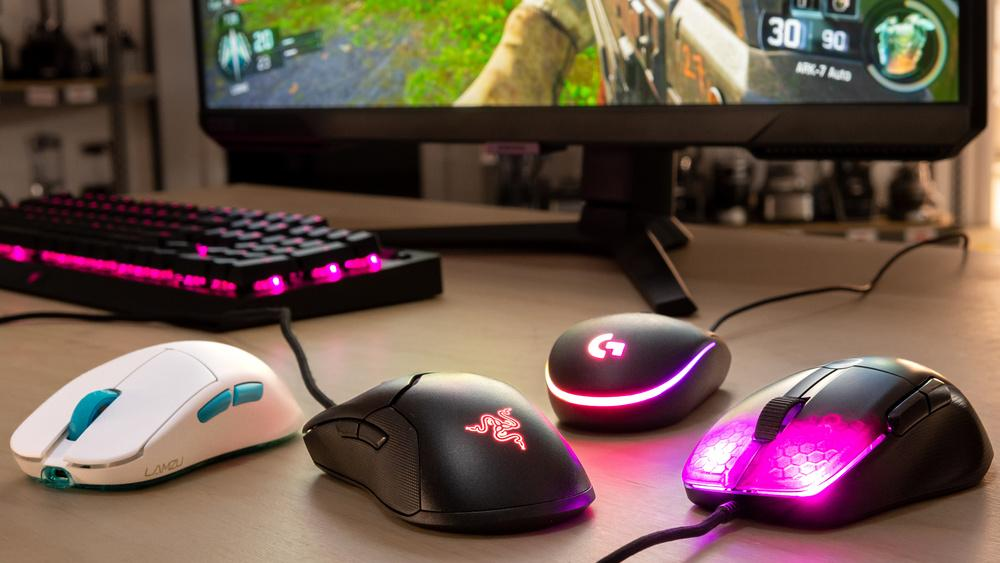
    The Razer Viper Mini is perfect for precision, the Logitech G305 offers wireless freedom, and the Glorious Model O delivers unmatched speed.

    If you are serious about improving your aim, upgrading your mouse is one of the smartest investments you can make.
  • Best Wireless FPS Mouse for Low Latency Gaming (2026 Guide)

    Best Wireless FPS Mouse for Low Latency Gaming (2026 Guide)

    Wireless gaming has evolved significantly over the past few years. There was a time when serious FPS players avoided wireless mice due to concerns about latency, input lag, and inconsistent performance. However, modern wireless technology has completely changed the game. Today’s wireless FPS mice can deliver performance that rivals, and in some cases even matches, wired connections.

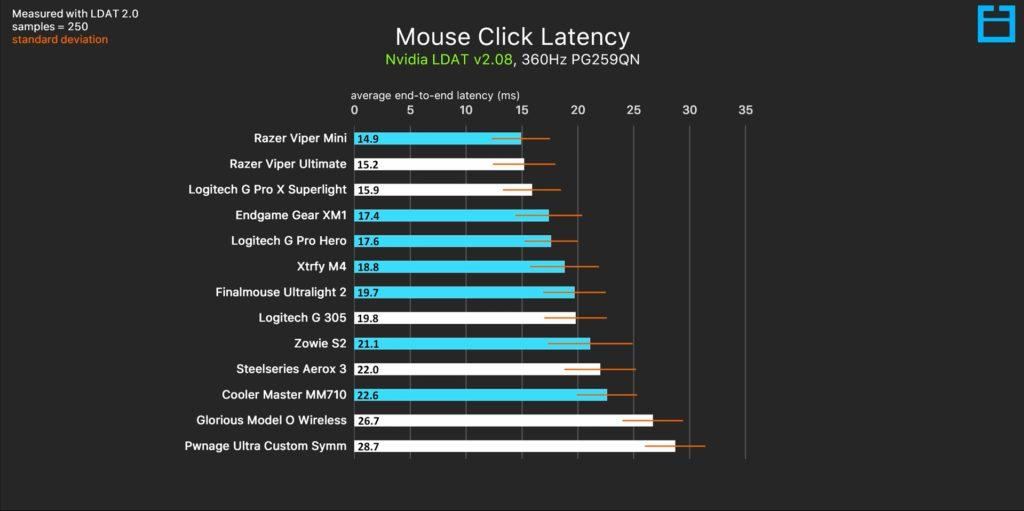
    For competitive players, low latency is everything. A delay of even a few milliseconds can affect your reaction time, especially in fast-paced FPS games like Valorant, CS2, or Apex Legends. This is why choosing the right wireless mouse is critical. You need a device that not only offers freedom of movement but also maintains consistent and reliable performance under pressure.

    Another advantage of wireless mice is the clean setup. Without cables dragging across your desk, your movements feel smoother and more natural. This can improve both comfort and precision, especially during long gaming sessions.

    Battery technology has also improved. Many modern wireless mice offer long battery life or fast charging, making them practical for everyday use. You no longer have to worry about your mouse dying in the middle of a match.

    In this guide, we will explore the best wireless FPS mice for low latency gaming in 2026. We’ll focus on real-world performance, responsiveness, comfort, and overall value to help you find the perfect mouse for your playstyle.


    1. Logitech G305 LIGHTSPEED (Best Budget Wireless FPS Mouse)

    Product Description

    The Logitech G305 LIGHTSPEED continues to dominate the budget wireless FPS category. It offers an impressive combination of performance, reliability, and affordability, making it one of the most recommended mice for competitive gamers on a budget.

    At the core of the G305 is Logitech’s HERO sensor, which provides highly accurate tracking with no noticeable delay. This ensures that your movements are translated precisely on screen, which is essential for FPS gaming. The LIGHTSPEED wireless technology also delivers extremely low latency, making it feel almost identical to a wired mouse.

    One of the standout features is its battery life. The G305 can last for up to hundreds of hours on a single AA battery, making it highly convenient for long-term use. You won’t need to constantly recharge or worry about losing power during gameplay.

    Pros

    • Extremely low latency wireless performance
    • Accurate HERO sensor
    • Long battery life
    • Great value

    Cons

    • Slightly heavier than ultralight models
    • Uses replaceable battery

    Best For

    • Budget competitive gamers
    • FPS players
    • Users transitioning to wireless

    2. Razer Orochi V2 (Best Lightweight Wireless Option)

    Product Description

    The Razer Orochi V2 is designed for players who want both portability and performance. It is a lightweight wireless mouse that offers excellent responsiveness, making it ideal for FPS gaming.

    One of its key strengths is its weight. Compared to many wireless mice, it is significantly lighter, allowing for faster movements and better control during flick shots. This makes it a strong choice for players who prioritize speed and precision.

    The mouse also features dual wireless connectivity, allowing you to switch between Bluetooth and 2.4GHz modes. For gaming, the 2.4GHz mode provides low latency, ensuring smooth and consistent performance.

    Battery life is another highlight. It can last for an extended period, making it practical for both gaming and daily use.

    Pros

    • Lightweight and fast
    • Low latency wireless performance
    • Dual connectivity options
    • Long battery life

    Cons

    • Smaller size may not suit all users

    Best For

    • FPS players
    • Travel setups
    • Lightweight enthusiasts

    3. SteelSeries Rival 3 Wireless (Best Balanced Option)

    Product Description

    The SteelSeries Rival 3 Wireless offers a balanced combination of performance, durability, and affordability. It is designed for users who want a reliable wireless mouse without focusing too much on extreme features.

    The sensor provides consistent tracking, making it suitable for FPS games. While it may not be the lightest option, it offers good control and stability, which can benefit players who prefer a slightly heavier feel.

    The build quality is solid, ensuring that the mouse can handle regular use without issues. It also features a comfortable shape that suits a wide range of hand sizes.

    Pros

    • Reliable performance
    • Durable build
    • Comfortable design
    • Good value

    Cons

    • Not the lightest option
    • Basic design compared to premium models

    Best For

    • Casual and competitive players
    • Balanced usage
    • Everyday gaming

    Buying Guide

    When choosing a wireless FPS mouse, latency should be your top priority. A good gaming mouse should have minimal delay to ensure that your movements are reflected instantly on screen.

    Weight is also important. Lightweight mice allow for faster movements, while slightly heavier mice can provide better control. The best choice depends on your playstyle.

    Battery life is another key factor. A mouse with long battery life reduces interruptions and improves convenience.

    Finally, consider comfort. A mouse that fits your hand properly will improve your performance over time.


    Comparison and Tips

    Each of these mice serves a different purpose:

    • G305 → best budget performance
    • Orochi V2 → best lightweight wireless
    • Rival 3 Wireless → best balanced option

    A key tip is to focus on consistency. A reliable mouse that feels comfortable will always perform better than one with better specs but poor ergonomics.


    Final Verdict

    Wireless FPS mice have reached a point where they can fully compete with wired options. With low latency, strong sensors, and improved battery life, they offer both performance and convenience.

    The Logitech G305 remains the best budget option, the Razer Orochi V2 is perfect for lightweight performance, and the SteelSeries Rival 3 Wireless offers a balanced experience.

    If you want a clean setup without sacrificing performance, switching to a wireless FPS mouse is a smart decision.

  • Best Lightweight FPS Mouse for Fast Aim and Flick Shots (2026 Guide)

    Best Lightweight FPS Mouse for Fast Aim and Flick Shots (2026 Guide)

    In competitive FPS gaming, every millisecond matters. Whether you’re playing fast-paced shooters like Valorant, CS2, or Call of Duty, your ability to aim quickly and accurately can make the difference between winning and losing. While skill and practice are essential, your equipment also plays a major role in your performance—especially your mouse.

    One of the biggest trends in recent years is the shift toward lightweight gaming mice. Unlike traditional heavier models, lightweight mice are designed to reduce resistance during movement, allowing for faster flick shots, smoother tracking, and better overall control. This is particularly important in FPS games where rapid reactions and precise aim are required.

    Many professional players now prefer lightweight mice because they reduce fatigue during long gaming sessions. When your hand doesn’t have to push as much weight, your movements become more natural and less strained. Over time, this can improve consistency and accuracy.

    Another advantage is speed. Lightweight mice allow for quicker adjustments, which is crucial when tracking moving targets or reacting to sudden threats. Combined with a good sensor and proper settings, they can significantly enhance your gameplay.

    In this guide, we will explore the best lightweight FPS mice in 2026, focusing on performance, comfort, and real-world usability. Whether you’re a beginner or a competitive player, these options can help you improve your aim and take your gameplay to the next level.


    1. Razer Viper Mini (Best for Precision and Speed)

    Product Description

    The Razer Viper Mini is one of the most popular lightweight FPS mice, especially among players who prioritize precision and fast reaction time. Weighing significantly less than traditional gaming mice, it allows for effortless movement and quick flick shots.

    The shape is optimized for claw and fingertip grip styles, which are commonly used in competitive FPS gaming. This design allows for better control during rapid movements, making it easier to track enemies and adjust aim on the fly.

    The sensor performance is highly reliable, offering accurate tracking without unwanted acceleration or jitter. This is crucial for FPS games where even the smallest inconsistency can affect your aim.

    Another advantage is its build quality. Despite its lightweight design, it feels solid and well-constructed, giving you confidence during intense gameplay.

    Pros

    • Extremely lightweight
    • Excellent precision for FPS
    • Comfortable for claw grip
    • Responsive and accurate

    Cons

    • Not ideal for large hands
    • Wired only

    Best For

    • FPS players
    • Competitive gaming
    • Fast flick shots

    2. Logitech G305 LIGHTSPEED (Best Wireless Lightweight Option)

    Product Description

    The Logitech G305 LIGHTSPEED is one of the best wireless options for FPS gaming on a budget. While it may not be the absolute lightest mouse available, its performance and reliability make it a top choice for many players.

    The HERO sensor provides highly accurate tracking, making it suitable for competitive play. The wireless connection is also extremely responsive, with minimal latency that feels almost identical to a wired mouse.

    One of the biggest advantages of the G305 is freedom of movement. Without a cable, you can move more naturally, which can improve your aim and overall comfort.

    Battery life is another strong point. The mouse can last for an extended period on a single battery, making it practical for daily use.

    Pros

    • Wireless performance with low latency
    • Accurate HERO sensor
    • Good battery life
    • Reliable build quality

    Cons

    • Slightly heavier than ultralight mice
    • Uses AA battery

    Best For

    • Wireless FPS gaming
    • Clean desk setups
    • Competitive players

    3. Glorious Model O (Best Ultralight Design)

    Product Description

    The Glorious Model O is designed specifically for gamers who want the lightest possible mouse without sacrificing performance. Its honeycomb shell reduces weight significantly, making it one of the most popular ultralight mice in the market.

    This design allows for extremely fast movements, which is ideal for flick shots and rapid aiming adjustments. The mouse glides smoothly across the mousepad, giving you a sense of speed and control that heavier mice cannot match.

    The sensor is highly accurate and performs consistently, making it suitable for competitive FPS games. Despite its lightweight build, the mouse remains durable enough for regular use.

    Pros

    • Ultralight design
    • Smooth and fast movement
    • Great for flick shots
    • Stylish RGB lighting

    Cons

    • Open design may collect dust
    • Not for users who prefer heavier mice

    Best For

    • Ultralight enthusiasts
    • FPS gamers
    • Fast-paced gameplay

    Buying Guide

    Choosing the right lightweight FPS mouse requires understanding how different factors affect your gameplay.

    First, consider weight. Lighter mice allow faster movement and reduce fatigue, which is ideal for FPS games. However, some players prefer slightly heavier mice for more control, so it’s important to find a balance that suits your playstyle.

    Grip style is another key factor. Claw and fingertip grips benefit the most from lightweight designs because they rely on quick, precise movements. Palm grip users may prefer slightly larger and more ergonomic shapes.

    Sensor quality is crucial. A good sensor ensures accurate tracking without delay or inconsistency. Most modern gaming mice have excellent sensors, but it’s still important to choose a reliable model.

    DPI settings should also be considered. Higher DPI does not always mean better performance. Most FPS players use moderate DPI settings combined with in-game sensitivity for better control.


    Comparison and Tips

    When comparing these mice, each one offers a different advantage.

    • Razer Viper Mini → best for precision and control
    • Logitech G305 → best wireless performance
    • Glorious Model O → best ultralight design

    A key tip is to choose based on your playstyle. If you focus on accuracy, go for a precise and lightweight mouse. If you prefer freedom of movement, a wireless option may be better.

    Another important factor is consistency. Using the same mouse regularly helps build muscle memory, which is essential for improving aim.


    Final Verdict

    Lightweight FPS mice have become the standard for competitive gaming, and for good reason. They offer faster movement, reduced fatigue, and improved accuracy, all of which are essential for high-level performance.

    The Razer Viper Mini stands out as the best option for precision, the Logitech G305 offers excellent wireless performance, and the Glorious Model O delivers the ultimate ultralight experience.

    No matter which option you choose, upgrading to a lightweight FPS mouse can significantly improve your aim and overall gameplay. Combined with practice and proper settings, it can give you a real competitive edge.