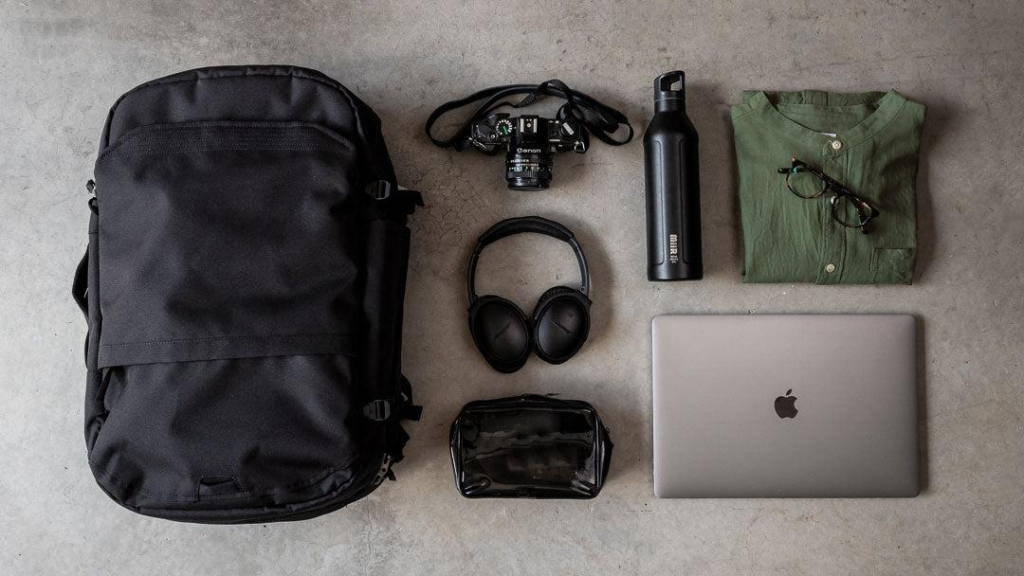
A good travel backpack is one of the most underrated essentials in modern life. Most people only think about bags when they are about to travel, but in reality, a well-designed backpack affects your comfort, organization, and efficiency every single day. Whether you are commuting, going on a weekend trip, or preparing for a longer journey, the right backpack makes everything easier.
Many people make the mistake of choosing a backpack based only on appearance. It looks good, feels decent at first, and seems like it will do the job. But after using it for a few days, problems start to show. The weight distribution feels off, your shoulders get tired, items are hard to find, and packing becomes frustrating. These small inconveniences quickly turn into daily stress.
A proper travel backpack solves these problems through thoughtful design. It distributes weight evenly, provides structured compartments, and allows you to access your items quickly. Instead of digging through a messy bag, everything has its place. This becomes especially important when you are moving frequently or working while traveling.
In 2026, travel backpacks have evolved far beyond simple storage. Many models now include laptop compartments, anti-theft features, waterproof materials, and smart organization systems. Some are designed for minimal carry, while others can replace small suitcases entirely.
Another important factor is versatility. A good travel backpack should not be limited to one purpose. You should be able to use it for daily commuting, short trips, gym sessions, or even outdoor activities. This makes it a long-term investment rather than a one-time purchase.
In this guide, we will break down the best travel backpacks available right now. You will learn which models offer the best value, how they perform in real situations, and what features actually matter. If you want a backpack that works with you—not against you—this guide will help you choose the right one.
2. Top Picks
1. Best Overall: Nomatic Travel Pack
The Nomatic Travel Pack is one of the most versatile backpacks available, making it the best overall choice for people who want a balance between everyday use and travel functionality. It is designed with organization and efficiency in mind, which becomes immediately noticeable once you start using it.
One of its standout features is the expandable design. The bag can increase in size when you need extra space, which is perfect for short trips or situations where you need to carry more than usual. This flexibility allows you to use it both as a daily backpack and a travel bag.
The internal organization system is another major advantage. Instead of a single large compartment, the bag includes multiple sections for different items—laptop, clothes, accessories, and small essentials. This reduces the need to search for items and keeps everything structured.
Build quality is also excellent. The materials feel durable and water-resistant, which protects your belongings in different environments. Whether you are commuting in the rain or traveling through busy areas, the bag maintains its performance.
However, it is important to note that this backpack is slightly more expensive than average. But for users who value organization and long-term usability, it is worth the investment.
Overall, this is the best option if you want one backpack that can handle multiple roles without compromise.
2. Best for Travel: Osprey Farpoint 40
If your main focus is travel, the Osprey Farpoint 40 is one of the most reliable choices available. This backpack is designed specifically for travelers who want the convenience of a carry-on with the comfort of a backpack.
One of its biggest advantages is capacity. It offers enough space to pack for several days without needing additional luggage. This makes it ideal for people who prefer minimalist travel.
The backpack also features a structured design that helps distribute weight evenly. This reduces strain on your shoulders and back, which is especially important when moving through airports or walking long distances.
Another key feature is its carry-on compatibility. The size is designed to fit most airline requirements, allowing you to avoid checked baggage fees and delays.
The only downside is that it is not as compact as everyday backpacks. It is best used for travel rather than daily commuting.
Overall, this is the best choice for travelers who want efficiency, comfort, and enough space without carrying a suitcase.
3. Best Budget Pick: Matein Travel Laptop Backpack
For those who want a practical and affordable option, the Matein Travel Laptop Backpack offers excellent value. It focuses on essential features without unnecessary complexity.
The main strength of this backpack is its functionality. It includes a dedicated laptop compartment, multiple pockets for organization, and even a built-in USB charging port for convenience.
The design is simple but effective. It is suitable for daily use, commuting, and light travel. While it does not have premium materials, it performs well for its price.
Comfort is also decent. The padded straps help reduce pressure, making it suitable for extended use.
The main limitation is durability compared to higher-end models. It is best for moderate use rather than heavy travel.
Overall, this is a great entry-level option for people who want a reliable backpack without spending too much.
3. Detailed Features
When choosing a travel backpack, several features determine its performance.
First, capacity. Larger bags hold more items but can become bulky.
Second, organization. Multiple compartments make packing and access easier.
Third, comfort. Padded straps and back support reduce fatigue.
Fourth, material. Durable and water-resistant materials improve longevity.
Finally, security. Anti-theft features can be useful in crowded areas.
4. Pros and Cons
Pros
Improves organization
Reduces travel stress
Versatile for multiple uses
Comfortable for long periods
Eliminates need for extra bags
Cons
Good models can be expensive
Larger bags may feel bulky
Requires proper packing habits
Cheap options may wear out faster
5. Buying Guide
Choosing the right travel backpack depends on how you plan to use it.
If you travel frequently, capacity and durability are key. If you use it daily, comfort and organization matter more.
Think about what you carry. If you have a laptop, choose a bag with proper protection. If you carry clothes, look for expandable space.
Also consider size. A bag that is too large becomes uncomfortable, while one that is too small limits usability.
Weight distribution is important. A well-designed backpack should feel balanced, not heavy on one side.
Budget wisely. Spending a bit more on quality often saves money in the long run.
6. Who Should Buy
This is ideal for:
Travelers
Students
Remote workers
Commuters
Outdoor enthusiasts
7. Final Verdict
A good travel backpack is more than just a bag—it is a tool that supports your daily life and travel experiences. It helps you stay organized, move efficiently, and carry what you need without stress.
The right backpack depends on your lifestyle. Some people need maximum space, while others prioritize portability and simplicity.
If you choose wisely, your backpack becomes something you rely on every day. It simplifies your routine and makes travel more enjoyable.
Start with your needs, focus on function, and invest in quality.
That is what turns a simple backpack into a long-term asset.
Modern life depends heavily on electricity. From smartphones and laptops to small appliances and lighting, almost everything we use daily requires power. This dependence becomes very clear the moment you step outside your home or experience a power outage. Suddenly, even basic tasks like charging your phone or running a light become difficult.
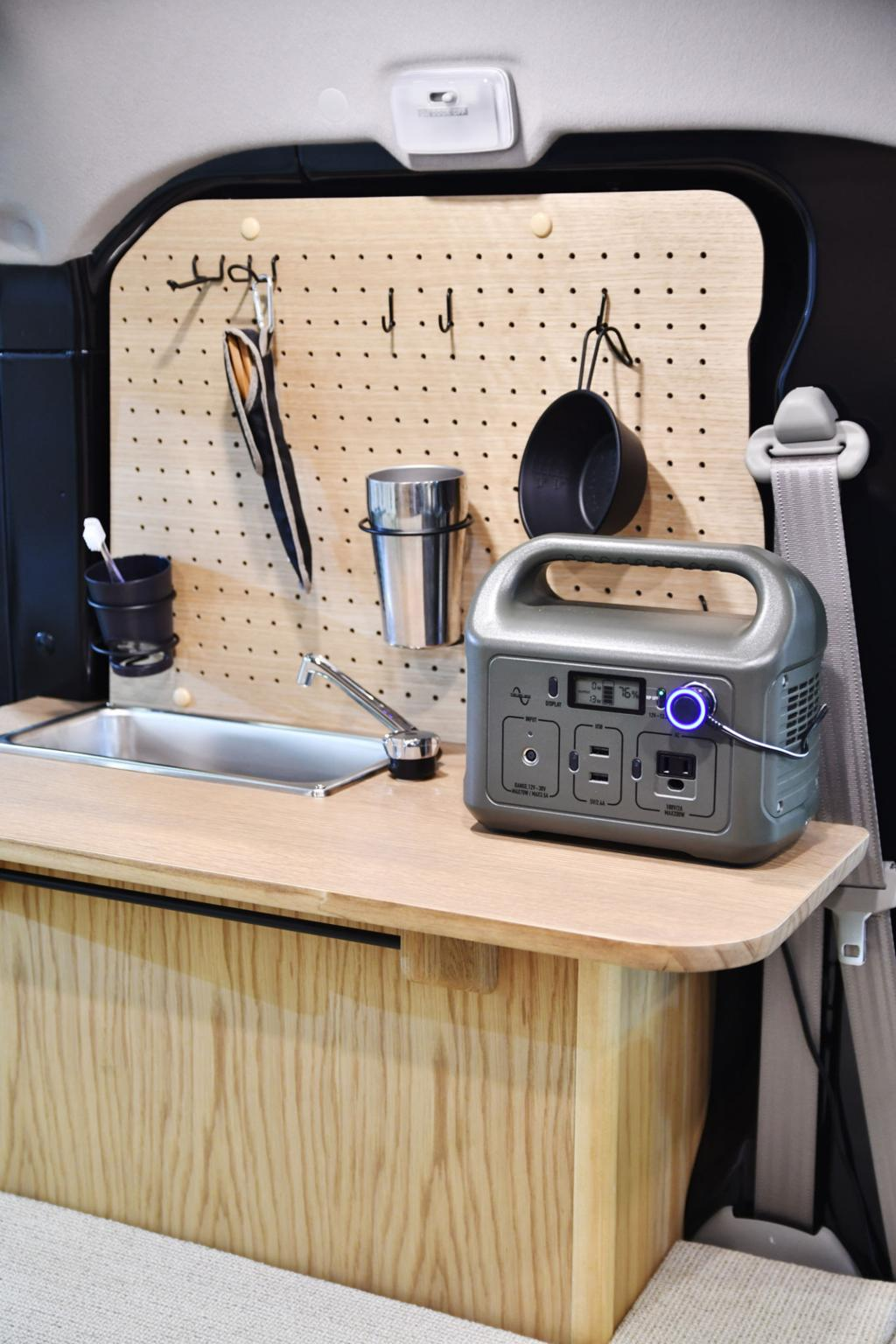
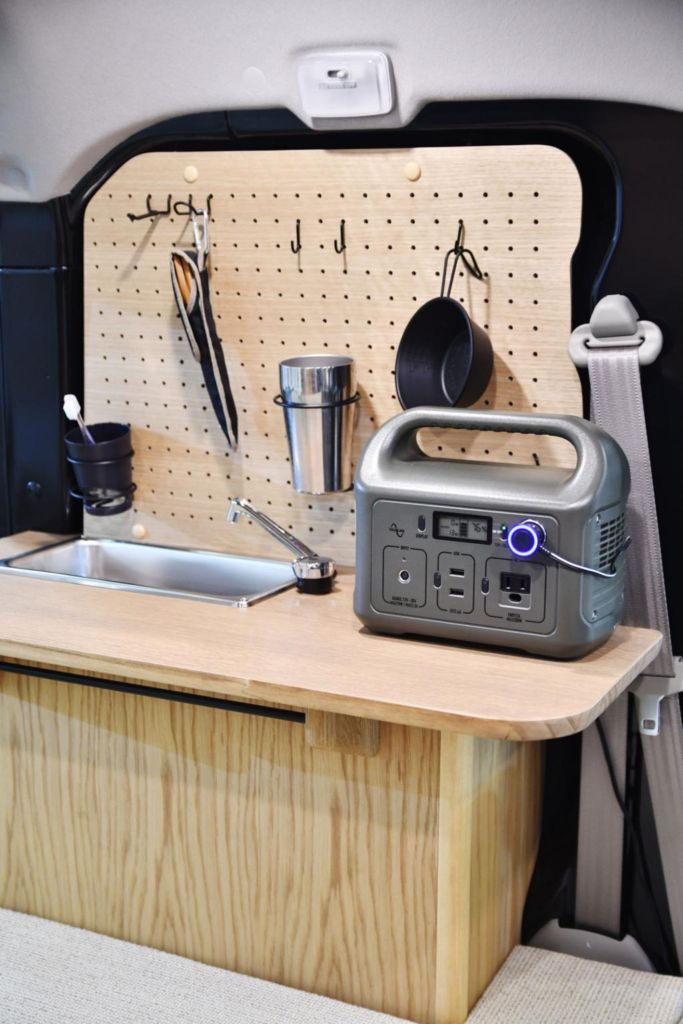
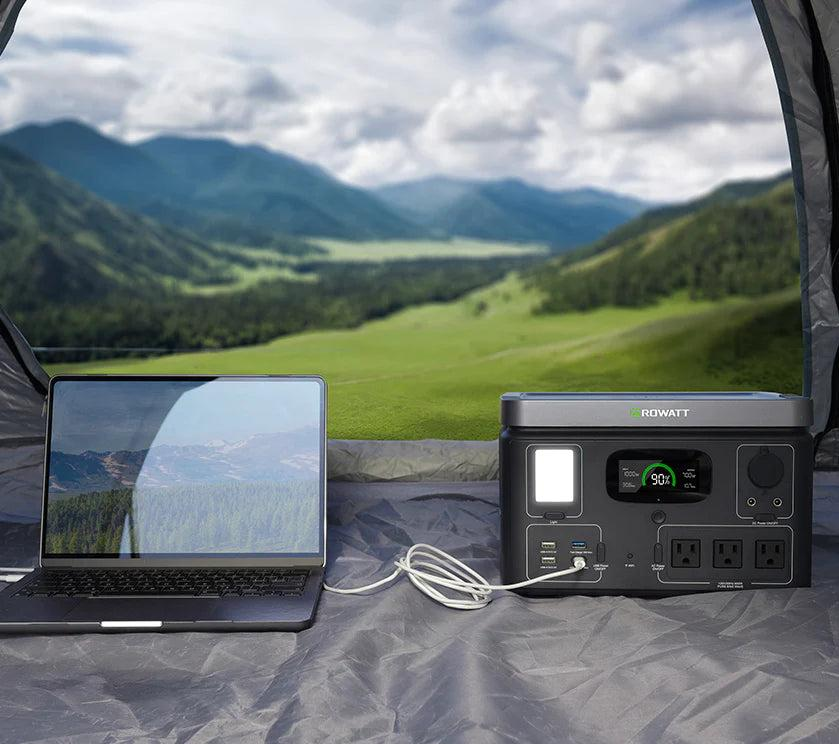
This is where portable power stations become incredibly useful. Unlike traditional generators, portable power stations are compact, quiet, and easy to use. They allow you to store electricity and use it whenever and wherever you need it—whether you are camping in the mountains, traveling in a car, or dealing with an emergency at home.
Many people think these devices are only for outdoor enthusiasts, but that is not true anymore. In 2026, portable power stations have become part of everyday life. People use them for remote work, road trips, outdoor events, and backup power at home. Their versatility makes them one of the most practical investments you can make.
Another major advantage is convenience. Unlike fuel-powered generators, portable power stations do not require gasoline. They run on rechargeable batteries, which means no noise, no fumes, and minimal maintenance. This makes them suitable for indoor use as well.
However, not all power stations are the same. Some are designed for light use, like charging phones and laptops, while others can power larger devices such as mini-fridges or cooking equipment. Choosing the wrong one can lead to frustration—either not enough power or unnecessary bulk and cost.
In this guide, we will break down the best portable power stations available in 2026. You will learn what makes each model unique, how to choose based on your needs, and what features actually matter in real-world use. If you want reliable power anywhere, this is the upgrade that gives you true flexibility.
2. Top Picks
1. Best Overall: Jackery Explorer 1000
The Jackery Explorer 1000 is widely considered one of the best all-around portable power stations because it balances capacity, portability, and ease of use. It is powerful enough for serious use but still compact enough to carry without difficulty.
One of its biggest strengths is its battery capacity. It can charge smartphones multiple times, power laptops for extended periods, and even run small appliances like mini-fridges or fans. This makes it extremely versatile for both outdoor and indoor use.
Another advantage is its user-friendly design. The interface is simple and clear, allowing you to monitor battery levels and output easily. Even if you are new to power stations, you can use it without confusion.
The device also supports multiple output options, including USB ports, AC outlets, and DC ports. This flexibility allows you to power different devices at the same time, which is very useful during trips or emergencies.
In terms of reliability, Jackery has a strong reputation. The build quality feels solid, and the device performs consistently over time.
The main downside is the price. It is more expensive than smaller models, but considering its capabilities, it offers strong value.
Overall, this is the best choice if you want a reliable, versatile power station that can handle most situations.
2. Best for Heavy Use: EcoFlow Delta 2
If you need more power and faster performance, the EcoFlow Delta 2 is one of the most advanced options available. This model is designed for users who require high capacity and quick charging.
One of its standout features is fast charging. Unlike many other power stations, the Delta 2 can recharge much faster, which is a huge advantage when you need power quickly.
It also offers higher output capacity, allowing it to run more demanding devices. This includes larger appliances that smaller power stations cannot handle.
Another key benefit is expandability. You can increase its capacity by adding extra batteries, making it a flexible long-term solution.
However, this power comes with trade-offs. The device is heavier and more expensive than basic models. It is better suited for people who truly need its capabilities.
Overall, this is ideal for serious users—those who want a powerful, long-term solution for both outdoor and home backup use.
3. Best Budget Pick: BLUETTI EB3A
For those looking for a more affordable option, the BLUETTI EB3A offers excellent value. It provides enough power for essential devices without the high cost of larger units.
The main advantage of this model is its compact size. It is lightweight and easy to carry, making it perfect for short trips, casual camping, or everyday use.
Despite its smaller size, it still includes multiple output ports, allowing you to charge phones, laptops, and small electronics.
It is not designed for heavy appliances, but for basic needs, it performs very well.
This is a great starting point if you want to experience the benefits of a portable power station without making a large investment.
3. Detailed Features
When choosing a portable power station, several key features determine its usefulness.
First, battery capacity. This determines how long the device can power your equipment.
Second, output power. This affects what devices you can run.
Third, charging speed. Faster charging means less downtime.
Fourth, portability. Weight and size matter if you plan to carry it often.
Finally, number of ports. More ports provide greater flexibility.
4. Pros and Cons
Pros
Provides power anywhere
Quiet and easy to use
No fuel required
Versatile for many situations
Reliable backup solution
Cons
Higher upfront cost
Limited capacity compared to generators
Requires recharging
Heavier for larger models
5. Buying Guide
Choosing the right power station depends on your needs.
If you only need to charge phones and laptops, a small model is enough. If you want to run appliances, you need a higher-capacity unit.
Think about how often you will use it. Occasional users can choose budget options, while frequent users should invest in higher-quality models.
Portability is important. If you travel often, choose a lighter model.
Also consider charging options. Some models support solar charging, which is useful for outdoor use.
Budget matters, but reliability matters more. A good power station should work when you need it most.
6. Who Should Buy
This is ideal for:
Campers and travelers
Remote workers
Home backup users
Outdoor enthusiasts
Anyone needing portable power
7. Final Verdict
Portable power stations are no longer luxury items—they are practical tools for modern life. They provide flexibility, convenience, and reliability in situations where traditional power sources are not available.
Whether you are camping, traveling, or preparing for emergencies, having a reliable power source changes everything. It allows you to stay connected, comfortable, and prepared.
The key is choosing the right model based on your needs. Do not overbuy, but do not underprepare either.
If used correctly, a portable power station becomes one of the most useful tools you own—and one you will rely on more than you expect.
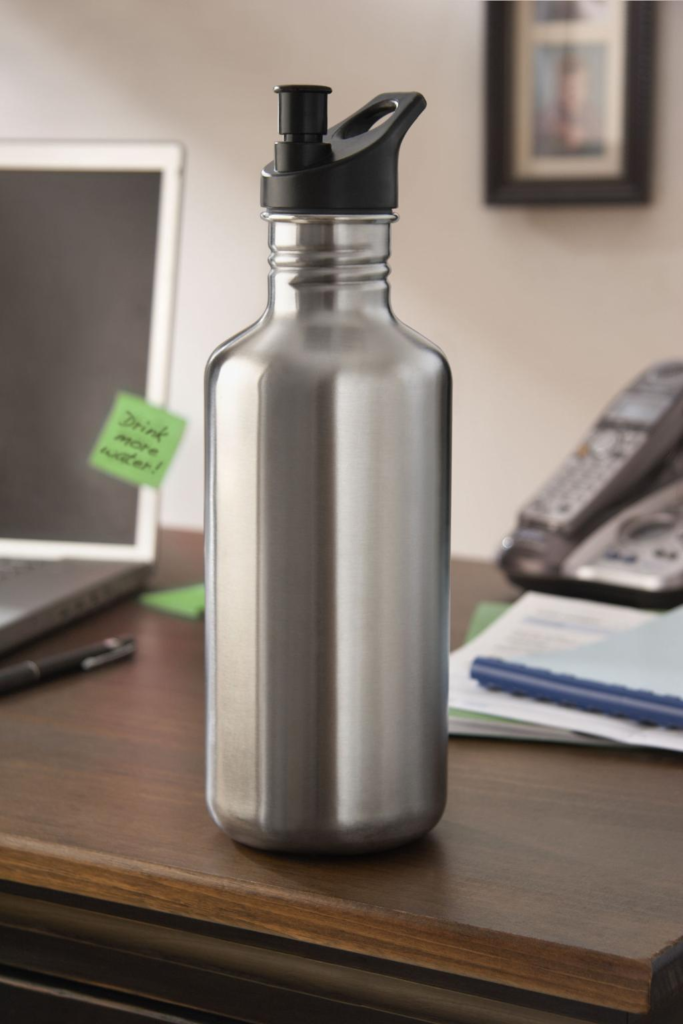
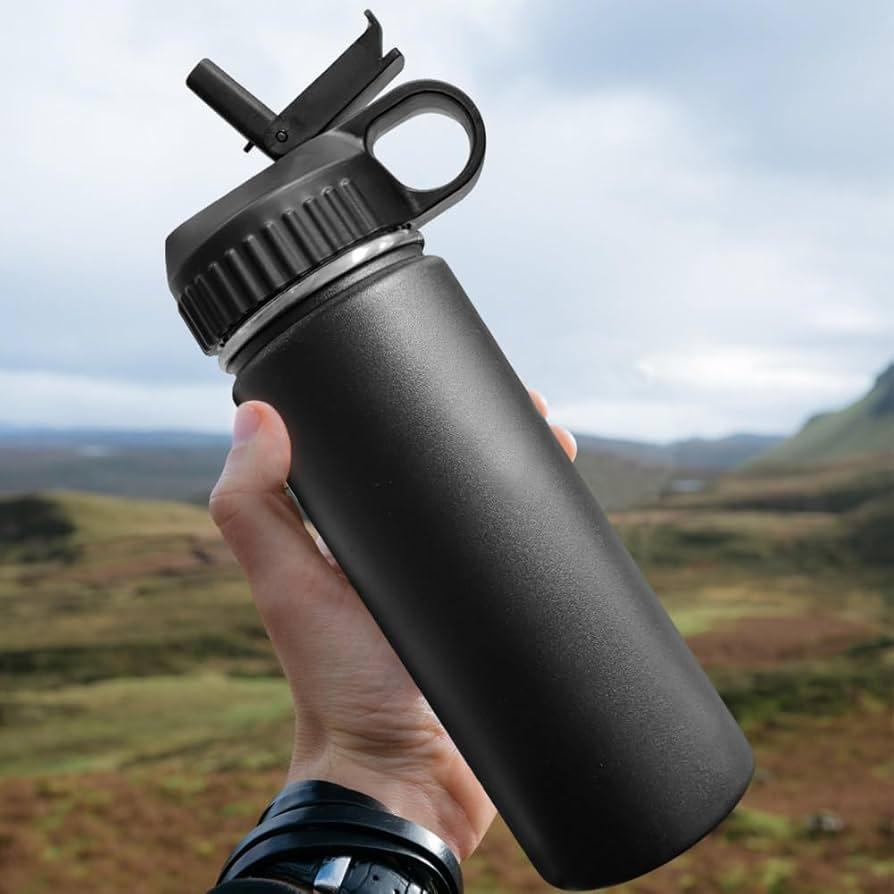
Staying hydrated sounds simple, but in reality, most people fail at it consistently. The problem is not awareness—it is convenience. When water is not easily accessible or not at the right temperature, people naturally drink less. Over time, this affects energy levels, focus, and overall performance.
This is where insulated water bottles make a significant difference. Unlike regular plastic bottles, insulated bottles are designed to maintain the temperature of your drink for hours. Whether you want cold water during a long summer day or hot coffee during a cold morning, a good bottle ensures consistency.
Many people underestimate how much this impacts daily life. For example, if your water stays cold all day, you are more likely to drink regularly. If your coffee stays hot during work, you do not need constant reheating. These small improvements remove friction from your routine.
In 2026, insulated bottles are no longer just functional—they are designed for durability, portability, and style. You can find options that fit perfectly into your daily routine, whether you are working at a desk, going to the gym, traveling, or camping outdoors.
Another important factor is sustainability. Reusable bottles reduce plastic waste significantly. Instead of buying disposable bottles daily, you invest once and use it for years.
However, not all insulated bottles are the same. Some prioritize temperature retention, while others focus on lightweight design or portability. Choosing the wrong one can lead to frustration, such as leaks, poor insulation, or неудcomfortable carrying.
In this guide, we will break down the best insulated water bottles for different situations. You will learn what features matter, how to choose the right size, and which models offer the best value. If you want a simple upgrade that improves your daily routine, this is one of the easiest and most effective choices.
2. Top Picks
1. Best Overall: Hydro Flask Standard Mouth Bottle
The Hydro Flask Standard Mouth Bottle is widely considered one of the best all-around insulated bottles because it balances performance, durability, and usability in a way that fits almost any lifestyle.
One of its strongest features is its insulation performance. It keeps drinks cold for up to 24 hours and hot for around 12 hours. This level of consistency makes it reliable whether you are at work, traveling, or outdoors.
The stainless steel construction ensures durability. Unlike plastic bottles, it does not absorb odors or flavors, which means your water always tastes clean. This is especially important if you switch between different types of drinks.
The design is also practical. The standard mouth opening makes it easy to drink from while reducing spills. It is comfortable to carry and fits well in most bags.
Another advantage is versatility. You can use it at the gym, at your desk, or during outdoor activities. It adapts easily to different situations without feeling out of place.
The only downside is price. It is more expensive than basic options, but the long-term durability and performance justify the cost.
Overall, this is the best choice if you want one bottle that works everywhere.
2. Best for Travel: YETI Rambler Bottle
If durability is your top priority, the YETI Rambler Bottle is one of the toughest options available. This bottle is designed for people who need reliability in demanding environments.
The build quality is exceptional. It can handle drops, rough handling, and outdoor conditions without damage. This makes it ideal for travel, camping, and long trips.
Its insulation performance is also excellent. It maintains temperature for extended periods, ensuring your drink stays at the desired temperature throughout the day.
Another key feature is the secure lid design. Leaks are one of the most frustrating issues with water bottles, and YETI addresses this with a tight, reliable seal.
However, the bottle is slightly heavier than other options. This is a trade-off for its durability. If weight is a concern, you may want a lighter alternative.
Overall, this is the best option for people who prioritize strength and reliability over lightweight design.
3. Best Budget Pick: Contigo AUTOSEAL Water Bottle
For those looking for an affordable yet practical option, the Contigo AUTOSEAL Water Bottle offers great value. It focuses on convenience and ease of use rather than premium materials.
The standout feature is the AUTOSEAL lid. This mechanism automatically seals between sips, preventing leaks and spills. This makes it ideal for commuting, work, or travel.
The bottle is lightweight and easy to carry, which makes it suitable for everyday use. It fits well in most bags and cup holders.
While the insulation is not as strong as premium models, it still performs well for moderate use. It keeps drinks cool for several hours, which is enough for daily routines.
The main limitation is durability. It is not designed for heavy outdoor use, but for casual use, it works perfectly.
Overall, this is a great entry-level option for people who want convenience without spending too much.
3. Detailed Features
When choosing an insulated water bottle, several features determine its performance.
First, insulation type. Double-wall vacuum insulation is the most effective.
Second, material. Stainless steel is the best option for durability and taste.
Third, lid design. A good lid prevents leaks and improves usability.
Fourth, size and capacity. Larger bottles hold more but are heavier.
Finally, portability. Consider how easy it is to carry and store.
4. Pros and Cons
Pros
Keeps drinks hot or cold for hours
Durable and reusable
Reduces plastic waste
Suitable for multiple situations
Improves hydration habits
Cons
Higher upfront cost
Heavier than plastic bottles
Requires cleaning
Some models are bulky
5. Buying Guide
Choosing the right insulated bottle depends on your lifestyle.
If you travel frequently, durability and leak-proof design are critical. If you use it at work, comfort and size matter more.
Capacity is important. A larger bottle means fewer refills, but it also adds weight. Choose a size that fits your routine.
Consider cleaning. Wide-mouth bottles are easier to clean, while narrow ones are easier to drink from.
Think long-term. A high-quality bottle can last for years, making it a better investment than repeatedly buying cheap ones.
Also consider your daily habits. If you carry your bottle everywhere, weight and portability become more important.
6. Who Should Buy
This is ideal for:
Office workers
Students
Travelers
Gym users
Outdoor enthusiasts
7. Final Verdict
An insulated water bottle is one of the simplest upgrades you can make in your daily life. It improves hydration, convenience, and overall comfort without requiring effort.
The key is choosing the right bottle for your needs. Some prioritize durability, while others focus on portability or price.
If you pick the right one, it becomes something you use every day without thinking—and that is what makes it valuable.
Start simple, choose smart, and use it consistently.
That alone can improve your daily routine more than you expect.
Cooking outdoors is one of the most satisfying parts of camping, but it is also where many people struggle the most—especially beginners. At home, cooking is easy. You have a stable stove, controlled heat, and all the tools you need. Outside, everything changes. Wind affects your flame, uneven ground makes setup harder, and limited fuel means every decision matters.
This is where a reliable portable camping stove becomes essential. It is not just about heating food. It is about creating consistency in an unpredictable environment. A good stove allows you to boil water quickly, cook meals efficiently, and maintain control over your cooking process no matter where you are.
Many beginners make the mistake of choosing the cheapest or smallest option without understanding how they plan to use it. Some stoves are designed for ultralight backpacking, while others are built for group camping or car camping. Using the wrong type can lead to frustration—slow cooking, unstable flames, or poor fuel efficiency.
In recent years, camping stoves have improved significantly. Modern designs are more compact, more powerful, and easier to use than ever before. Even budget models can now deliver strong performance if chosen correctly.
Another important factor is versatility. A good camping stove should not be limited to outdoor use. Many people use them for emergency cooking at home, road trips, fishing trips, or even quick backyard meals. This makes them a practical investment beyond just camping.
In this guide, we will break down the best portable camping stoves available in 2026. You will learn which models are worth buying, how they compare in real use, and what features actually matter. If you want a setup that works reliably without stress, this guide will help you choose the right one.
2. Top Picks
1. Best Overall: Coleman Gas Camping Stove
The Coleman Gas Camping Stove is one of the most reliable and widely used options for outdoor cooking, and for good reason. It strikes a strong balance between power, stability, and ease of use, making it suitable for both beginners and experienced campers.
One of its biggest advantages is the dual-burner design. Unlike small single-burner stoves, this allows you to cook multiple items at the same time. For example, you can boil water on one side while cooking eggs or meat on the other. This makes a huge difference when preparing meals efficiently, especially for groups.
Another key strength is flame control. Many cheaper stoves struggle with consistent heat, but the Coleman model offers precise adjustment. This allows you to go from high heat for boiling to low heat for simmering without constant frustration.
The built-in wind guards are also extremely useful. Outdoor conditions are unpredictable, and wind can easily disrupt cooking. These guards help maintain a stable flame, which improves both cooking speed and fuel efficiency.
In terms of build quality, the stove feels solid and durable. It is designed to handle repeated use, transport, and outdoor conditions without breaking down quickly.
The only downside is its size. It is not designed for ultralight backpacking. This is more suited for car camping or situations where you can carry slightly heavier gear.
Overall, if you want a dependable, easy-to-use stove that works in most situations, this is one of the best choices you can make.
2. Best for Backpacking: MSR PocketRocket 2
For those who prioritize portability and weight, the MSR PocketRocket 2 is one of the best ultralight stoves available. This stove is designed specifically for backpackers who need to minimize gear weight without sacrificing performance.
The first thing you notice is its size. It is extremely compact and can fit easily into a small backpack. This makes it ideal for long hikes, solo trips, or minimalist camping setups.
Despite its small size, it delivers impressive power. It can boil water quickly, which is often the main priority for backpackers. Whether you are making instant meals, coffee, or dehydrated food, speed matters—and this stove delivers.
Another advantage is its simplicity. There are no complicated parts or setup steps. You attach it to a fuel canister, ignite it, and start cooking. This reliability is crucial when you are in remote locations.
However, this stove is not designed for complex cooking. It works best for boiling and simple meals. If you need to cook multiple dishes or use larger pans, it may feel limited.
It is also more sensitive to wind compared to larger stoves, so using a wind shield or choosing a protected spot is important.
Overall, this is the perfect choice for solo travelers and backpackers who want lightweight efficiency over versatility.
3. Best Budget Pick: AOTU Portable Camping Stove
If you are just starting out or want a low-cost option, the AOTU Portable Camping Stove is one of the best budget choices available. It offers solid performance at a very affordable price, making it ideal for beginners.
The stove is compact and lightweight, which makes it easy to carry and store. It is suitable for short trips, casual camping, or emergency use.
In terms of performance, it provides enough power for basic cooking tasks such as boiling water or heating simple meals. While it may not be as fast or precise as higher-end models, it gets the job done.
One of its strengths is simplicity. There is very little to learn, and setup is straightforward. This makes it beginner-friendly and easy to use even for people with no prior camping experience.
However, durability is not as strong as premium models. With frequent heavy use, it may wear out faster. It is best suited for occasional use rather than long-term intensive camping.
Overall, this is a great entry-level option if you want to test outdoor cooking without spending too much.
3. Detailed Features
When choosing a camping stove, several features matter more than brand names.
First, fuel type. Most portable stoves use propane or butane canisters. These are easy to use and widely available.
Second, burner power. Higher power means faster cooking, but also higher fuel consumption.
Third, stability. A stable base is important, especially when using larger pots.
Fourth, wind resistance. Outdoor conditions can affect performance significantly.
Finally, size and weight. Your choice depends on whether you prioritize portability or cooking capacity.
4. Pros and Cons
Pros
Enables reliable outdoor cooking
Compact and portable
Easy to use
Suitable for multiple situations
Improves camping experience
Cons
Requires fuel management
Some models are bulky
Wind can affect performance
Not all stoves support large cookware
5. Buying Guide
Choosing the right camping stove depends heavily on how you plan to use it.
If you are car camping, size and weight are less important. You can choose a larger, more powerful stove with multiple burners. This gives you more flexibility when cooking.
If you are backpacking, weight becomes critical. In this case, a compact single-burner stove is the better choice.
Fuel availability is another important factor. Make sure the fuel type is easy to find in your area or during your trip.
Think about your cooking style. If you only need to boil water, a simple stove is enough. If you plan to cook full meals, you need better flame control and stability.
Also consider weather conditions. If you camp in windy areas, choose a stove with good wind resistance.
Budget matters, but reliability matters more. A slightly more expensive stove that works consistently is better than a cheap one that fails when you need it.
6. Who Should Buy
This is ideal for:
Campers and beginners
Backpackers
Travelers
Outdoor enthusiasts
People preparing emergency kits
7. Final Verdict
A portable camping stove is one of the most practical tools you can own if you enjoy outdoor activities or want flexibility in cooking. It turns a difficult task into something simple and manageable.
The right stove depends on your needs. Some people need power and capacity, while others need portability and simplicity. There is no single “best” option—only the best fit for your situation.
If you choose wisely, a good camping stove will last for years and become one of the most reliable parts of your setup.
Start with your use case, pick the right type, and focus on consistency.
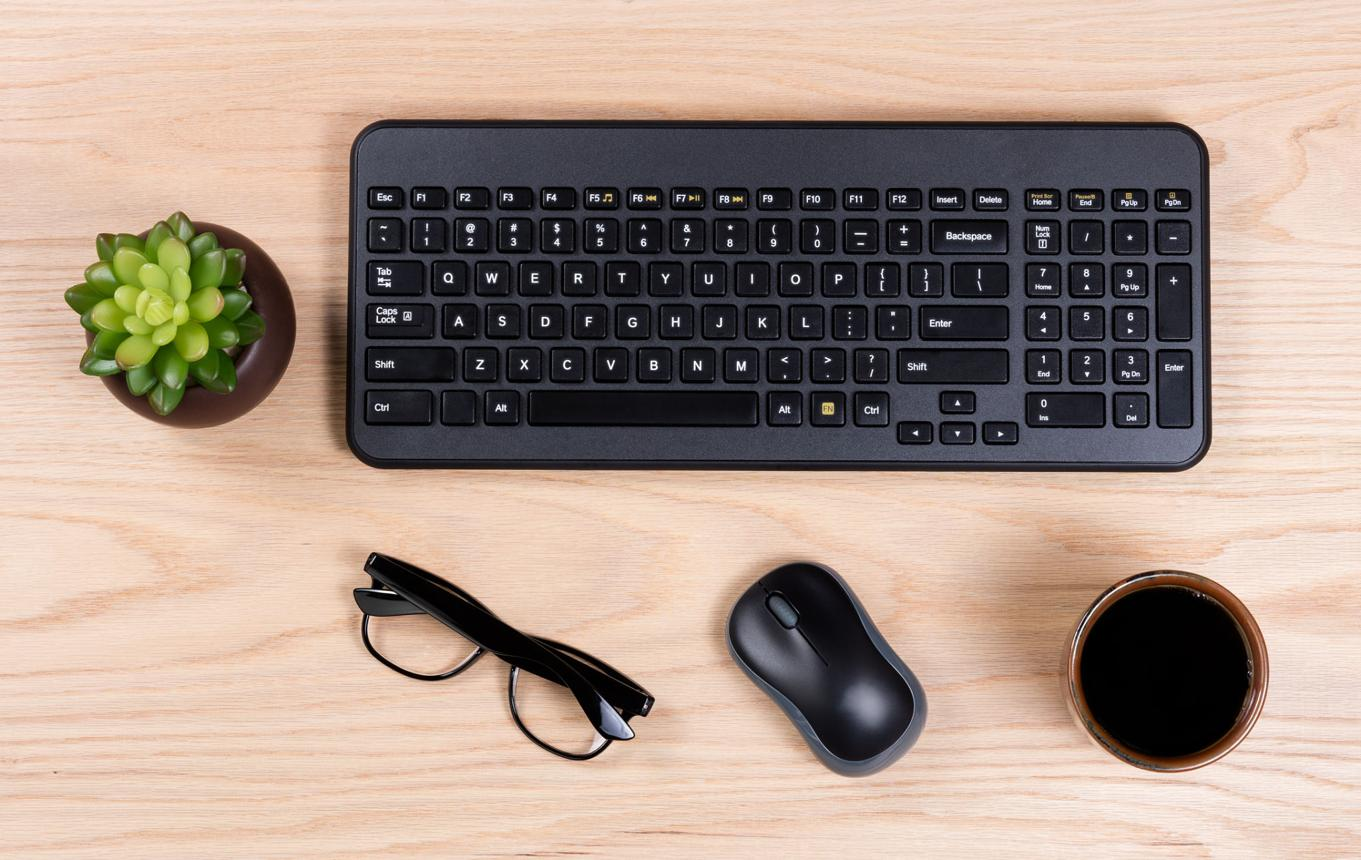
When people start building a productive workspace, they usually focus on big items like desks and chairs. While those are important, there is one tool that directly affects your daily output more than most people realize: your keyboard. Every sentence you write, every idea you organize, and every task you complete flows through it. That means your keyboard is not just a device—it is part of your workflow.
Many beginners start with basic membrane keyboards because they are cheap and easy to find. At first, they feel acceptable. But over time, problems begin to appear. Typing feels inconsistent, feedback is unclear, and your fingers get tired faster than expected. These small issues might seem insignificant, but they accumulate. When typing becomes uncomfortable or inefficient, your productivity quietly drops.
Mechanical keyboards solve this by offering better tactile feedback, durability, and typing consistency. Instead of pressing soft, unclear keys, you get precise responses that make typing feel controlled and satisfying. This improves speed, reduces mistakes, and makes long writing sessions much easier.
In 2026, mechanical keyboards are no longer expensive niche products. The market has evolved significantly, and there are now many high-quality options under $150 that deliver excellent performance without breaking your budget. The key is understanding what features matter and choosing the right keyboard for your specific needs.
For example, some keyboards focus on typing comfort, while others prioritize gaming performance. Some are compact and minimalist, while others include full layouts with additional features. Choosing the wrong one can lead to frustration, even if the keyboard itself is technically “good.”
This guide will break everything down clearly. You will learn which keyboards offer the best value, what features actually matter, and how to choose a model that fits your workflow. If you spend hours typing—whether for blogging, studying, or working—this upgrade can dramatically improve your daily efficiency.
2. Top Picks
1. Best Overall: Keychron K6 Wireless Mechanical Keyboard
The Keychron K6 is one of the most balanced mechanical keyboards available in the budget category. It combines portability, functionality, and typing comfort in a way that works for almost anyone—from beginners to experienced users.
One of its biggest strengths is its compact 65% layout. This design removes unnecessary keys while keeping essential ones like arrows. The result is a smaller footprint, which gives you more desk space. This is especially useful if you are working in a limited area or prefer a clean setup.
The wireless capability is another major advantage. You can connect it via Bluetooth to multiple devices, making it perfect for people who switch between laptops, tablets, or even phones. At the same time, it also supports wired mode for stable performance when needed.
Typing on the Keychron K6 feels responsive and satisfying. The switches provide clear feedback, which helps reduce typing errors and improves speed over time. This is particularly valuable if you are writing long blog posts or doing content-heavy work.
However, the compact layout may take some time to get used to if you are coming from a full-size keyboard. But once you adapt, the efficiency and desk space benefits become obvious.
Overall, this keyboard is ideal for users who want flexibility, performance, and a clean setup without overcomplicating things.
2. Best for Typing: Akko 3068B Mechanical Keyboard
If your main goal is typing comfort, the Akko 3068B stands out as one of the best options under $150. This keyboard is designed with typing experience in mind, making it perfect for writers, bloggers, and students.
The first thing you notice is the smooth keystroke feel. Unlike cheaper keyboards, the keys feel consistent and stable. This reduces finger fatigue, especially during long sessions. If you are writing articles every day, this difference becomes very noticeable.
Another strong point is build quality. The keyboard feels solid and well-constructed, which adds to the overall typing experience. It does not feel hollow or cheap, which is often a problem in lower-priced keyboards.
The wireless functionality also adds convenience. You can keep your desk clean without dealing with cables, while still maintaining reliable performance.
One thing to consider is that this keyboard is more focused on typing than gaming. If you are looking for fast reaction features or heavy customization, there are better options. But for pure typing, it excels.
This is a great choice if your priority is comfort and consistency over flashy features.
3. Best Budget Pick: Redragon K552 Mechanical Keyboard
For those who want to enter the mechanical keyboard world without spending too much, the Redragon K552 is one of the most popular entry-level options.
The biggest advantage is its price-to-performance ratio. It offers real mechanical switches, solid build quality, and a compact design at a very affordable price. This makes it ideal for beginners who want to test mechanical keyboards without committing to a higher budget.
Typing feels noticeably better compared to standard membrane keyboards. The tactile feedback helps improve accuracy and makes typing more engaging.
The keyboard also includes basic RGB lighting, which adds a visual element to your setup. While not necessary for productivity, it can make your workspace feel more modern and personalized.
However, it is important to manage expectations. This is not a premium keyboard. The sound can be louder, and the customization options are limited. But for the price, it delivers strong value.
If you are just starting out, this is one of the smartest choices you can make.
3. Detailed Features
Mechanical keyboards differ in several key areas that directly affect your experience.
First, switch type. Some switches are tactile, some are linear, and others are clicky. Tactile switches are best for typing because they provide feedback without too much noise.
Second, layout size. Full-size keyboards include everything, while compact layouts save space. Smaller layouts improve desk efficiency but require adjustment.
Third, connectivity. Wireless keyboards offer flexibility, while wired ones provide stability. Many modern keyboards offer both.
Fourth, build quality. A solid keyboard feels stable and durable, which improves long-term comfort.
Finally, keycap material. Higher-quality keycaps feel better and last longer.
4. Pros and Cons
Pros
Better typing experience
Increased speed and accuracy
More durable than standard keyboards
Customizable options
Improves overall workflow
Cons
Can be noisy
Requires adjustment period
Higher upfront cost than basic keyboards
Too many options can confuse beginners
5. Buying Guide
Choosing the right mechanical keyboard depends on your usage and preferences.
If you write a lot, prioritize typing comfort. Look for tactile switches and stable key feel.
If you want a clean setup, go for a compact layout. This gives you more desk space and improves mouse movement.
If you switch between devices, wireless functionality is important.
Budget matters, but value matters more. A slightly more expensive keyboard that feels better will pay off over time.
Also, do not ignore sound. Some keyboards are loud, which can be distracting in quiet environments.
Most importantly, choose based on your workflow. Do not follow trends blindly.
6. Who Should Buy
This guide is perfect for:
Bloggers writing long content
Students and writers
Remote workers
Beginners upgrading their setup
Anyone typing daily
7. Final Verdict
A mechanical keyboard is one of the most underrated productivity upgrades. It directly affects how you interact with your work every day.
When typing feels smooth and consistent, your thoughts flow better. You make fewer mistakes, work faster, and stay focused longer.
You do not need to spend a fortune to experience this. With the right choice, even a budget keyboard can significantly improve your workflow.
Start simple. Choose a keyboard that fits your needs. Use it consistently.
You will feel the difference almost immediately—and over time, it will compound into better productivity and better results.
When people think about improving productivity, they often focus on motivation, discipline, or time management. While those factors matter, there is one element that quietly determines how long you can stay focused every single day: your chair. It sounds simple, but in reality, your seating setup directly affects your energy, posture, and overall work performance.
Most beginners underestimate this. They start working from home using a random chair—sometimes even a dining chair or a soft couch. At first, everything feels fine. But after a few days or weeks, problems start to appear. Back pain, shoulder tension, neck stiffness, and constant shifting become part of the routine. What many people do not realize is that these small discomforts slowly destroy concentration.
An ergonomic chair solves this problem by supporting your body correctly. Instead of forcing your muscles to constantly adjust, it stabilizes your posture so your mind can focus entirely on the task. This becomes especially important if you are working long hours—whether you are writing blog posts, running an online business, or studying.
The good news is that you do not need to spend hundreds or thousands of dollars to get a quality chair. In 2026, there are many budget-friendly ergonomic chairs under $200 that provide excellent support, adjustability, and comfort. The key is knowing what to look for and choosing the right model for your needs.
In this guide, we will break down the best budget ergonomic chairs, explain their features in detail, compare pros and cons, and help you decide which one fits your setup. If you are serious about productivity, this is one upgrade you should not ignore.
2. Top Picks
1. Best Overall: Hbada Ergonomic Office Chair
The Hbada Ergonomic Office Chair stands out as one of the best overall choices in the budget category because it balances comfort, design, and functionality without unnecessary complexity. For people building a clean and efficient home workspace, this chair fits naturally into most setups.
One of its biggest strengths is the breathable mesh back. Unlike traditional cushioned chairs that trap heat, mesh allows airflow, which keeps your back cool during long sessions. This is especially useful if you work several hours straight or live in a warmer environment. Comfort is not just about softness—it is about sustainability over time.
The chair also features a curved back design that follows the natural shape of your spine. While it does not have extremely aggressive lumbar support like high-end chairs, it provides enough structure to keep your posture stable. For beginners or intermediate users, this level of support is more than sufficient.
Another advantage is its compact and minimal design. If you are working in a small room or apartment, bulky chairs can feel overwhelming. The Hbada chair solves that problem by offering a slim profile while still maintaining functionality. It is ideal for people who want a clean aesthetic without sacrificing usability.
However, it is important to note that the armrests are not highly adjustable. For users who need full customization, this could be a limitation. But for most people, especially those starting out, it is a reasonable trade-off considering the price.
Overall, this chair is perfect if you want a simple, reliable, and visually clean option that supports long working hours without overcomplicating your setup.
2. Best for Long Hours: SIHOO M18 Ergonomic Chair
If you are someone who spends extended hours at your desk, the SIHOO M18 Ergonomic Chair is designed specifically for endurance. This chair focuses heavily on adjustability and full-body support, making it one of the best options for long work sessions.
The first thing you notice is the adjustable lumbar support. Unlike fixed designs, this allows you to fine-tune the position based on your body. This matters more than people think. Everyone’s posture is slightly different, and a one-size-fits-all approach rarely works perfectly.
Additionally, the chair includes a headrest, which is often missing in budget models. This feature becomes extremely valuable during breaks or when leaning back. It supports your neck and reduces strain, especially during long writing or reading sessions.
The seat cushion is firm rather than overly soft. This is intentional. Softer chairs feel comfortable initially but tend to cause fatigue over time. A firmer base keeps your posture stable and prevents sinking, which helps maintain focus.
Another strong point is the recline function. Being able to lean back slightly during work helps reduce pressure on your spine. It allows micro-breaks without leaving your chair, which can improve long-term comfort significantly.
The only downside is that it may feel slightly bulky for smaller spaces. If your room is limited, you will need to plan your layout carefully.
Overall, this chair is ideal for serious users—people who work daily, for multiple hours, and need reliable support that lasts.
3. Best Budget Pick: Amazon Basics Mid-Back Chair
For those who are just starting out or working with a tight budget, the Amazon Basics Mid-Back Chair is one of the most accessible options available. While it does not offer advanced ergonomic features, it provides a solid foundation for basic productivity needs.
The main advantage of this chair is its simplicity. It is easy to assemble, lightweight, and fits into almost any workspace. If you are building your first setup, this is a practical starting point without overthinking.
The cushioning is moderate, providing decent comfort for short to medium work sessions. It is not designed for extreme long hours, but for beginners, it works well enough to get started.
One important thing to understand is that this chair is not a long-term solution for heavy use. If you plan to work more than 5–6 hours daily, you will eventually want to upgrade. However, as a temporary or entry-level option, it delivers good value.
This is a smart choice if you want to test your workflow before investing heavily in premium equipment.
3. Detailed Features
When choosing an ergonomic chair, several features matter more than brand names or appearance.
First, lumbar support is critical. This is what keeps your lower back aligned. Without it, your posture collapses over time.
Second, seat height and depth adjustment. Your feet should rest flat on the ground, and your knees should form a natural angle. Poor positioning leads to fatigue quickly.
Third, backrest material. Mesh is better for airflow, while foam provides more cushion. Each has its use depending on your environment.
Fourth, armrests. They should support your elbows without forcing your shoulders upward.
Finally, stability and build quality. A chair should feel solid, not shaky. This directly affects how comfortable you feel during long sessions.
4. Pros and Cons
Pros
Improves posture and reduces pain
Supports longer work sessions
Increases productivity naturally
Affordable options available
Easy to upgrade workspace
Cons
Good models still require investment
Cheap chairs may lack durability
Takes time to find the right fit
Some models are bulky
5. Buying Guide
Choosing the right ergonomic chair is not about picking the most popular model. It is about matching the chair to your body, your work style, and your environment.
Start with your usage. If you work less than 3 hours a day, a simple chair may be enough. If you work 6–10 hours, you need proper ergonomic support. This is non-negotiable.
Next, consider adjustability. The more you can adjust, the better you can fit the chair to your body. At minimum, look for adjustable height and lumbar support.
Material is also important. Mesh is better for hot environments and long sessions. Cushioned seats feel softer but can trap heat.
Space matters too. If your room is small, choose a compact chair. Large chairs can make your workspace feel crowded.
Budget wisely. Do not spend everything on appearance. Function comes first. A $150 ergonomic chair is better than a $300 stylish but uncomfortable one.
Finally, think long-term. A good chair is not an expense—it is an investment in your productivity.
6. Who Should Buy
This guide is perfect for:
Bloggers writing long content
Remote workers
Students studying daily
Beginners building a workspace
Anyone experiencing back discomfort
7. Final Verdict
An ergonomic chair is one of the most important upgrades you can make for your workspace. It directly affects how you feel, how long you can focus, and how consistent your work becomes.
Many people try to push through discomfort, thinking it is normal. It is not. A good chair removes unnecessary strain and allows your body to stay stable. When your body is stable, your mind can fully engage.
If your goal is to build a productive system—not just work harder, but work better—this is where you should start.
Don’t overcomplicate it. Pick a chair that fits your needs, set it up correctly, and focus on your work.
Creating a calm and productive home workspace sounds simple, but in real life it is something many people struggle with every day. A table, a chair, and a laptop may be enough to get started, but they are usually not enough to support long-term comfort, focus, and consistency. This is why some people feel clear and organized when they sit down to work, while others feel distracted, irritated, or tired almost immediately. The difference is often not motivation. It is the environment.
A home workspace affects much more than productivity. It influences mood, energy, patience, mental clarity, and even how people think about their responsibilities. If the space feels noisy, crowded, dark, or uncomfortable, work becomes heavier than it needs to be. Simple tasks start to feel annoying. Concentration becomes unstable. Even when the person wants to do well, the environment quietly works against them. On the other hand, a calm and practical setup can make everyday life feel more manageable. It does not turn work into something effortless, but it removes friction. That matters a lot.
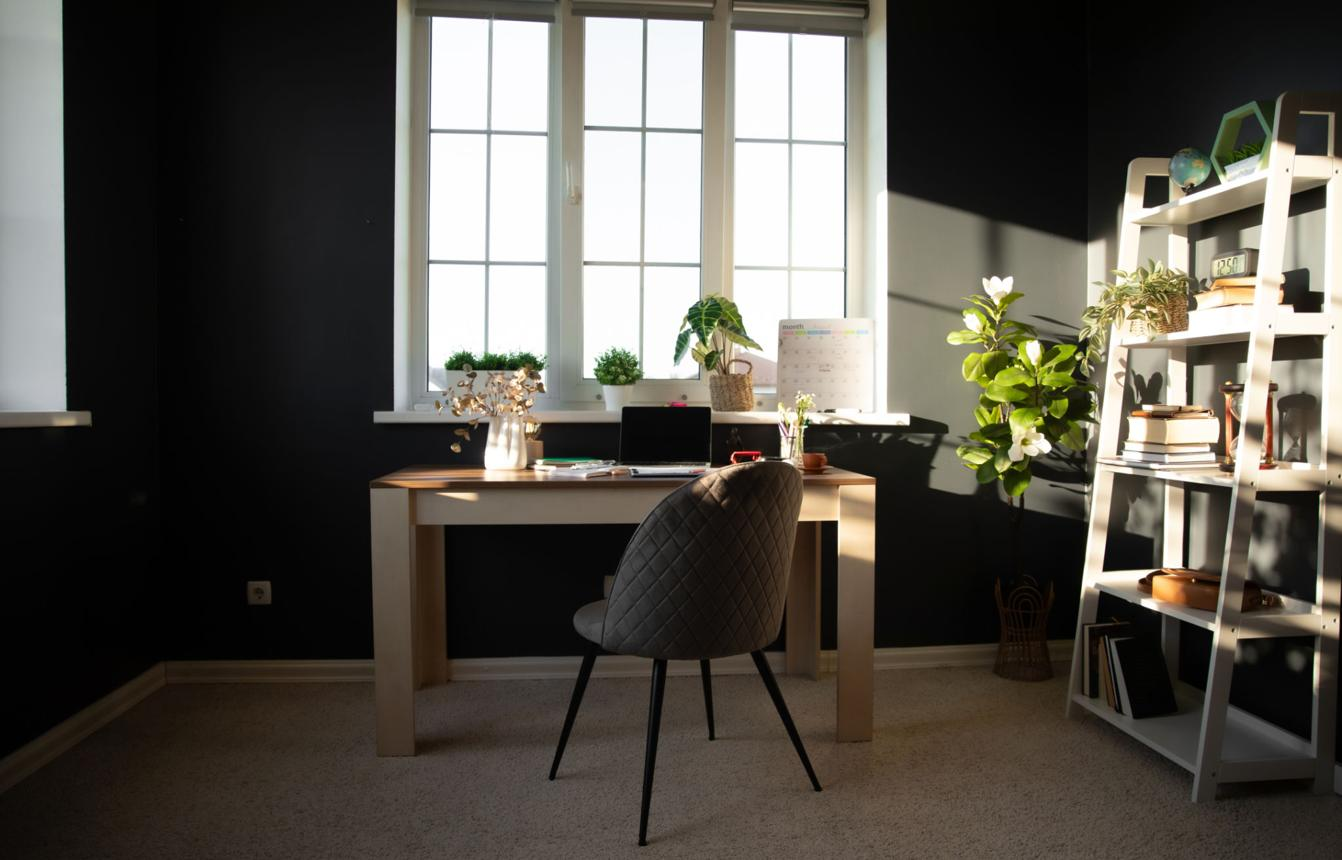
The good news is that a better workspace does not require a large room, expensive furniture, or a picture-perfect setup. Many people imagine productivity as something connected to stylish home offices with large windows and carefully matched furniture. In reality, a useful workspace is built from simple choices made with intention. Light placement, desk position, clutter control, comfortable seating, and good routines often matter more than appearance. A small corner can work beautifully if it is arranged well. A large room can still feel stressful if it is poorly organized.
Another important point is that productivity and calm should not be treated as separate goals. Many people try to build a workspace that looks efficient but feels cold and exhausting. Others create a cozy space that feels pleasant but makes it difficult to focus. The best home workspaces do both. They support attention while still feeling livable. They make you want to sit down without making you feel trapped. That balance is what creates a setup that lasts.
This guide looks at how to create a calm and productive home workspace in a realistic way. It focuses on how the space feels and functions in daily life, not just how it looks in photos. If you work from home, study at home, manage personal projects, or simply want a better place to think and organize your day, the principles here can help you build a space that supports you consistently.
Choosing the Right Location
The first step in building a useful home workspace is choosing the right location. This decision shapes everything that comes after it. Many people start with furniture or accessories, but the location matters more because it determines noise level, lighting quality, privacy, and how easily the workspace blends into the rest of everyday life.
If possible, choose a place that feels naturally separate from areas associated with rest or entertainment. This does not mean you need a full office. It simply means the workspace should have a sense of purpose. A small section of a bedroom, living room, or hallway can work if it feels distinct enough that your brain starts to associate it with focused activity. When the workspace is mixed directly into a highly distracting environment, concentration becomes much harder to maintain.
Natural light is another major factor. A desk near a window often feels more open, stable, and energizing than a desk pushed into a dark corner. Daylight can improve alertness and reduce the feeling of isolation that sometimes appears during long work hours at home. However, the desk should not be placed in a way that creates harsh glare on the screen or shines directly into the eyes. Side lighting is usually more comfortable than light coming from directly behind the monitor or directly in front of it.
Noise also matters more than many people realize. Even low-level background noise can make work feel more tiring over time. Some people can adapt to sound better than others, but most people benefit from choosing the quietest realistic area in the home. If silence is not possible, what matters is predictability. A space with steady soft background sound is often easier to work in than a space with frequent interruptions, voices, or sudden noise changes.
Traffic flow should also be considered. A workspace placed in the middle of constant movement may seem fine at first, but repeated visual interruptions can quietly destroy focus. If people are walking past the desk all day, or if the desk is located between commonly used household zones, the space will feel mentally unstable even if it looks acceptable.
The best location is not necessarily the most beautiful one. It is the place where you can return each day and feel that your attention has somewhere to land. That sense of stability is more valuable than decoration.
Desk Setup and Surface Organization
A calm workspace needs a surface that feels clear and usable. The desk does not have to be large, but it should feel intentionally arranged. When the main work surface is crowded, attention gets fragmented. Visual clutter makes the brain keep noticing unnecessary things. That creates low-level mental fatigue even before real work begins.
A useful rule is to keep only the items you regularly use within immediate reach. For many people, this means a laptop or monitor, a notebook, one pen, a water bottle or mug, and perhaps a lamp. Other objects can be nearby, but they should not compete for space on the main surface. If every tool, charger, paper, decoration, and random personal item lives on the desk at the same time, the desk stops feeling like a tool and starts feeling like storage.
Layout matters as much as quantity. The objects you use most often should be placed where your hands naturally move. Small improvements here reduce friction. For example, if you always reach across cables to grab a notebook, or if your mouse space feels restricted by scattered objects, the space will slowly become irritating. People often ignore these tiny inconveniences, but they add up over time.
Storage helps, but it should be simple. A small tray, drawer, shelf, or box can prevent daily clutter from spreading across the desk. The goal is not to hide everything for appearance alone. The goal is to create a clear distinction between active work items and inactive items. When that distinction exists, beginning work feels easier because the desk is already prepared.
Cables deserve attention too. A messy cable situation can make even a good workspace feel chaotic. Loose cords create visual noise and can also make cleaning more annoying. Basic cable clips, sleeves, or routing behind the desk can make a noticeable difference. This is one of the least glamorous improvements, but it often has one of the biggest effects on how settled the space feels.
There is also value in leaving a little empty space on the desk. People sometimes try to optimize every inch, but complete density can feel oppressive. A bit of visual breathing room makes the workspace feel calmer and more intentional. Empty space is not wasted space. It is part of what makes the setup functional.
Lighting and Visual Comfort
Lighting has a strong effect on concentration, comfort, and mood. A workspace can be well organized and still feel unpleasant if the lighting is poor. Many people underestimate this because they adapt gradually to uncomfortable light conditions, but eye strain, headaches, and fatigue often grow out of lighting problems.
Natural light is usually the best foundation during the day. It tends to feel more balanced and less tiring than artificial light alone. It also makes a space feel more alive. However, natural light should be managed thoughtfully. Very strong sunlight can cause glare, screen reflections, and overheating, while a dim room with a bright screen can create a harsh contrast that strains the eyes. Curtains or blinds can help soften direct light without removing it entirely.
Artificial lighting becomes especially important in the evening or on darker days. A single overhead light is rarely enough for focused desk work. Overhead lighting often creates shadows, uneven brightness, or a flat feeling that does not support long sessions well. A desk lamp helps by bringing light closer to the actual work area. This makes reading, writing, and computer use more comfortable.
Color temperature also changes the emotional feel of the space. Cooler light often supports alertness and is useful for daytime work or intense focus sessions. Warmer light feels calmer and is often better in the evening, especially if the goal is gentle productivity rather than high stimulation. Adjustable lamps are helpful because they allow the space to shift with the time of day.
Visual comfort is not only about brightness. It is also about contrast, reflections, and screen placement. If the monitor is constantly catching glare from a window or lamp, your eyes stay busy adjusting. If the room is extremely dark except for a bright screen, the contrast becomes exhausting. Balance matters more than intensity.
A good lighting setup does not draw attention to itself. It quietly supports the eyes and helps the room feel usable for longer periods. When lighting is right, the space feels easier to stay in.
Seating, Posture, and Physical Comfort
Physical discomfort is one of the fastest ways to damage focus. A workspace can look beautiful and still fail if the body does not feel supported. When a chair is uncomfortable, a desk is too high or too low, or posture feels awkward, the mind keeps getting interrupted by the body. That interruption reduces patience, attention, and endurance.
The chair does not need to be luxurious, but it should support a stable sitting position. Feet should rest comfortably, shoulders should feel relatively relaxed, and the body should not need constant adjustment just to remain in place. Many people work for months in chairs that are technically usable but quietly exhausting. The problem is not always immediate pain. Sometimes it is a gradual sense of heaviness, irritation, or tension that makes long sessions much harder.
Desk height also matters. If the desk is too high, shoulders rise and wrists work at an awkward angle. If it is too low, the upper body may collapse forward. Small adjustments can make a big difference. Even basic solutions such as a seat cushion, footrest, monitor stand, or laptop riser can improve comfort considerably.
Screen position affects posture as well. If the screen sits too low, the head tilts downward for long periods. This puts unnecessary strain on the neck and upper back. Raising the screen closer to eye level often makes the entire setup feel calmer and more natural.
Movement should also be part of physical comfort. Even a good sitting position becomes uncomfortable if maintained too long. A calm and productive workspace supports small resets throughout the day. Standing up, stretching, or walking briefly every so often is not a disruption to productivity. It often protects productivity by preventing the body from becoming stiff and mentally sluggish.
Comfort is not a luxury in a workspace. It is part of the system that makes focus sustainable.
Reducing Clutter and Mental Noise
A calm workspace is not just physically organized. It also reduces mental noise. Clutter does not only take up space. It takes up attention. The brain keeps processing visible disorder, unfinished decisions, and random reminders. Even when you are not consciously thinking about those things, they can pull lightly on your focus.
This is why decluttering often creates such an immediate feeling of relief. The room has not changed your personality, but it has changed the amount of visual information your brain must filter. That matters, especially for tasks that require deep thinking or patience.
Reducing clutter does not mean removing personality from the space. A workspace can still feel warm and personal. The key is intention. A plant, a framed photo, or one meaningful object can make a space feel human without overwhelming it. The problem is not personality. The problem is accumulation without purpose.
Paper clutter is a common issue. Notes, receipts, printouts, and lists often multiply quietly until the desk starts feeling crowded. If paper is necessary, it helps to assign it a container or a clear system. The same goes for miscellaneous items that seem too small to matter individually but collectively create disorder.
Digital clutter can also affect the feeling of a workspace. Too many open tabs, notifications, app badges, and desktop icons create the same kind of mental scattering as physical mess. A calm workspace includes some level of digital order too. Closing unnecessary apps, silencing notifications, and clearing the screen environment can make a surprising difference.
Mental noise often comes from unfinished decisions. If the workspace contains many things you plan to organize later, repair later, read later, or move later, the space starts carrying invisible pressure. Finishing those small decisions or removing those items lightens the whole environment.
A productive room is not one where nothing exists. It is one where what exists makes sense.
Building Daily Rituals Around the Space
A workspace becomes more effective when it is supported by small rituals. The room itself matters, but routines are what keep it useful. Without rituals, even a well-designed setup slowly drifts into disorder. With them, the space remains ready and welcoming.
One helpful ritual is a daily opening routine. This can be very simple: open the curtains, place water on the desk, turn on the lamp if needed, review the day’s top priorities, and clear any leftover clutter before beginning. These actions signal to the mind that work is starting. Over time, that repeated signal reduces resistance.
An equally useful habit is the closing routine. At the end of the day, resetting the workspace for five minutes can make the next morning much easier. Put items back where they belong, throw away trash, close unnecessary tabs, and leave the desk in a usable state. This prevents the next session from starting with friction and visual stress.
Rituals also help separate work from the rest of life, which is especially important at home. Many people struggle because the boundaries between effort and rest become blurry. When the same room holds both work stress and personal relaxation, mental recovery becomes harder. Small transitions help create those boundaries. Lighting a lamp at the start of work and turning it off at the end, changing music, opening or closing a notebook, or simply sitting down with intention can all help.
The goal of a ritual is not to be dramatic. It is to make good behavior easier to repeat. When the space and the routine support each other, productivity becomes less dependent on willpower alone.
Buying Guide: What Actually Matters
If you are improving your home workspace gradually, it helps to know what to prioritize. Many people spend money on decorative or trendy items first, but the most useful improvements are usually practical.
Start with the essentials that directly affect comfort and clarity. A stable desk, a supportive chair, and decent lighting matter far more than matching accessories. If the body and eyes feel unsupported, no decorative improvement will solve the main problem.
After that, consider surface organization. A notebook stand, storage tray, drawer unit, or cable solution can create noticeable improvement without requiring a full redesign. These changes reduce friction and help maintain calm over time.
Then think about visual balance. This might mean a plant, one simple piece of art, a softer lamp, or a container that keeps daily items tidy. Small details can make the space feel more inviting, but they work best when the basics are already handled.
Avoid buying too many organizational products before understanding your actual habits. Some people buy boxes, shelves, and desk tools that look efficient but do not match what they really use. It is better to notice what repeatedly causes frustration, then solve that specific problem.
Buy for function first, then atmosphere. When function is handled well, atmosphere becomes much easier to create.
Final Thoughts
A calm and productive home workspace is not built all at once. It develops through a series of practical decisions that make everyday life easier. The purpose is not perfection. It is support. The room should help you think clearly, work steadily, and return the next day without dread.
What matters most is not having the biggest room, the most expensive furniture, or the most fashionable setup. What matters is whether the space helps you stay present. Can you sit down and begin? Can you stay there with reasonable comfort? Can the space recover easily after a difficult day? If the answer is yes, then the workspace is doing its job.
Calm is not laziness. Productivity is not tension. A good workspace proves that these two things can exist together. The best home setups do not pressure you constantly. They support you quietly. They lower the number of unnecessary decisions, reduce physical discomfort, and make attention feel more available.
That is why this kind of space has value beyond work. It influences mood, patience, routine, and the overall quality of daily life. It becomes a place where tasks feel manageable instead of overwhelming. Over time, that matters more than any trend.
A better workspace starts with paying attention. Notice what drains you, what interrupts you, and what keeps repeating. Then improve one thing at a time. Real usefulness often grows through small adjustments, not dramatic change. And once those adjustments begin to support your day, the entire room starts to feel different.
Building a productive daily routine at home is something many people struggle with, especially in a world where work, rest, and entertainment all happen in the same place. Without a clear structure, days can feel inconsistent. Some days you feel focused and motivated, while on others, even simple tasks feel difficult to complete. Over time, this lack of consistency can affect not only productivity but also your overall sense of control and well-being.
A daily routine is not about strict discipline or forcing yourself into a rigid schedule. Instead, it is about creating a structure that supports your energy levels, your focus, and your lifestyle. When your routine is balanced, your day flows more naturally. You spend less time deciding what to do next and more time actually doing meaningful tasks.
One of the biggest benefits of a well-designed routine is mental clarity. When you wake up knowing what your day will look like, your mind feels more stable. You do not waste energy on unnecessary decisions. This allows you to focus on what truly matters, whether that is work, studying, or personal projects.
Another important aspect is energy management. Productivity is not just about time—it is about how you use your energy throughout the day. Some tasks require deep focus, while others are more routine. A good daily structure helps you match your tasks with your energy levels, making your work more efficient.
In this guide, we will break down how to build a realistic and sustainable daily routine at home. Instead of focusing on idealized schedules, we will look at practical habits that can be applied in everyday life. The goal is to create a routine that feels natural, flexible, and easy to maintain over time.
Morning Routine: Setting the Tone for the Day
The way you start your morning often determines how the rest of your day unfolds. A rushed or chaotic morning can leave you feeling distracted and unfocused, while a calm and intentional start can help you feel more in control.
One of the most important elements of a morning routine is consistency. Waking up at the same time each day helps regulate your internal clock. This makes it easier to feel alert and reduces the need for excessive caffeine or external stimulation.
After waking up, giving yourself a few minutes to adjust is important. Instead of immediately checking your phone or jumping into tasks, taking time to stretch or simply sit quietly can help your mind wake up gradually. This small habit can improve focus later in the day.
Hydration is another simple but effective step. Drinking water early in the morning helps your body recover from sleep and prepares you for the day ahead. It is a small action, but it can have a noticeable impact on your energy levels.
Planning your day is also useful. You do not need a detailed schedule, but having a clear idea of your priorities helps you stay focused. Writing down a few key tasks can reduce stress and prevent distractions.
Midday Focus: Managing Work and Energy
The middle of the day is when most people expect to be productive, but it is also when distractions and fatigue can start to appear. Managing this period effectively requires balancing focus and rest.
One of the key factors is understanding your attention span. Working for long periods without breaks often leads to reduced efficiency. Short, regular breaks can help maintain focus and prevent burnout. Even a few minutes away from your desk can reset your mind.
Your environment also plays a role. A clean and organized workspace reduces visual distractions and makes it easier to concentrate. Small details, such as proper lighting and a comfortable chair, can improve your overall experience.
Another important factor is task prioritization. Not all tasks require the same level of focus. Scheduling more demanding tasks during your peak energy hours allows you to work more efficiently. Simpler tasks can be saved for times when your energy is lower.
Nutrition also affects productivity. Eating balanced meals helps maintain steady energy levels, while heavy or unhealthy food can lead to fatigue. Paying attention to what you eat can improve both focus and overall well-being.
Afternoon Slump: Staying Consistent
Many people experience a drop in energy during the afternoon. This is a natural part of the body’s rhythm, but it can make it difficult to stay productive.
One way to manage this is by adjusting your expectations. Instead of forcing yourself to maintain the same level of intensity, focusing on lighter tasks can be more effective. This allows you to stay productive without feeling overwhelmed.
Movement is another helpful strategy. Standing up, stretching, or taking a short walk can increase blood flow and improve alertness. Even a few minutes of movement can make a difference.
Light snacks can also help maintain energy levels. Choosing foods that provide steady energy, rather than quick spikes, can prevent sudden fatigue.
Evening Routine: Reset and Recovery
The evening is a time to slow down and prepare for rest. A good evening routine helps your body transition from activity to relaxation.
Reducing screen time before bed is one of the most effective habits. Bright screens can interfere with sleep, making it harder to rest properly.
Creating a calm environment with softer lighting can signal to your body that it is time to relax. This helps improve sleep quality.
Reflecting on your day can also be useful. Thinking about what went well and what could be improved helps you stay aware of your habits and progress.
Pros and Cons of a Structured Routine
Pros
Better focus and clarity
More consistent productivity
Reduced stress
Improved energy management
Cons
Requires discipline
Takes time to adjust
Needs flexibility
Practical Tips for Building Your Routine
Start small. Focus on one or two habits first. Be consistent rather than perfect. Adjust your routine based on your lifestyle. Keep your environment simple and organized.
These small steps create a strong foundation over time.
Conclusion
A productive daily routine is not about strict rules or unrealistic expectations. It is about creating a structure that supports your energy, focus, and well-being. By building simple habits and maintaining consistency, you can improve both your productivity and your overall quality of life.
The key is to find what works for you and make it sustainable. Over time, these habits become natural, allowing you to move through your day with more clarity and less stress.
Most people who play games regularly, especially competitive games, tend to focus only on what happens inside the game. They think about aim, sensitivity, settings, and strategy. While those things are important, they often ignore something much more fundamental: how their daily habits affect their performance.
Gaming is not separate from real life. The way you sleep, eat, move, and manage your time has a direct impact on how well you play. If your body is tired, your reaction time slows down. If your mind is unfocused, your decision-making becomes inconsistent. If your routine is chaotic, your performance becomes unpredictable.
This is especially noticeable in games that require precision and consistency. In fast-paced situations, your brain has to process information quickly and respond without hesitation. That ability is not just a gaming skill—it is tied to your physical and mental condition.
Many players experience this without fully realizing it. Some days, everything feels smooth. Your aim is sharp, your reactions are quick, and you feel confident. Other days, nothing seems to work. You miss easy shots, react too slowly, and make mistakes you normally would not make. The difference is often not your skill level, but your condition.
This guide focuses on how everyday habits influence your gaming performance. Instead of talking about settings or equipment, it looks at the real-world factors that shape how you play. By understanding and improving these habits, you can create a more stable foundation for consistent performance.
Sleep and Reaction Time
Sleep is one of the most important factors affecting reaction time and focus. When you are well-rested, your brain processes information faster and your body responds more efficiently. When you are sleep-deprived, everything slows down.
In gaming, even a small delay in reaction time can make a big difference. If you are tired, you may feel like you are reacting normally, but in reality, you are slightly slower than usual. This can cause you to lose situations that you would normally win.
Sleep also affects consistency. When you do not get enough rest, your performance becomes unpredictable. You may have moments of focus, but they are harder to maintain.
Another important aspect is mental clarity. Good sleep helps your brain stay focused and reduces mistakes. This is especially important in situations that require quick decision-making.
Improving sleep does not require complicated changes. Going to bed at a consistent time, reducing screen exposure before sleep, and creating a comfortable environment can all make a noticeable difference.
Focus and Mental Clarity
Focus is what allows you to perform consistently. Without focus, even good skills become unreliable.
One of the biggest challenges today is distraction. Phones, notifications, and background noise constantly interrupt attention. Even small distractions can break your concentration and affect your performance.
When you are fully focused, your reactions feel automatic. You do not overthink, and your movements feel natural. When you are distracted, everything feels slower and less precise.
Creating a focused environment is important. A clean workspace, reduced distractions, and a clear mind all contribute to better performance.
Mental clarity also comes from taking breaks. Playing for long periods without rest can lead to fatigue, which reduces focus over time. Short breaks can help reset your mind and maintain performance.
Routine and Consistency
Consistency is one of the most important factors in improvement. Having a routine helps stabilize your performance and makes it easier to build habits.
When you follow a consistent routine, your body and mind adapt. You become more focused at certain times of the day, and your performance becomes more predictable.
Without a routine, performance becomes random. Some days feel good, others feel bad, and there is no clear pattern.
A simple routine can make a big difference. Waking up at the same time, taking breaks regularly, and maintaining a consistent schedule all contribute to better performance.
Routine is not about strict discipline. It is about creating a structure that supports your goals.
Physical Comfort and Posture
Physical comfort directly affects how long you can maintain focus and performance.
Poor posture can lead to discomfort, which distracts your attention. Over time, this can also cause fatigue and reduce your ability to concentrate.
Good posture allows your body to stay relaxed and stable. This makes it easier to maintain consistent performance over long sessions.
Simple adjustments can help improve posture. Sitting upright, keeping your arms relaxed, and ensuring your setup is comfortable can make a noticeable difference.
Taking breaks to stretch is also important. This helps reduce tension and keeps your body active.
Pros and Cons of Improving Daily Habits
Pros
Better reaction time
Increased focus
More consistent performance
Reduced fatigue
Improved overall well-being
Cons
Requires discipline
Takes time to see results
Changes may feel uncomfortable at first
Practical Daily Improvements
Improving daily habits does not require drastic changes. Small adjustments can have a significant impact.
Drink enough water to stay hydrated
Take short breaks during long sessions
Maintain a consistent sleep schedule
Keep your environment clean and organized
Reduce unnecessary distractions
These simple habits create a foundation for better performance.
Real Impact on Performance
Over time, daily habits shape your overall performance.
Players who maintain good habits tend to be more consistent. They react faster, make better decisions, and feel more in control.
This does not happen instantly. It builds gradually as habits become part of your routine.
Conclusion
Gaming performance is not only determined by skill or practice. It is heavily influenced by your daily habits. Sleep, focus, routine, and physical comfort all play a role in how well you perform.
By improving these areas, you create a stable foundation for consistent performance. Instead of relying on random good days, you develop reliable habits that support your gameplay.
The goal is not perfection, but consistency. Small improvements in daily habits can lead to noticeable changes over time.
In competitive FPS gaming, players often focus heavily on improving their aim, movement, and overall mechanics. While these skills are essential, many overlook a critical factor that directly influences how quickly and accurately they can react: monitor settings. Your monitor is the window through which you experience the game, and if that window is not properly optimized, it can limit your performance in ways that are not immediately obvious.
In fast-paced shooters such as Valorant, Counter-Strike 2, Call of Duty, and Apex Legends, every frame matters. The ability to clearly see enemies, react to movement, and track targets smoothly depends not only on your skill but also on how your monitor displays information. Poor brightness, incorrect contrast, high input lag, or suboptimal refresh rates can all create disadvantages that make it harder to perform consistently.
Many players use default monitor settings without realizing that these presets are not designed for competitive gaming. Manufacturers often prioritize visual appeal over performance, which means colors may look vibrant but visibility may suffer. Shadows may appear too dark, highlights too bright, and motion may feel less responsive than it should.
Another important factor is consistency. Just like aim relies on muscle memory, visual processing relies on familiarity. If your screen looks different every time you play, your brain has to constantly adjust, which slows down reaction time. A properly calibrated monitor creates a stable visual environment, allowing you to react faster and more accurately.
This guide will explain how to optimize your monitor for FPS gaming, focusing on practical settings that improve visibility, reduce latency, and enhance overall performance. Instead of recommending specific products, it will help you understand how to adjust what you already have to gain a competitive advantage.
Core Monitor Settings for FPS
Brightness and Contrast
Brightness and contrast are two of the most important settings for visibility. In FPS games, enemies often appear in dark corners, shadows, or complex environments. If your brightness is too low, enemies may blend into the background. If it is too high, the image can become washed out, making it harder to distinguish details.
A balanced brightness setting allows you to see clearly without losing depth. Contrast should be adjusted so that the difference between dark and light areas is clear, but not exaggerated. Proper tuning of these settings helps you spot enemies faster and track them more effectively.
Refresh Rate
Refresh rate refers to how many times your monitor updates the image per second. A higher refresh rate results in smoother motion, which is crucial for FPS gaming.
Common refresh rates include:
60Hz (basic)
120Hz / 144Hz (standard for FPS)
240Hz and above (competitive level)
Higher refresh rates reduce motion blur and make enemy movement easier to track. This directly improves reaction time and aiming accuracy.
Response Time
Response time measures how quickly pixels change from one color to another. Lower response times reduce ghosting, which is the trail effect that appears behind moving objects.
In FPS games, ghosting can make it harder to track fast-moving enemies. Setting your monitor to the fastest stable response time helps maintain clarity during motion.
Input Lag Reduction
Input lag is the delay between your actions and what appears on screen. Lower input lag makes the game feel more responsive.
Many monitors include features such as “low latency mode” or “game mode,” which reduce processing delays. Enabling these features can improve responsiveness significantly.
Why Monitor Settings Matter for FPS
Monitor settings directly affect how you perceive the game.
First, visibility determines how quickly you can spot enemies. Proper brightness and contrast make it easier to detect movement and identify targets.
Second, motion clarity affects tracking. A higher refresh rate and lower response time create smoother visuals, allowing you to follow targets more accurately.
Third, latency impacts reaction time. Lower input lag means your actions are reflected on screen faster, giving you a competitive edge.
Fourth, consistency improves performance. A stable visual environment allows your brain to process information more efficiently.
Pros and Cons of Optimized Monitor Settings
Pros
Improved enemy visibility
Faster reaction times
Smoother tracking
More consistent gameplay
Reduced visual fatigue
Cons
Requires manual adjustment
Results vary depending on monitor quality
Some settings may reduce visual appeal
Advanced Optimization Tips
Black Equalizer / Shadow Boost
Many gaming monitors include features that brighten dark areas without affecting the entire image. This can make enemies in shadows more visible.
Gamma Adjustment
Gamma controls the overall brightness curve of the image. Adjusting gamma can help balance dark and light areas, improving visibility.
Color Calibration
While not directly related to performance, proper color calibration can reduce eye strain and improve long-term comfort.
Graphics Settings Integration
Monitor settings should be combined with in-game graphics settings. Lowering unnecessary visual effects can improve clarity and reduce distractions.
Buying Guide (Monitor Features for FPS)
When choosing or upgrading a monitor for FPS gaming, focus on performance-related features.
High refresh rate (at least 144Hz)
Low response time
Low input lag
Adjustable settings for brightness and contrast
Avoid focusing only on resolution or visual quality. Performance should be the priority for competitive play.
Real Gameplay Impact
Optimized monitor settings can make a noticeable difference in real matches.
Enemies become easier to spot. Movement appears smoother. Reactions feel faster.
Over time, these improvements lead to better consistency and performance.
Conclusion
Monitor settings are one of the most overlooked aspects of FPS gaming, yet they have a direct impact on performance. By optimizing brightness, contrast, refresh rate, response time, and latency, you can create a visual environment that supports faster reactions and more accurate aiming.
The key is not to chase perfect visuals, but to prioritize clarity and responsiveness. A well-optimized monitor allows you to see more, react faster, and perform more consistently.
In FPS gaming, small advantages add up. Improving your monitor settings may seem minor, but it can provide the extra edge needed to compete at a higher level.